Technical / Programming Manual
FT128 Rev 2.2
121
Text Column
Shows already programmed alarm point / zone texts. Texts can be typed / edited.
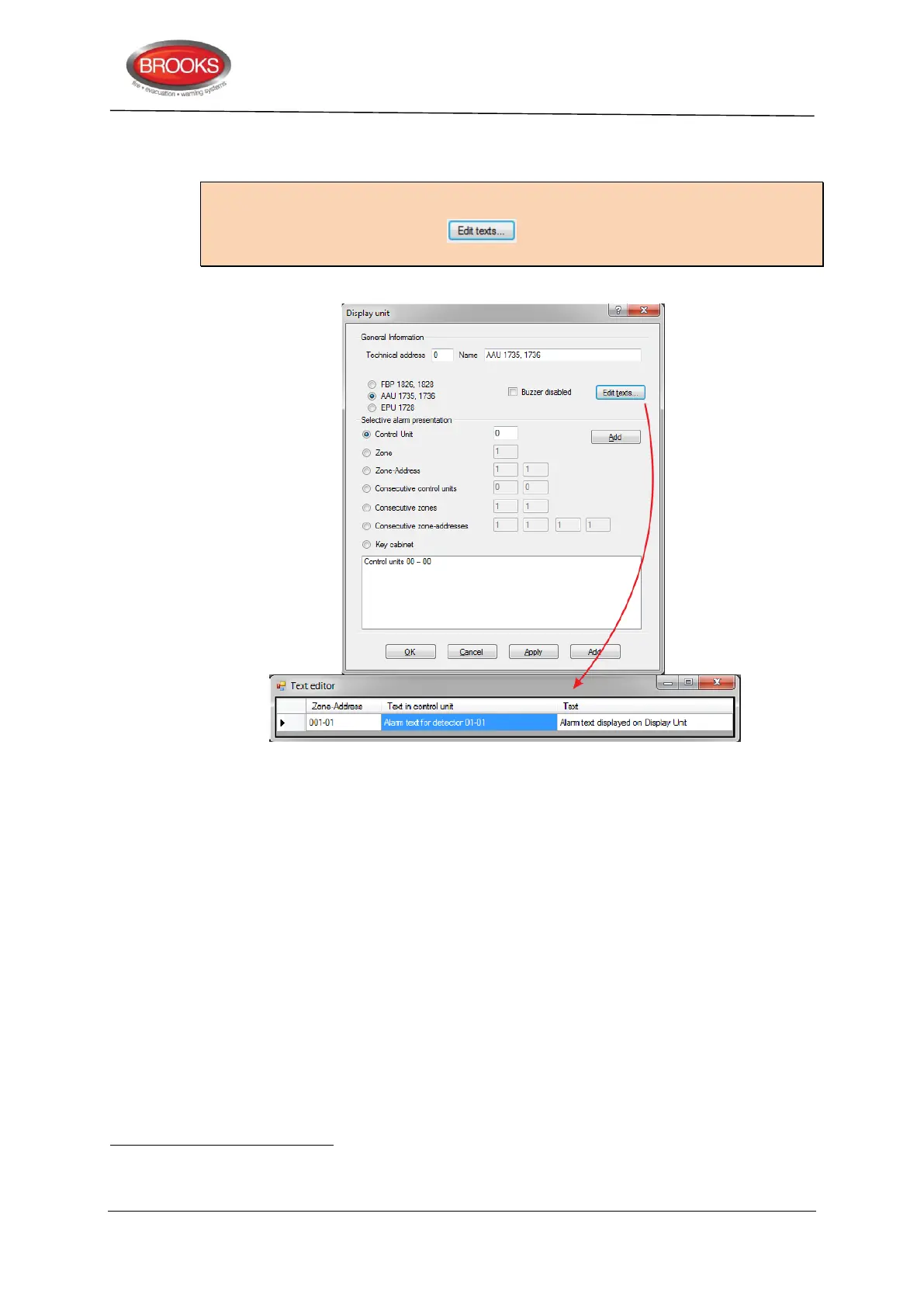
Note: If any alarm point is required to have a different alarm text in one or more of the
"display units" 1736 or 1728
, the text have to be typed in the EBLWin "Text editor", for
the respective "display unit" (Click button in the Display Unit dialog box which
will bring up the Text Editor).
Explanations (Text editor for one specific "display unit"):
Zone-Address column
Shows the already programmed alarm points (e.g. 01-01, 01-02, 02-01 etc.).
Shows the already programmed zones, i.e. MIO unit 3361 Zone Line Inputs and 8 zones
expansion board 4580 Zone Line Inputs programmed with address "00" (i.e. as ZZ – 00).
Text in control unit column (only information that cannot be edited)
Shows the already programmed texts for each alarm point / zone. These texts will be
displayed in the control unit and all "display units" 1736 and 1728 if there are no other texts
programmed.
Text column
The text to be shown in this "display unit" for the alarm point / zone respectively, has to be
typed (edited) here. In this "display unit" the text in the "Text" column will now be shown
instead of the text in the "Text in control unit" column, for the alarm point / zone respectively.
Regarding text priority order etc. see Technical Description (chapter. "User definable text messages") for the "Display Unit"
respectively.



 To Next Page