Technical / Programming Manual
FT128 Rev 2.2
134
17 Control Unit Properties (Settings)
In EBLWin, please note:
EBL512 G3 = FT1020G3
EBL128 = FT128
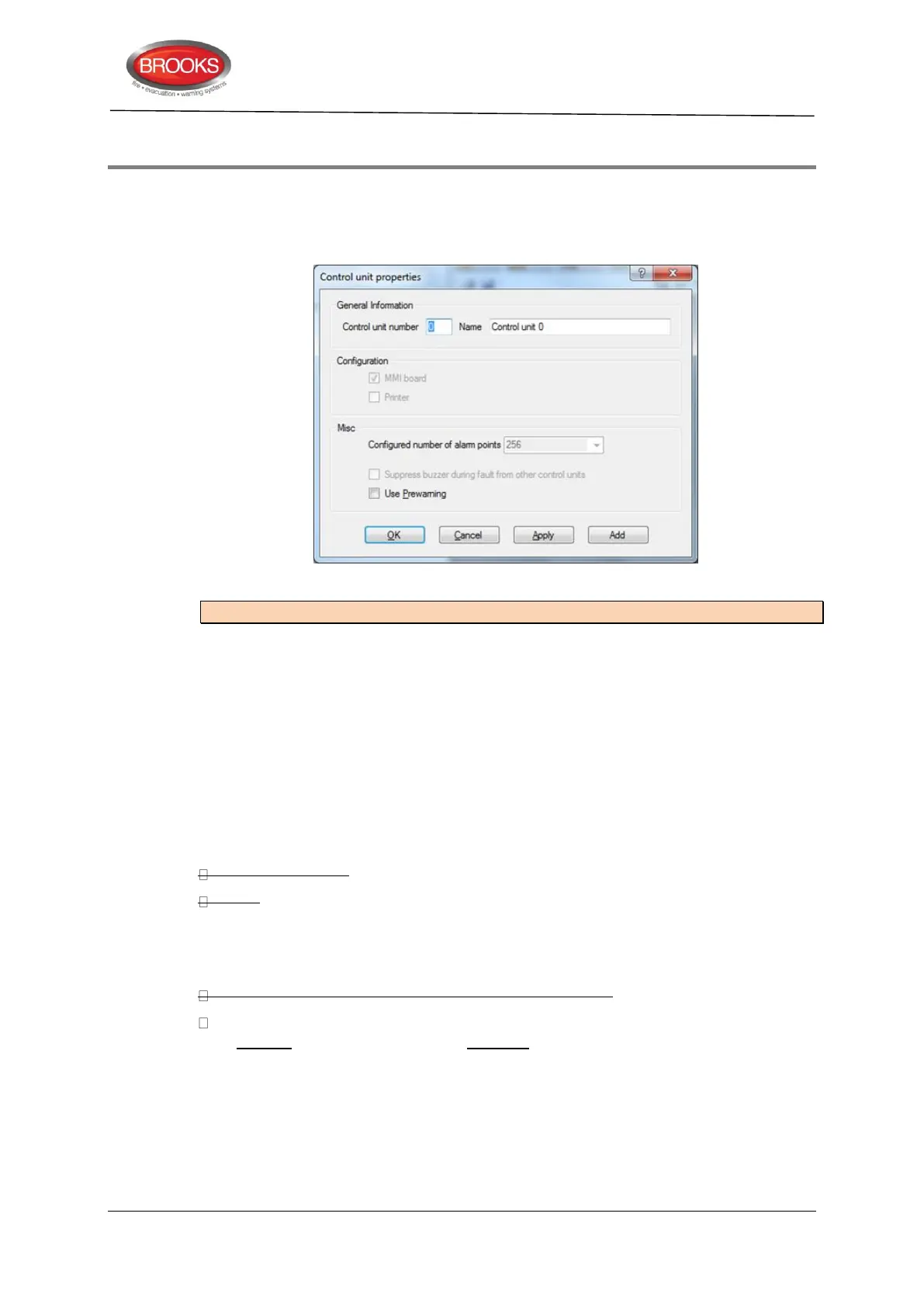
Figure 43 The EBLWin "Control Unit Properties" Dialog Box.
Note: Default settings in EBLWin might vary depending on convention.
17.1 Control Unit Properties Dialog Box
Opens when you add a control unit or via the "Control unit" pop-up menu (Properties...)
17.1.1 General Information
Control unit number: An FT128 control unit has to have no. 0. No other number is allowed.
Name: Normally not changed but can be changed when required.
17.1.2 Configuration
Not valid for FT128.
MMI board (default)
Printer
17.1.3 Misc.
Configured number of alarm points: FT128 control unit can only have 256.
Suppress buzzer during fault from other control units: Not valid for FT128.
Use Pre-warning: This check box is to be marked if the pre-warning detection is required
to be enabled, i.e. pre-warnings will be activated. All programmable outputs in the system,
with trigger condition "Pre-warning", will be activated (if not disabled).



 To Next Page