Technical / Programming Manual
FT128 Rev 2.2
147
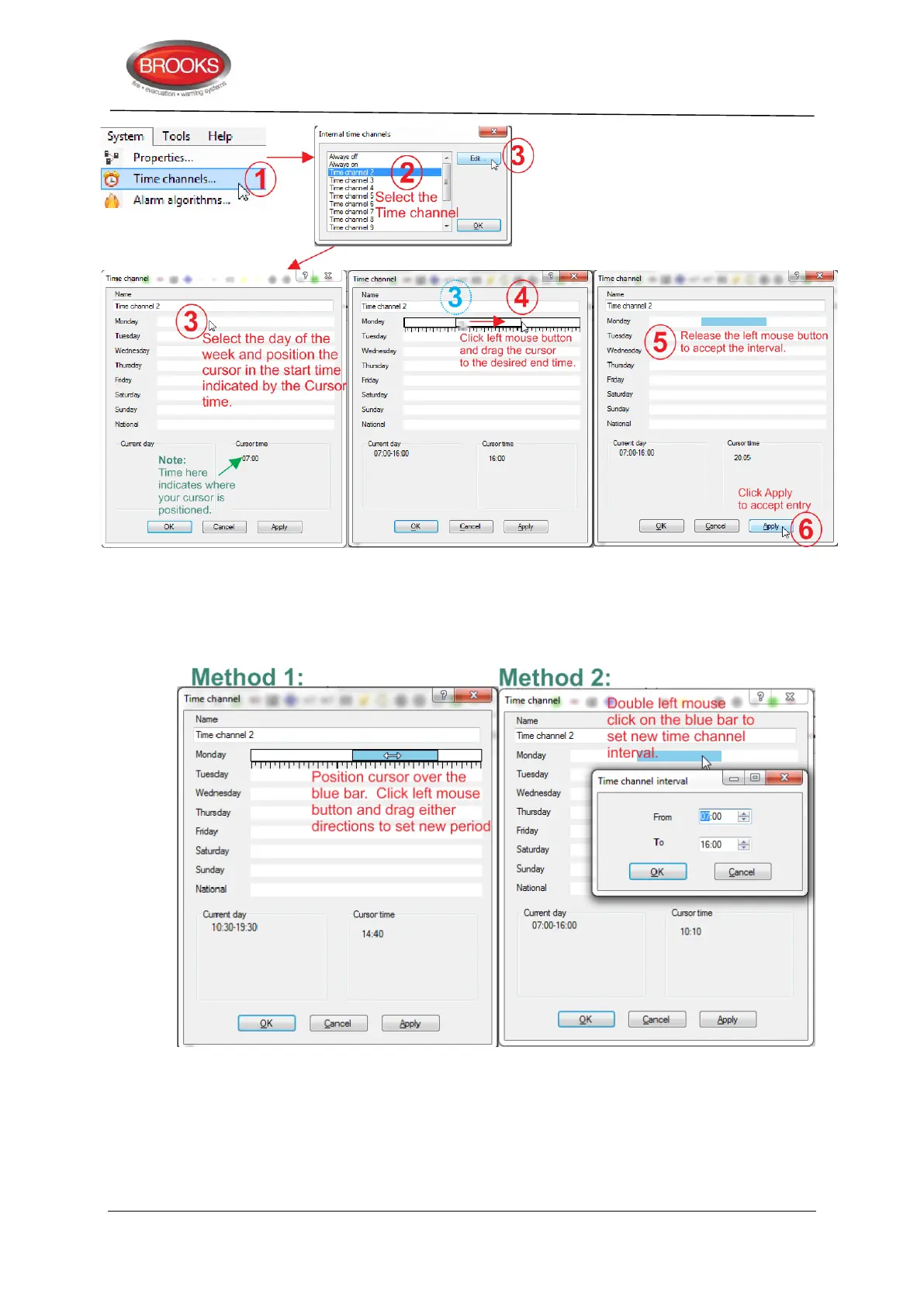
Figure 49 Time Channel Setting
For each day, five time intervals can be programmed. A time interval can be edited by
dragging the whole interval (or the left / right side of it) to the left or right in the day field.
Alternatively, double click the time interval box in the day field to open a dialog box for
easier time editing:
Figure 50 Editing Time Channel Intervals
A time interval can be copied in one day field and pasted into another day field. Click in the
blue interval from a selected day, then use Ctrl+C (copy) then Ctrl+V (paste) into another
selected day.
All other days are programmed the same way.
National: Programmed the same way as the Monday. See also chapter National Holidays,
page 151.



 To Next Page