Technical / Programming Manual
FT128 Rev 2.2
141
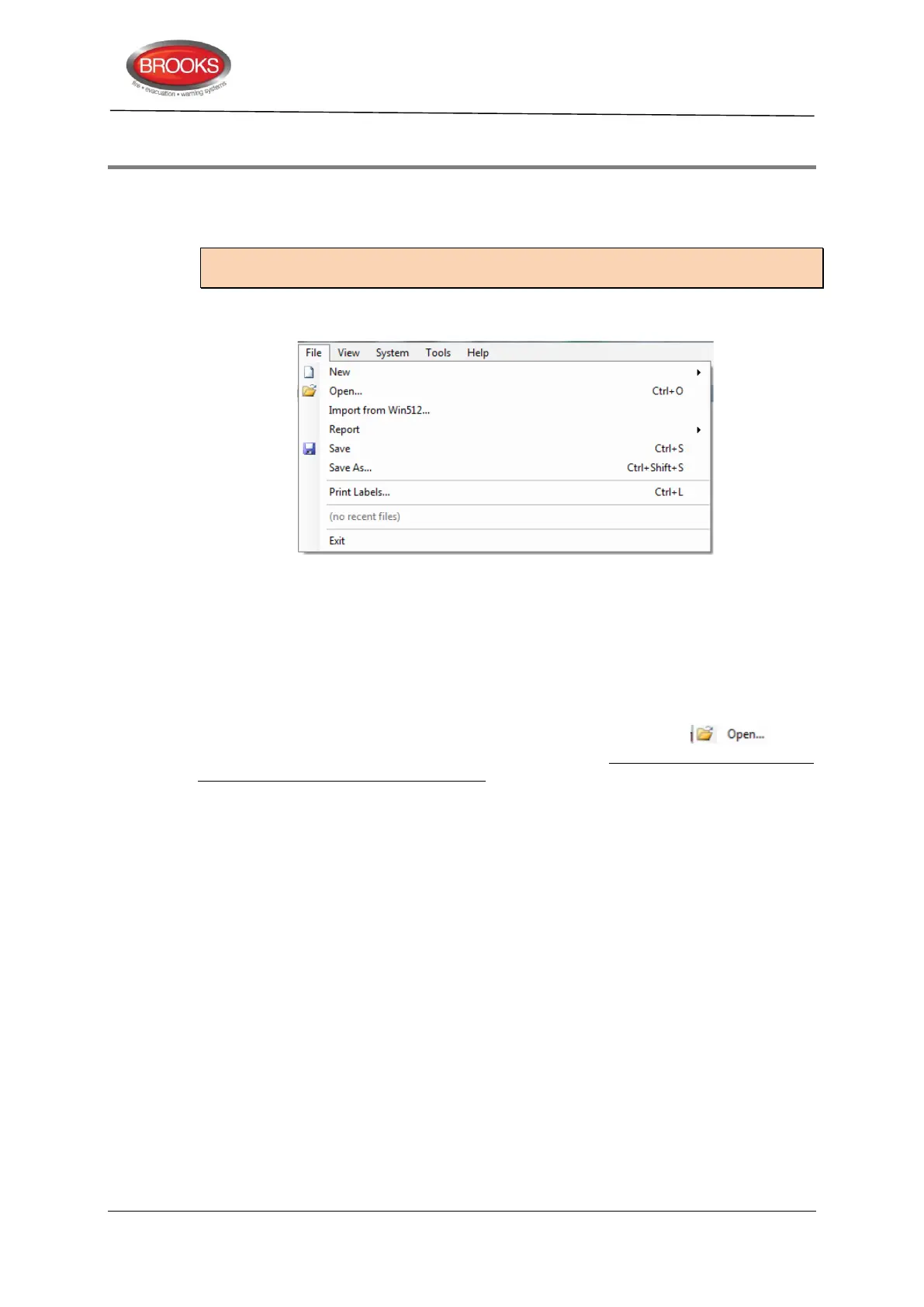
19 EBLWin menus
When EBLWin is opened, the most recent used / saved (MRU) SSD file will be opened if
the checkbox “Open MRU at startup” is selected in the “EBLWin Settings” (Options) dialog
box, else a new system will be opened.
Note: If the MRU installation is an FT1020G3 system, a new FT128 system has to be
selected via menu “File I New”, see below.
19.1 The File Menu
19.1.1 New
To open a new installation. The type of system has to be selected.
System EBL512 G3 (default) = FT1020G3
System EBL128 = FT128
19.1.2 Open
To open an installation via a standard Windows dialog box choose . SSD
created in Win128 version 1.1.x installations can be opened but any change of parameters
in any algorithm will be set back to default.
19.1.3 Import from Win512
This function is not valid for System FT128.
19.1.4 Report
All reports are exported as a *.htm file that can be saved for later use as a commissioning
document.
Installation Document: All System properties, Control unit properties, etc. will be
saved in a file (EBLWin Installation Document.htm), via a standard Windows dialog
box "Save As".
Alarm points: A list of all alarm points will be saved in a file (Alarm points
report.htm), via a standard Windows dialog box "Save As".
Outputs affected by alarm points: A list of all programmable outputs and which
alarm points that will activate them will be saved in a file (Alarm points outputs
report.htm), via a standard Windows dialog box "Save As".
19.1.5 Save
To save an installation (xxxxxx.ebl). The very first time, via a standard Windows dialog box
"Save As".



 To Next Page