Technical / Programming Manual
FT128 Rev 2.2
28
4.4.1 I/O Matrix jumper link setting:
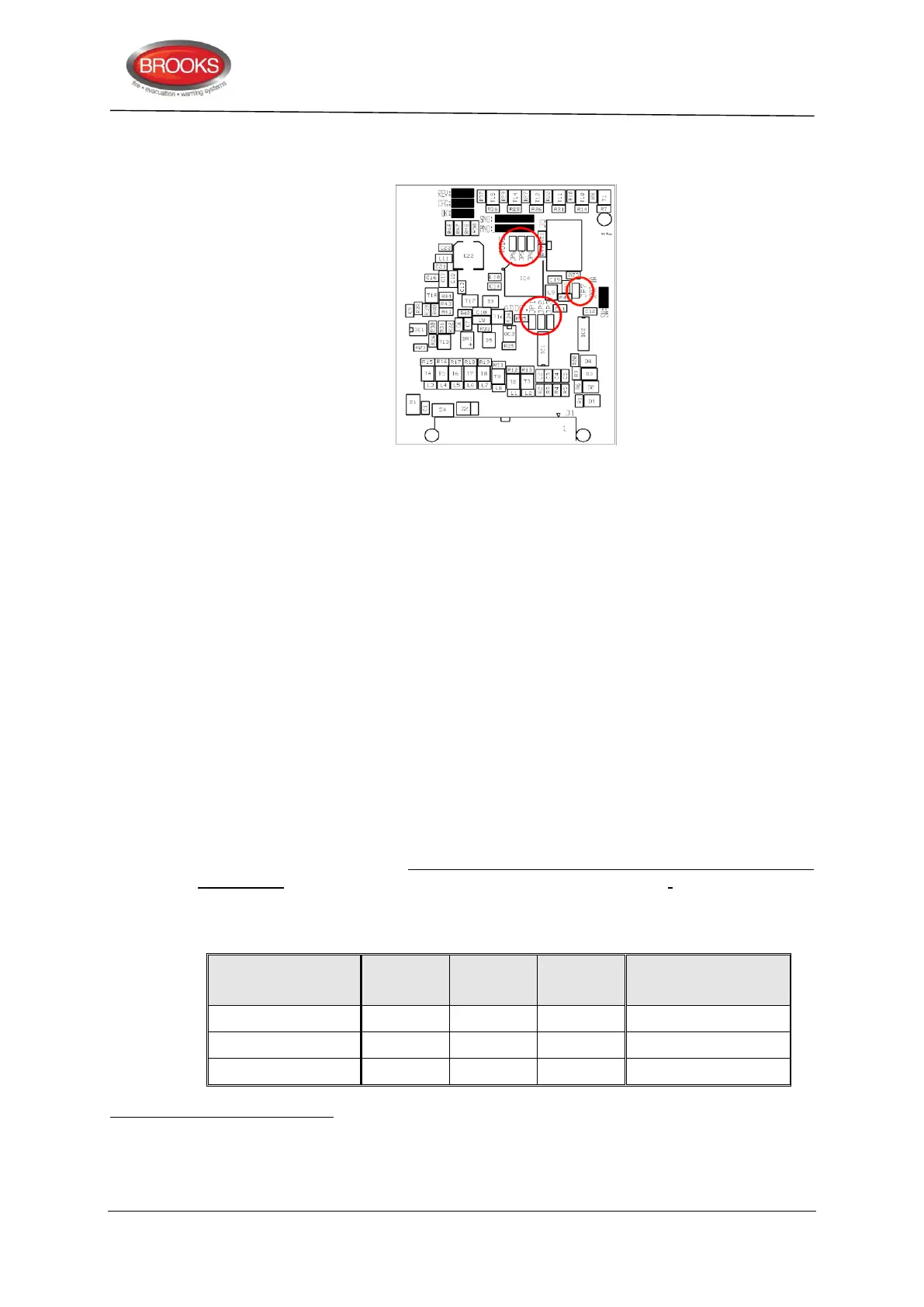
Figure 7 I/O Matrix PCB layout
The PCB layout of the I/O matrix board is shown in Figure 7, jumper links are shown in red
circle. Ensure that JP7 is not fitted, this is used for production purposes only. Three
different options for the Application Board Types can be selected via jumpers (JP4 &
JP5) on the I/O Matrix board as shown in Table 6 below.
There are no COM loop addresses to be set. Instead, the Expansion Board No. / Address
(0-7) is set with jumpers (JP1-JP3) on the I/O Matrix board. See Table 4, page 23.
The three configuration options for the I/O matrix board are:
Generic, normally used for any special applications e.g. NZ index panel, mimic or
relay boards, pump status indications, etc. Maximum of two generic options can be
used, if no zone control is used.
Fan Control, up to 8 fan modules can be used if no other applications or expansion
boards used or 4 modules if the permitted quantity of generic and zone control are
used. 4 fans are the maximum number allowed module.
Zone Control, only 2 zone options can be selected to provide a maximum of 16
zones
for each FT128 system, if no generic option is used.
Up to four I/O Matrix boards can be used and up to eight if no expansion boards type 4580,
4581 and 4583 are used but maximum two I/O Matrix boards of type Generic and type
Zone control i.e. 2 zone control or 2 generic or a combination of both.
In FT128, total of up to 200 outputs can be used, including all types of outputs.
Table 6 I/O Matrix board 4582 type setting
Type (mode)
Application Board
Brooks Application
Board Part No.
Due to the space limitation, only 12 zones are available in every zone control module
When SUB900 or SUB902 is used as a Generic application board, the Type of Inputs and Outputs can be customised by
programming in the EBLWin configuration software.
The new versions of NZ mimic boards SUB985, SUB986, SUB987 & SUB988 replace the discontinued SUB927 and SUB927R,
for more details refer to chapter “New mimic options” page 39



 To Next Page