Technical / Programming Manual
FT128 Rev 2.2
95
Output signal period: Steady (continuous) or Steady, delayed activation is to be
selected.
Control Expression is to be programmed for the output, i.e. for the equipment to
be controlled.
Name: It is recommended to add information, e.g. the interlocking combination's
presentation number (Area-Point).
Activated output will be indicated in menu H9/C1.
12.1.2 Interlocking Input
The "Input" dialog box is used to configure the interlocking input.
Type: "Interlocking Input" is to be selected.
Name: It is recommended to add information, e.g. the interlocking combination's
presentation number (Area-Point).
Activated input will be indicated in menu H9/C1.
12.1.3 Interlocking Combination
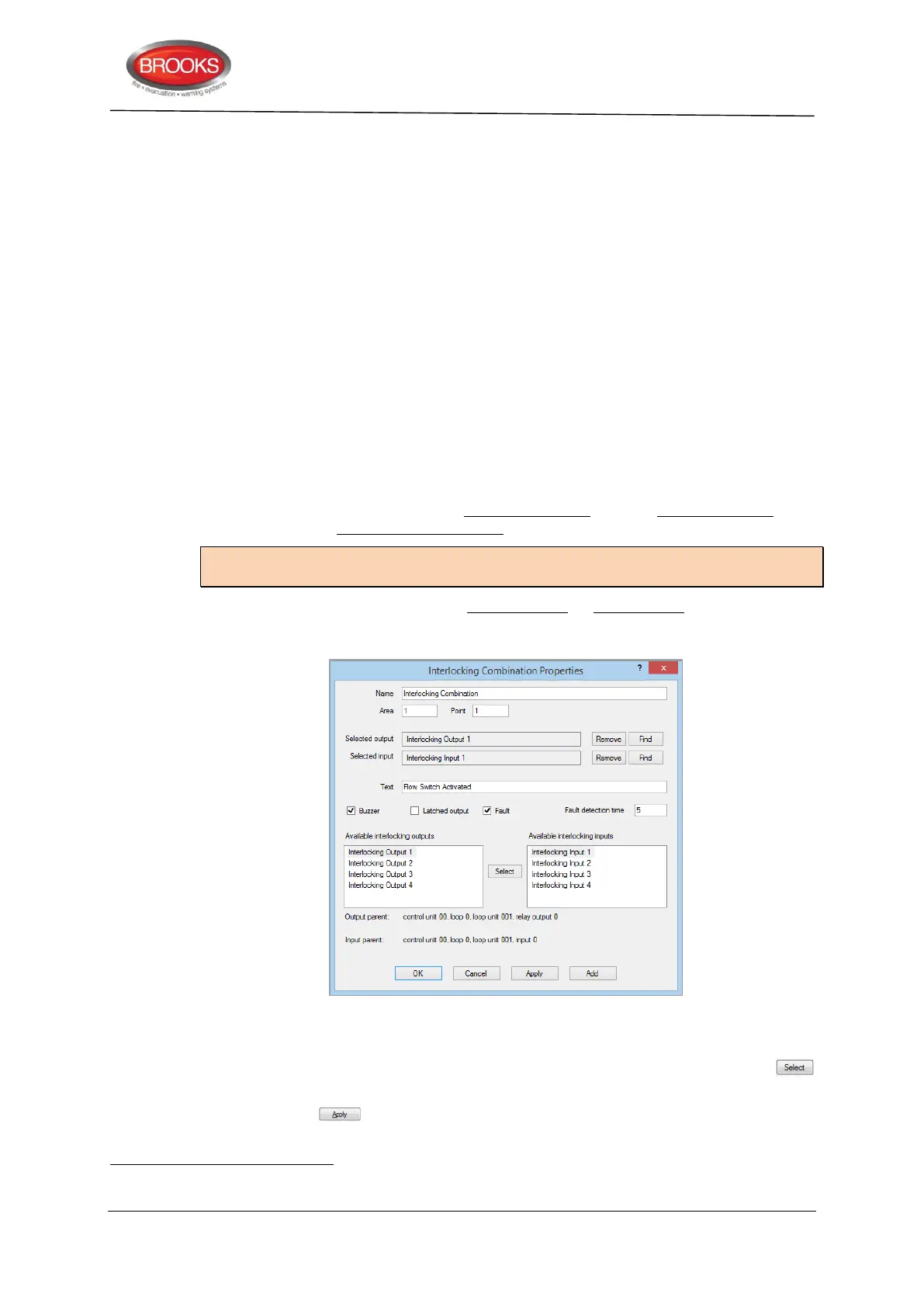
The interlocking function requires one interlocking output and one interlocking input to be
programmed in one interlocking combination.
Note: The interlocking outputs and inputs have to be programmed first before
programming the interlocking combination.
An interlocking combination can have only an output or only an input programmed, e.g.
when a user definable text message is required to indicate an activated output or input and
alerted from the buzzer.
Figure 33 The EBLWin "Interlocking Combination" dialog box
To configure an interlocking combination, the following procedures can be used:
1 Select from each side of the interlocking inputs and/or outputs lists, click the
button, this puts the selection into the selected output/input fields.
2 Click the button, the selections will disappear from the lists and cannot be
reused elsewhere.
In the "Interlocking Combination" dialog box, all the outputs and inputs previously programmed for interlocking are listed, see
Figure 33



 To Next Page