Technical / Programming Manual
FT128 Rev 2.2
120
Each addressable alarm point and each zone can have an individual alarm text shown in
FT128 display and the same text or another one shown in each Alert Annunciation unit
1736 and Ext. Presentation unit 1728, since specific texts can be downloaded in each unit
individually.
14.22.1 Creating Alarm Texts via EBLWin
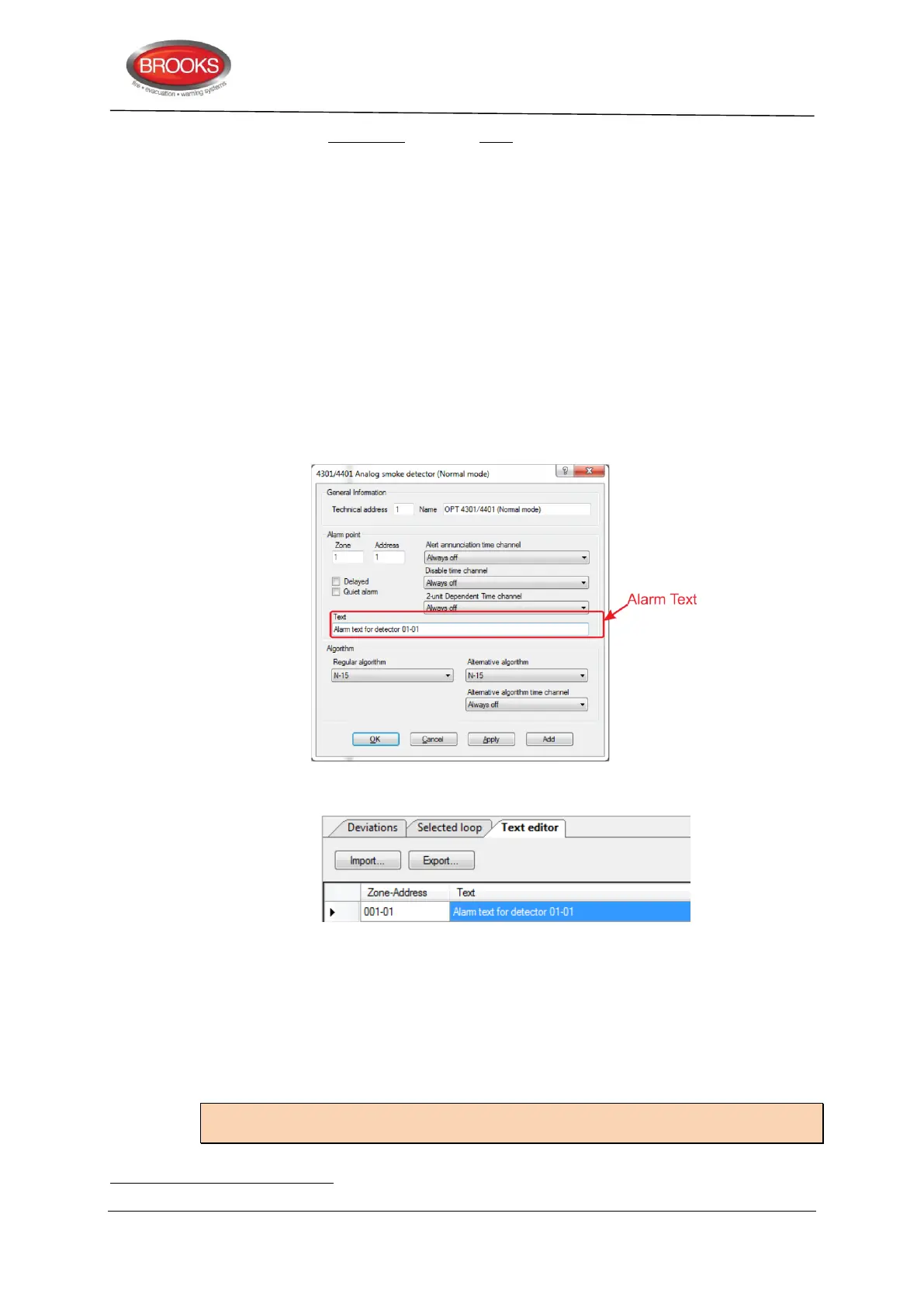
In the dialog box for an alarm point (e.g. a detector), there is a "Text" field where the alarm
text for the alarm point can be typed (or edited). This is a custom text that will be displayed
on the CIE when this alarm point has activated a fire alarm and as from version 2.0 it will
also be shown in the fault message.
It is recommended that the text reflects general indicating descriptor where the location of
this Zone-Address is e.g. “Main Dining Area” is preferred rather than “Fire in the Main
Dining Area” because when the text appears in the fault message, the event is not a fire.
The alarm text can also be edited in EBLWin "Text editor" (menu System | Edit Alarm
Texts…).
These texts can be edited in either the alarm point dialog box or the Text Editor. Both text
will be synchronised.
Explanation:
Zone-Addres column
Shows the already programmed alarm points (e.g. 01-01, 01-02, 02-01 etc.). Only the texts
have to be typed / edited in the "Text" column.
Shows the already programmed zones, i.e. I/O unit 3361 Zone Line Inputs and 8 zones
expansion board 4580 Zone Line Inputs programmed with address "00" (i.e. ZZZ – 00).
Only the texts have to be typed / edited in the "Text" column.
Note: In system FT128 is the highest possible zone number 099 since only two digits can
be shown in the display.
Up to 40 alphanumeric characters are allowed in each user defined text entry.



 To Next Page