Technical / Programming Manual
FT128 Rev 2.2
84
The types that can be used in the "Output Signal period" for the programmable output
respectively are:
X = Output type can be used.
XX = Output type can be used but only 0.8s/0.8s.
XXX = Output type can be used but maximum 5.6s/5.6s and the pulse maximum 5.6s
respectively.
10.5 Control Expression
Each programmable output has to be given a control expression
. It is created by using
Boolean algebra.
If an output is to be used for manual control only e.g. an AS1668 fan control output or an
output controlled by input trigger condition “Activate output”, a “never true” control
expression must be programmed. In such a case, control expression
“TimeChannelActivated” (Always off) can be used.
Trigger conditions (see "Available functions"), logical "Operators" (AND, OR, NOT) and
parentheses are used to build up a "control expression" containing up to 40 trigger
conditions. See also chapter "Control Expression Examples”, page 90.
A programmable output will be activated as long as its control expression is true.
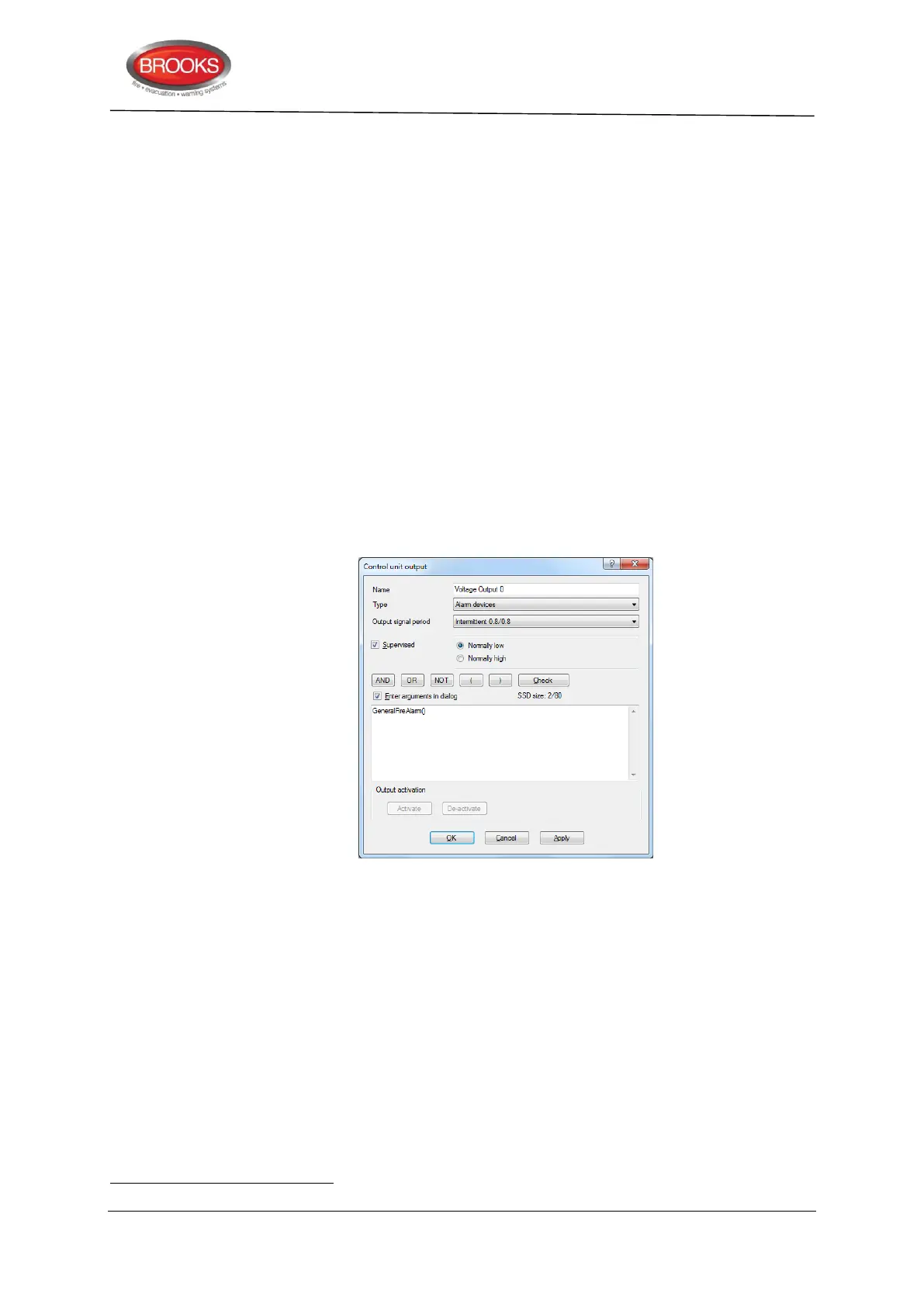
Figure 30 Control expression output dialog box
In any output dialog box, click the right mouse button in the large white field. Select
Alarm, Interlocking, Disablement or Other to open a "Trigger conditions list". Depending
on the selected trigger condition, different arguments / data have to be entered. In Figure
30, the trigger
condition "General Fire Alarm" is selected.
10.5.1 Trigger Conditions
Some trigger conditions require additional information, see below information within
parentheses (nnnnn) after the trigger condition respectively.
The trigger conditions are divided into four groups as follows:
Alarm
Interlocking
A programmable output with no control expression will be interpreted by the CIE. as if it does not exist.



 To Next Page