Technical / Programming Manual
FT128 Rev 2.2
137
18 System Properties (Settings)
18.1 System Properties Dialog Box
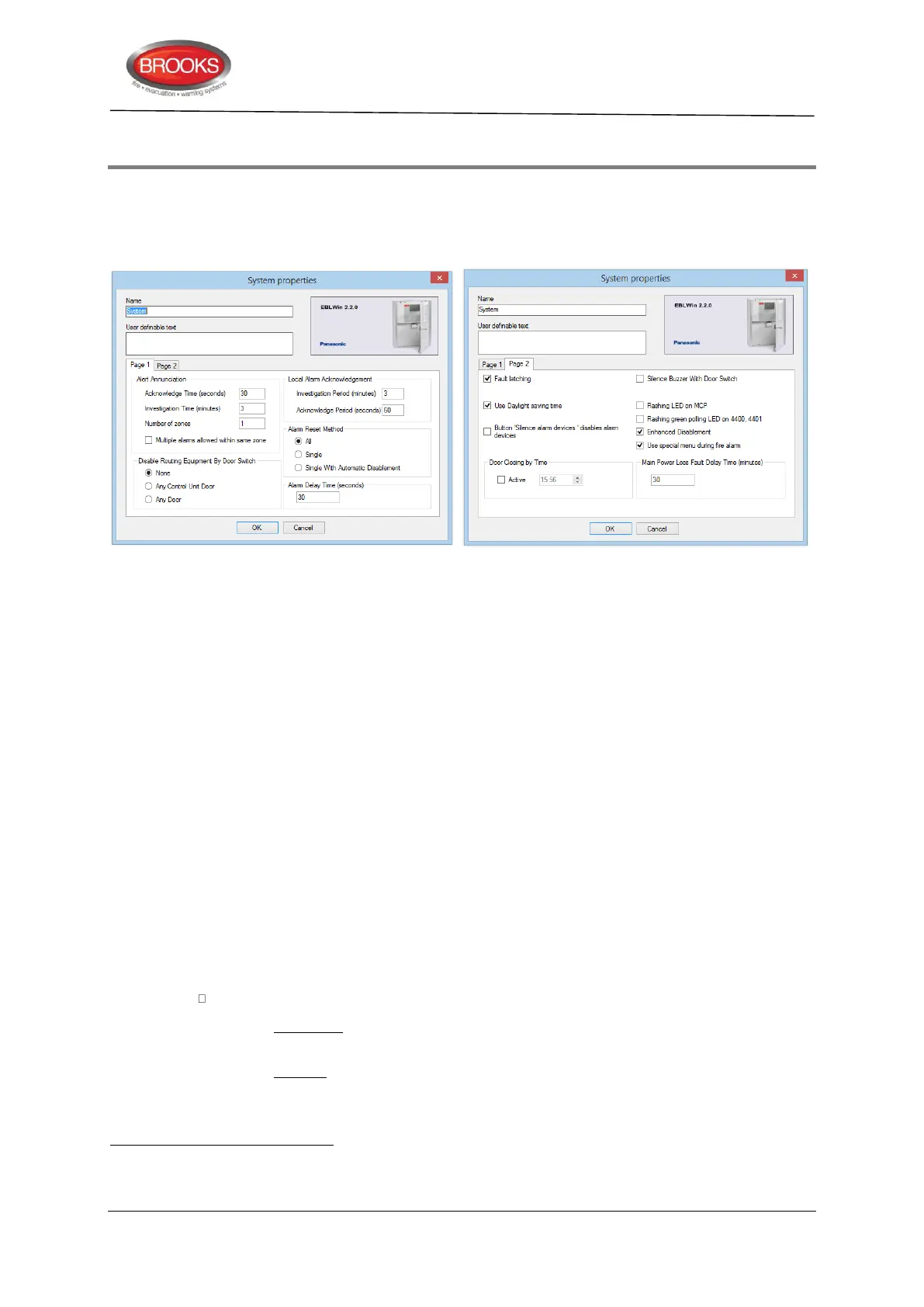
To open System properties dialog box as shown in Figure 44, go to the EBLWin menu
System | Properties…
Figure 44 EBLWin System Properties Dialog Box, Page 1 and 2
18.1.1 Name
This field text normally is the installation name. (Max. 22 characters).
18.1.2 User Definable Text
For user definable text. One row, in total 40 characters. The text will be shown in the
control unit display in quiescent condition. See also FT128 Operation Manual.
18.1.3 System Properties, Page 1
18.1.3.1 Alert Annunciation
See also Section “Alert Annunciation”, page 111.
Acknowledgement time: 30 sec.
Default set at 30 seconds, allowable between 0-120 seconds is possible to set
Investigation time: 3 minutes.
Default set at 3 minutes, allowable between 1-9 minutes.
Number of zones: 1
Default set to 1 zone, allowable between 1-4 zones.
Multiple alarms allowed within same zone
Checkbox unmarked (default): only one Alert annunciation alarm is allowed within the
zone
.
Checkbox marked: More than one Alert annunciation alarm within the same zone is
allowed.
Alarm from two or more alarm points within the same zone will activate normal fire alarm, i.e. the "Fire brigade TX" output will
be activated.



 To Next Page