Technical / Programming Manual
FT128 Rev 2.2
153
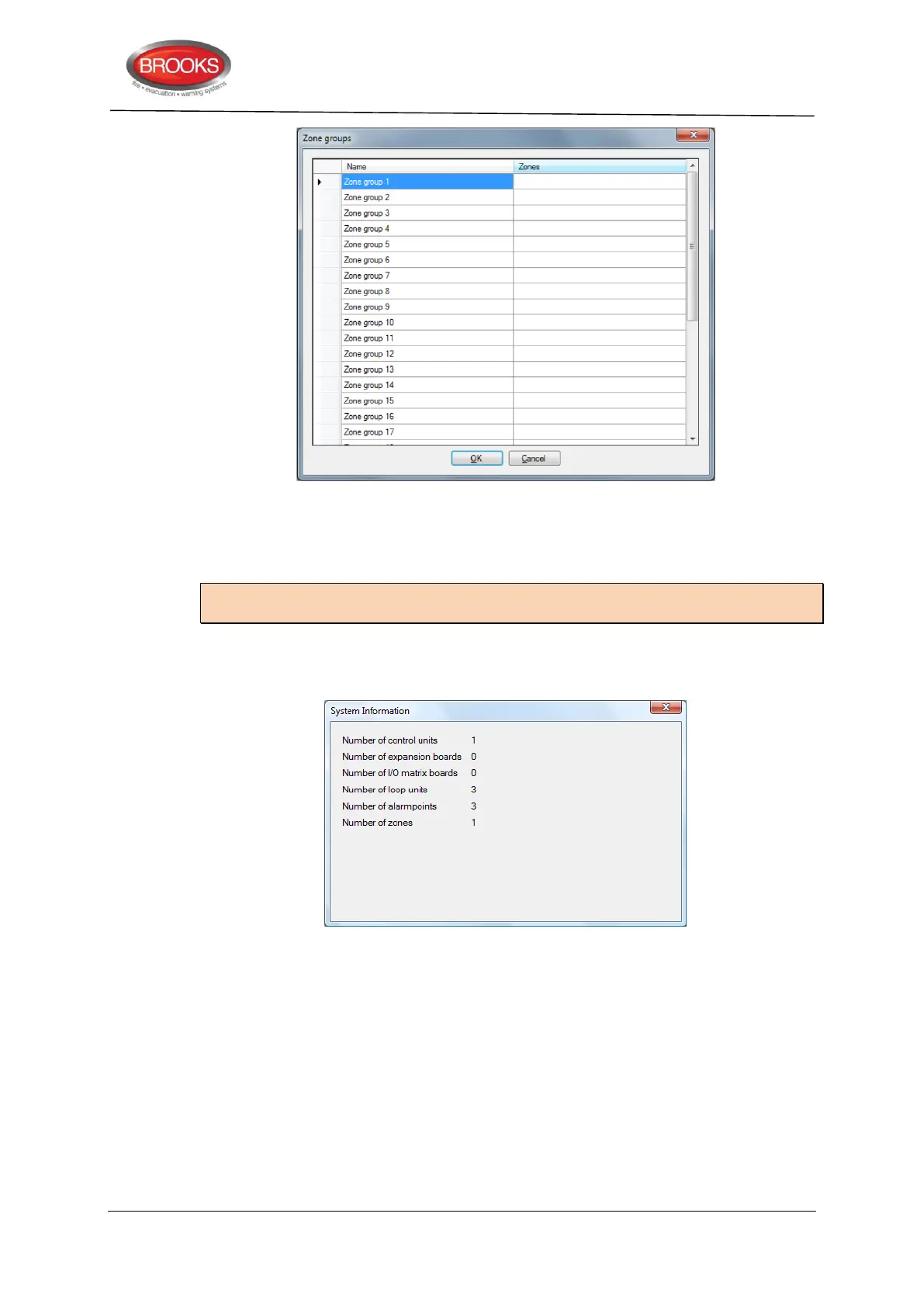
For each zone group, write the zone numbers for the zones that should be included in the
zone group in the white field / line. Use comma as a punctuation mark between the zone
numbers and a sequence e.g. xxx-yyy.
Default for all zones is that they do not belong to any zone group.
Note: A zone can only be a member of one zone group. A validation error will occur if a
zone is programmed to be included in more than one zone group.
19.3.8 System information
A summary of the system configuration is given in this dialog box as shown below:
This gives all that has been programmed so far in the system. The information will be
updated when units etc. are added or deleted.
19.3.9 Edit Alarm texts
The user definable text message for each alarm point can be created / edited in the alarm
point dialog box respectively or via the menu: Systems | Edit Alarm texts.
19.3.10 User data
To log on to the CIE and/or the Web-server a User name and a password are required.
Ten different User names and corresponding passwords can be defined for three different
User levels (Information only, Building officer & Service personnel).



 To Next Page