Technical / Programming Manual
FT128 Rev 2.2
175
27 National Regulations / Requirements
When planning a fire alarm installation, national regulations, customer demands, etc. have
to be followed.
FT128 is very flexible with many built-in functions & facilities in the S/W and the PC program
EBLWin. When downloading the S/W and/or the SSD, different settings, conventions,
languages, etc. can be selected to fulfil the national regulations / requirements.
27.1 Conventions
In accordance with the section above, a convention is selected the very first time EBLWin
is opened after the installation. This will be the default convention for every new
installation
.
Normally the same convention shall be used in all installations thereafter. It
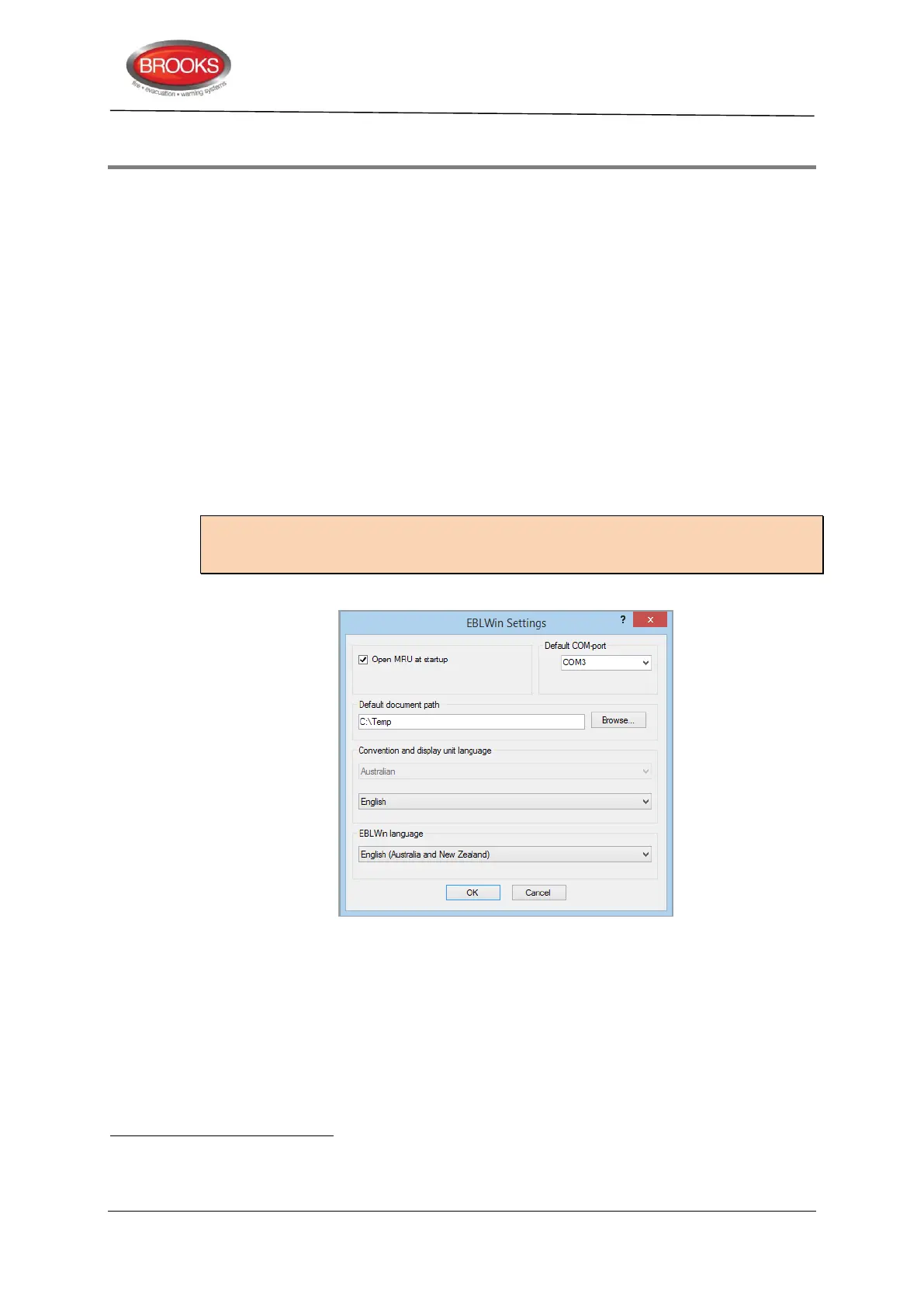
is, however, possible to change the convention in the EBLWin dialog box "EBLWin
settings". The conventions that can be selected are listed in the valid EBLWin version
(under menu Tools | Options).
If the Most Recent Unit (MRU) check box is ticked, the MRU file will open when EBLWin is
launched. The default COM port to communicate with the CIE can also be changed to suit
your available PC port.
Note: To change convention, a Level 2 special password is required. Access is via the
menu, Advanced functions | Level 2. Also note that the convention will be changed only
for the open installation.
Figure 60 EBLWin Settings Dialog Box
27.2 Language
The language for the text shown in the FT128 display (alarms, faults, menus, etc.) is
dependent on which binary file (*.bin) has been downloaded (normally in conjunction with
the S/W download).
The binary file (*.bin) for the selected language / convention shall be downloaded via
EBLWin (menu Tools | Download software…).
Some of the SSD settings might then be a violation to the AS7240-2 or AS1670.1 standard. If this happens, a "Warning" will
be displayed.
Depending on convention, different default settings in EBLWin could be valid and also different functions in the system software
EBL128.



 To Next Page