Technical / Programming Manual
FT128 Rev 2.2
142
19.1.6 Save As
To save an open installation with another file name (xxxxxx.ebl), via a standard Windows
dialog box "Save As".
19.1.7 Print labels
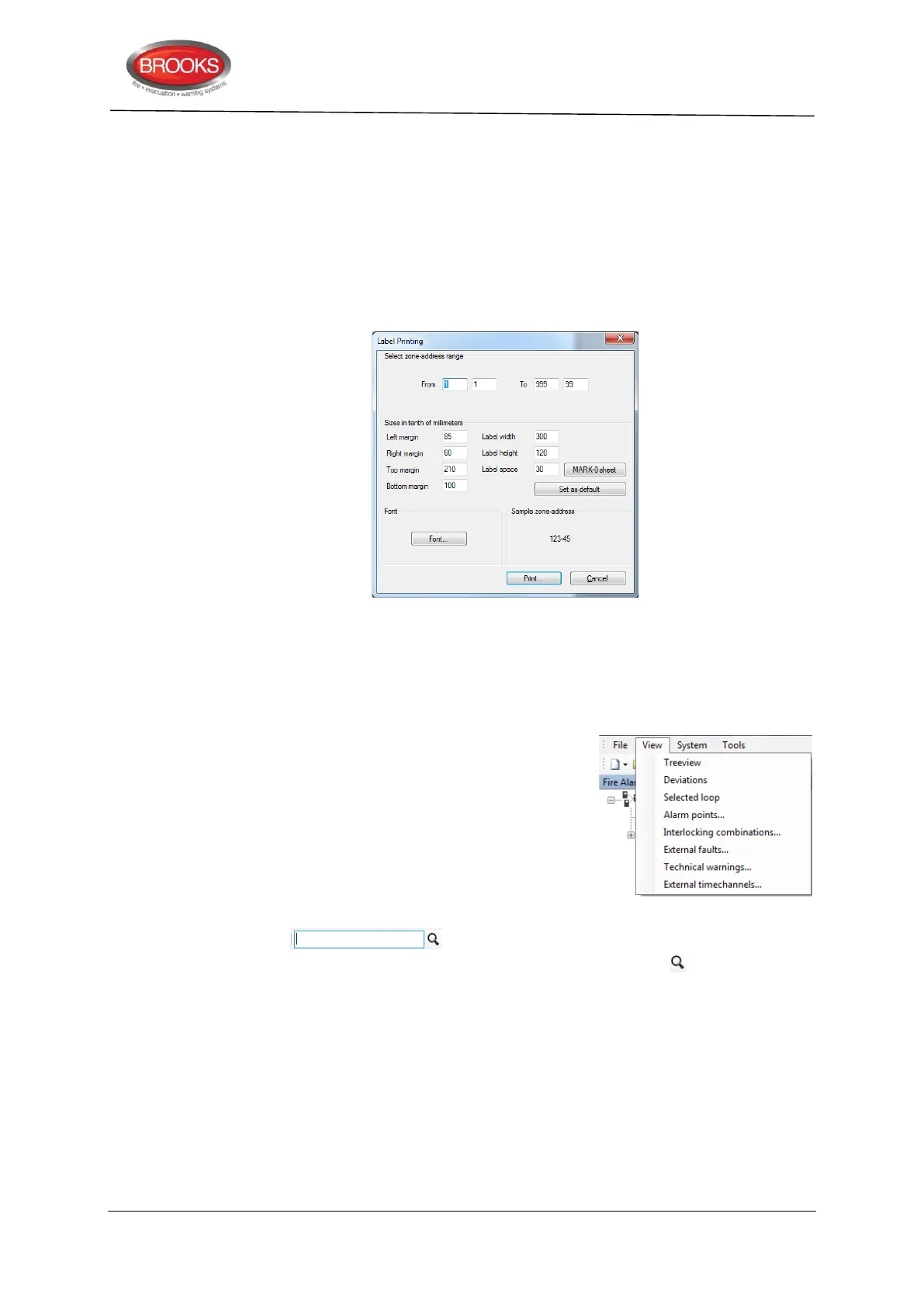
Labels with Zone-Address for the specified range of programmed alarm points will be
printed. In order to set the margins etc. change the setting as necessary from the print label
dialog box:
Label holder (3390) should be used for MARK-O sheet settings i.e. Labels for 3390 (3391).
19.1.8 Exit
To exit / close EBLWin.
19.2 The View menu
The first time EBLWin is opened after installation, the tree
view pane will be visible to the left in the window. on the
right pane, the tabs "Deviations" and "Selected loop" will
be available by default. More taps can be added from the
view menu to display information about Alarm points,
Interlocking combinations, etc.
19.2.1 Filter Box
The filter box will appear in all tabs except when the “Selected Loop”
tab is selected. Any text typed in this box is case sensitive. Click on after the key word
is entered.



 To Next Page