Technical / Programming Manual
FT128 Rev 2.2
40
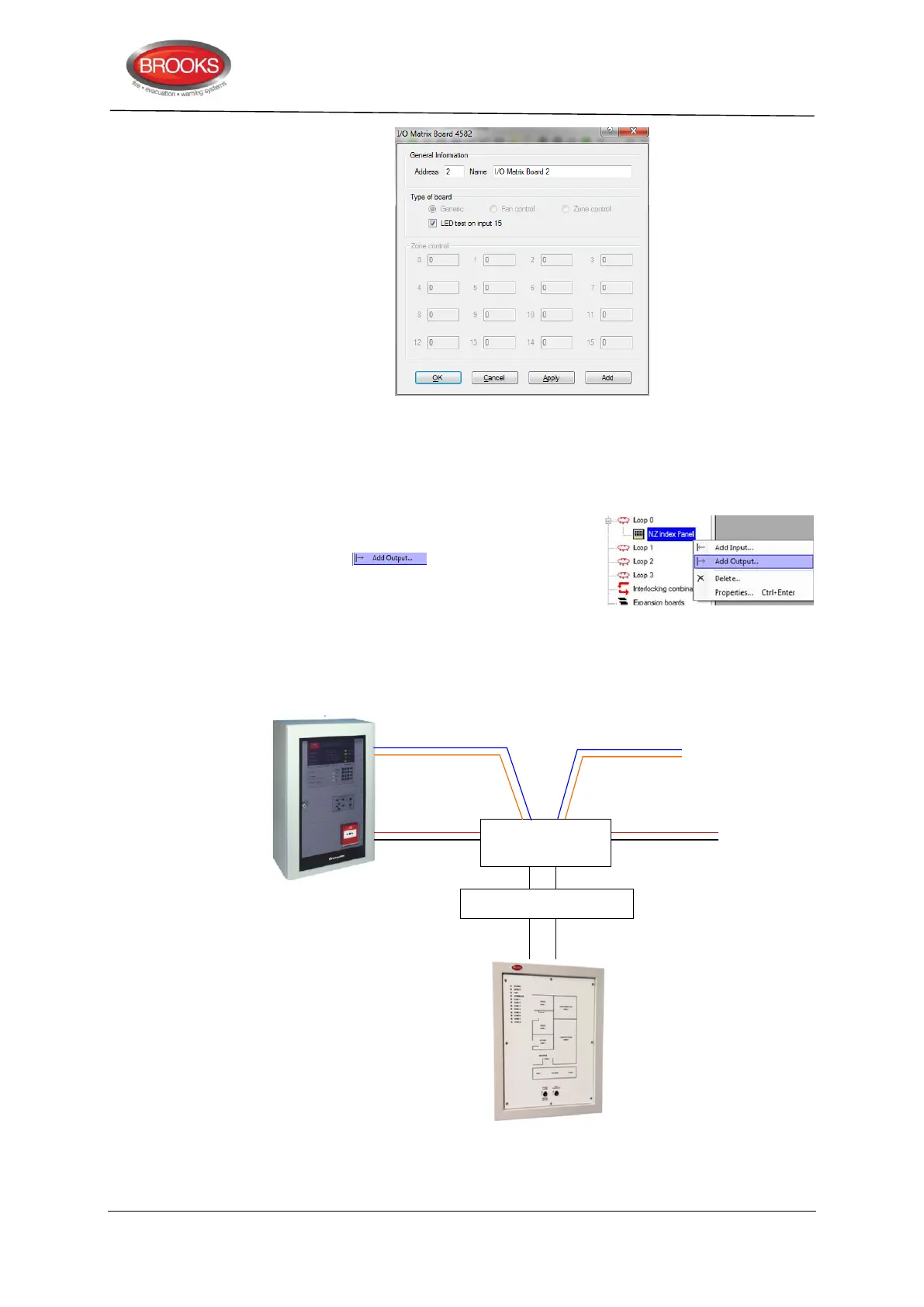
2. Enter the address (0-3) (usually automatically assigned) in the general information
area and give it an application name e.g. NZ Index panel.
3. Select the check box “LED test on Input 15” if this button is to be used for LED test
or uncheck the box if not required.
4. Right click on the Generic Board (i.e. NZ Index
Panel as a given example) that was added in step
1 and choose from the context menu
as required (0-47) and enter the fields in the
properties dialog box with its logical expression
(similar to programmable relay output).
5. Add input 0 and input 1 to program the Bulgin keys. Select type “NZ Silence switch”
for input 0 and assign the name to “Silence Alarms”. Select type “Evacuate” for
input 1 and assign the name to “Evacuate”.
Figure 15 Generic application, NZ index panel
or 24VDC from
external source



 To Next Page