Technical / Programming Manual
FT128 Rev 2.2
146
19.3.2 Time Channels
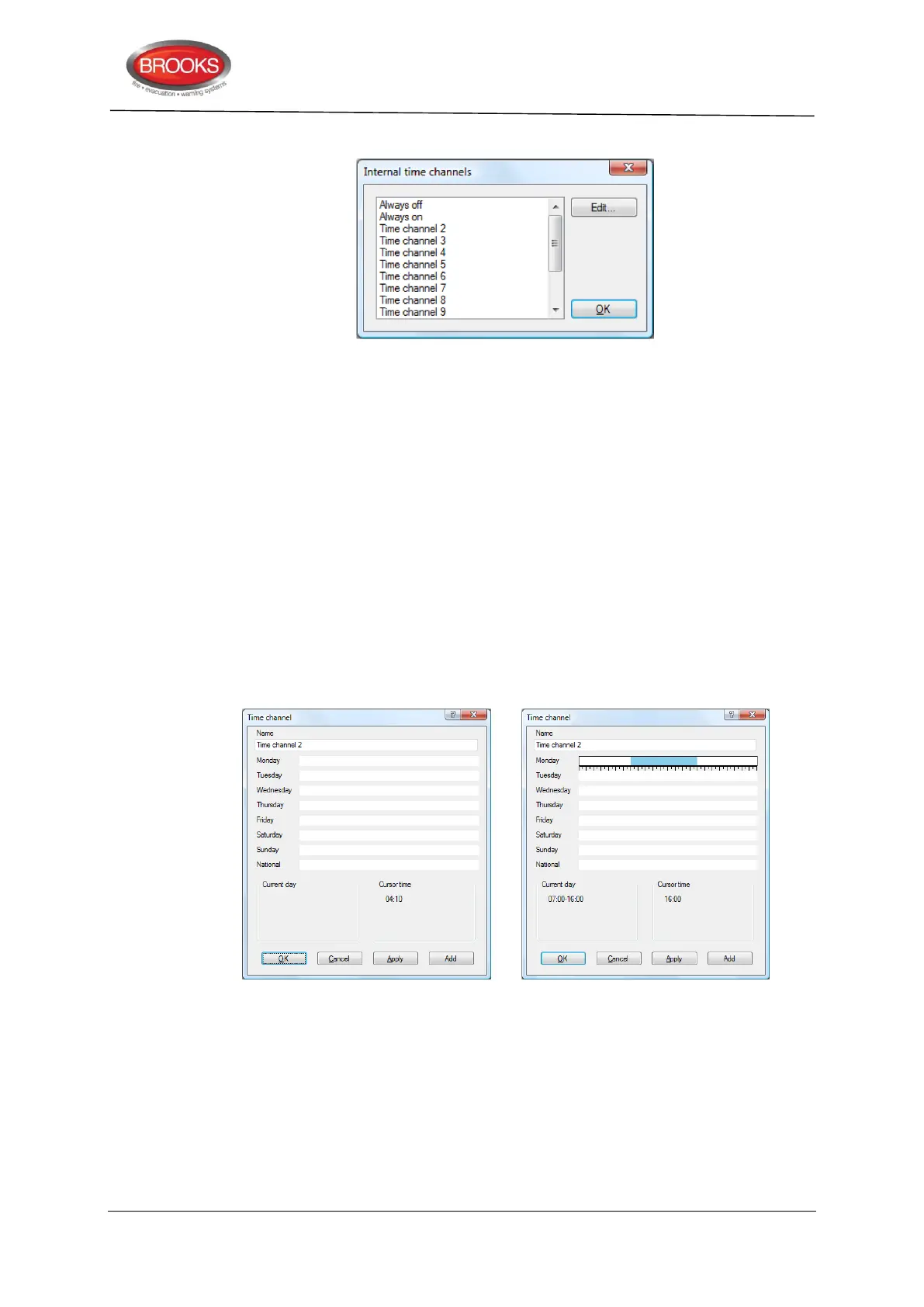
Figure 47 Time Channels Dialog Box.
Time channels Always off and Always on cannot be edited
Time channels 2-14 are controlled by the built-in RTC (real time clock). Up to five on/off
times per day can be set for each time channel.
The time channels 1-14 can be used to:
disable and re-enable alarm points / zones
set Alert Annunciation on / off
disable, re-enable and activate programmable control outputs
set alternative alarm algorithm for analogue detector types 430x / 440x on / off
set 2-unit dependence function on / off
The properties for each Time channel (2-14) and each Day of the week (Monday to
Sunday + National Holiday) have to be set for the channels respectively.
For time channel 2-14 programming, select a time channel in the list (to the left) and click
“Edit...”
Figure 48 Configuring Time Channels
Figure 48 on the left: The "Time channel 2" dialog box without any programming done. On
the right: One time interval is programmed for Monday (time channel 2 is "on" 07:00 –
16:00).
Name: "Time channel n" is default. Normally not changed but informative text can be
added e.g. office hours.
Monday: To set the time channel for this day, follow these numbered steps in Figure 49.



 To Next Page