Technical / Programming Manual
FT128 Rev 2.2
151
Pulse
Steady, delayed activation
Intermittent, delayed activation
Pulse, delayed activation
Steady, delayed de-activation.
Depending on the selected type, one or more of the following fields might have to be filled-
in.
Delay time: Can be set to 0-255 x 0.8 = 0 - 204 sec.
Pulse length: Can be set to 0-255 x 0.8 = 0 - 204 sec.
Pulse off: Can be set to 0-255 x 0.8 = 0 - 204 sec.
De-activation: Can be set to 0-255 x 0.8 = 0 - 204 sec.
19.3.5 National Holidays
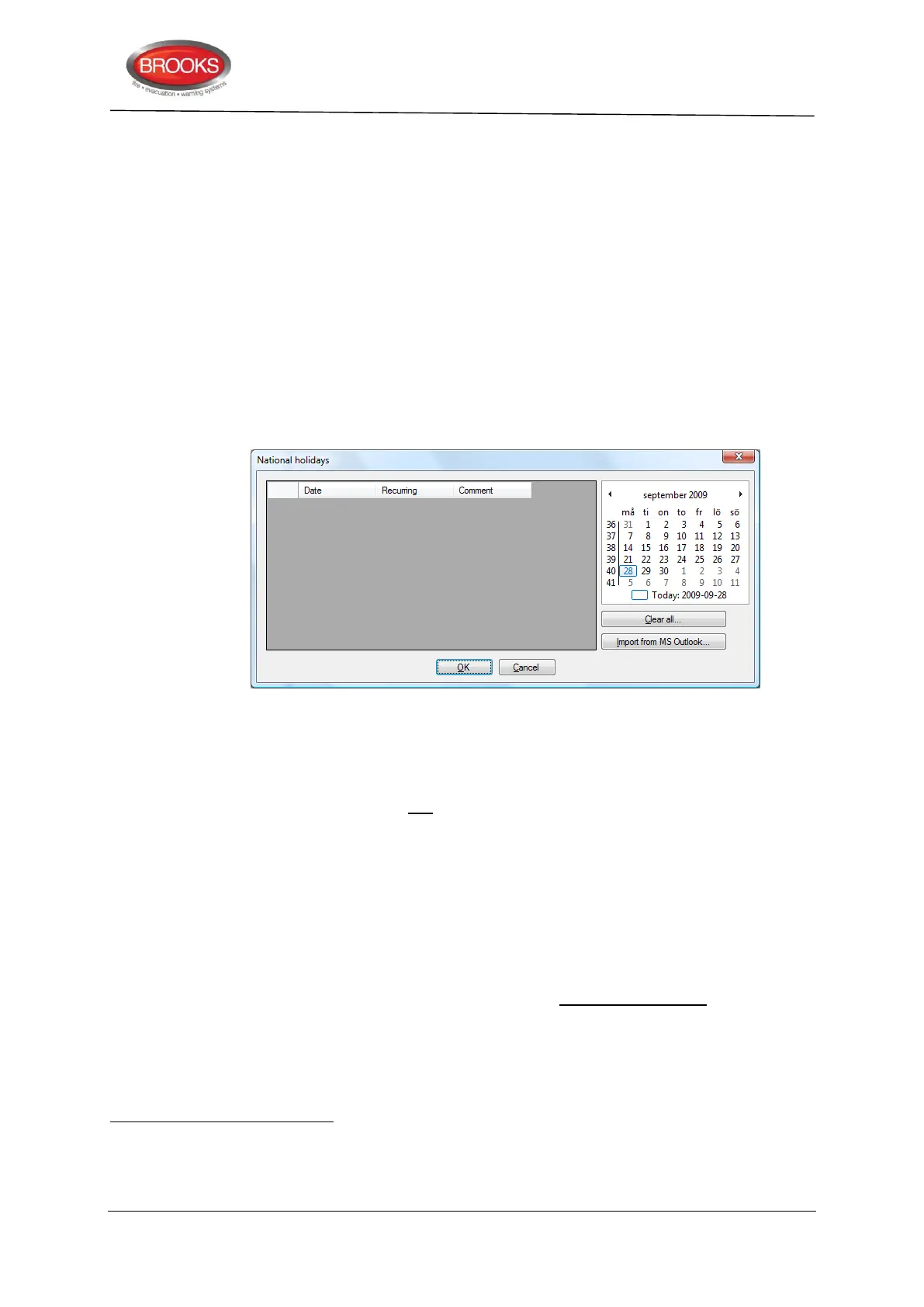
Figure 54 National Holidays Dialog Box
To open the National Holidays Dialog Box as shown in Figure 54, click System | National
Holidays from the EBLWin menu.
Up to twenty national holidays can be set for the whole system.
Each national holiday can be added one by one, i.e. by selecting a date in the calendar (up
to the right) and click "Add" to add a row with the date to the list (to the left). To delete a
date in the list, click on the date in the calendar with the left mouse button.
If Microsoft
®
Outlook
®
is installed on your PC, the national holidays can be automatically
added in the list by clicking "Import holidays from Outlook…".
The holidays not valid any longer can be removed from the list, i.e. click "Remove outdated
holidays…". Click "OK" to delete all the outdated holidays in the list.
Mark the checkbox "Recurring" if a holiday recur the same date every year, e.g. Christmas
Day, Boxing Day, etc.
A comment can be added for every date.
Australian government website:http://www.australia.gov.au/topics/australian-facts-and-figures/public-holidays
NOTE! ON/OFF times for each time channel (1-14) and every day of the week (incl. national holidays) have to be set.
National holidays will be imported, starting as from the year when Microsoft
®
Outlook
®
was installed and approx. three years
ahead. The number and dates of national holidays varies between different countries.



 To Next Page