Technical / Programming Manual
FT128 Rev 2.2
33
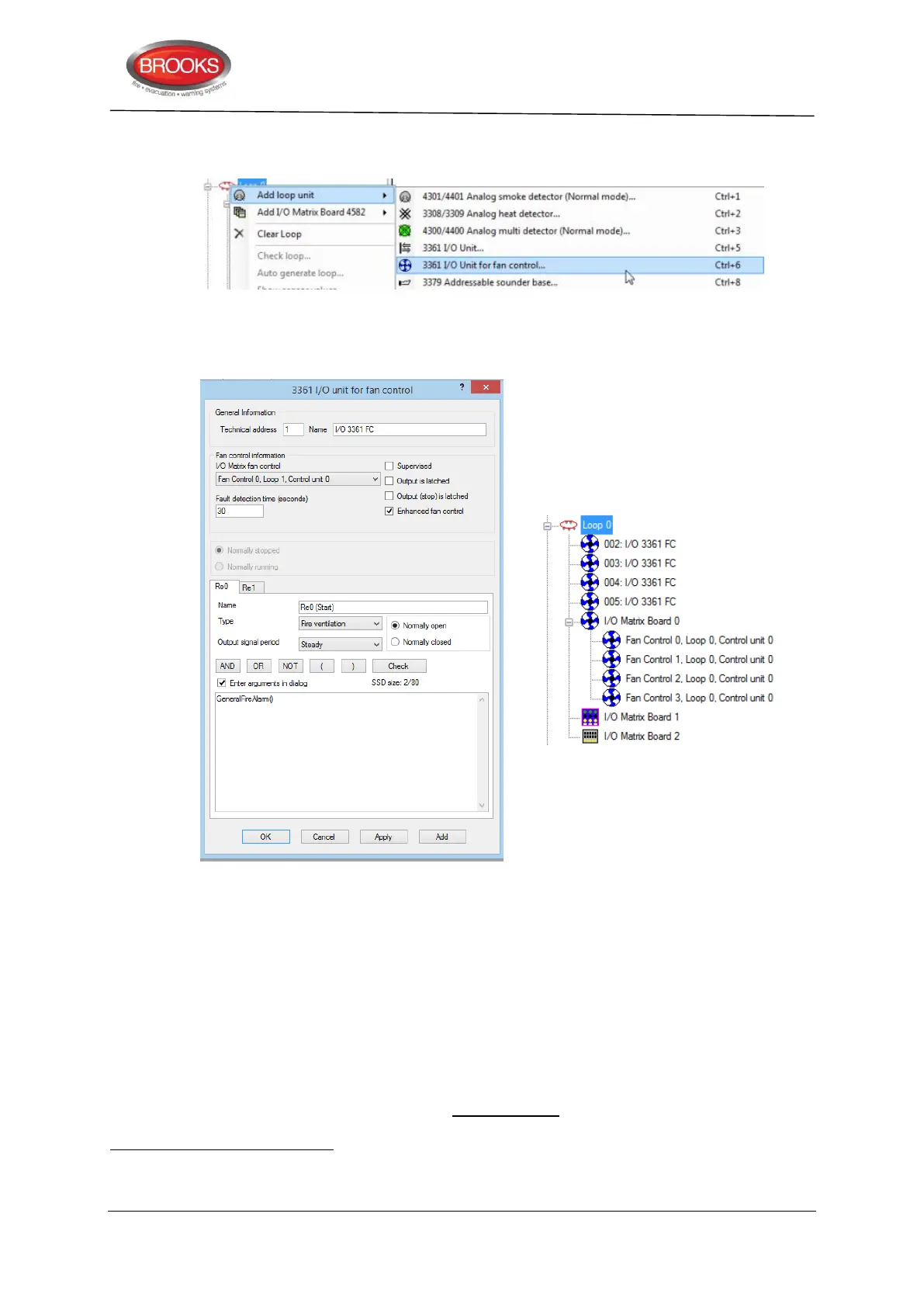
4. For each added fan, a “3361 I/O Unit for fan control…” must also be added. To do this,
right click on the COM Loop to Add loop unit and choose “3361 I/O Unit for fan control..”
5. When the 3361 dialog box appears, select from the pull down menu under the Fan
control information area, one of the fans that was added in the previous steps as shown
below. The final tree view should look like the right side as shown below.
6. On the 3361 properties shown above, select the required configuration as follow:
Select whether In0 required to be supervised or non-supervised.
Relay output Re0 and Re1 output to be latched or non-latched.
Enhanced mode
for independent configuration of Re0 and Re1.
Write the logical expression for Re0 and Re1 (enhanced mode only
).
Fault detection time is set to 30 seconds by default, change time if required.
Select Re0 and/or Re1 type “Fire ventilation” (default).
If a supply air fan is to be configured, on the “Output signal period” on Re0 and/or
Re1 dropdown menu select “Supply Air Fan” as shown in step 7.
In non-enhanced mode, if Re0 is normally open, Re1 will automatically be normally closed and vice versa. If "Enhanced fan
control” function is selected, Re0 and Re1 tabs will be available for individual programming.
In non-enhanced mode, only Re0 requires logical expression hence Re1 will follow same logical expression.



 To Next Page