96 Chapter 3: Ventilator Operation Operator's manual
L2786 Rev. M
Time Low
In APRV / BIPHASIC mode, this control sets the maximum time for which the Pressure Low setting is maintained.
Range: 0.2 to 30 seconds
Default: 2 second
Pressure Low
In APRV / BIPHASIC Mode, this control sets the baseline pressure achieved during Time Low.
Range: 0 to 45 cmH
2
O
Default: 6 cmH
2
O
Advanced Settings
When the mode and the primary breath controls have been set, you can further refine delivery of the breath by accessing
the Advanced Settings.
Accessing the Advanced Settings
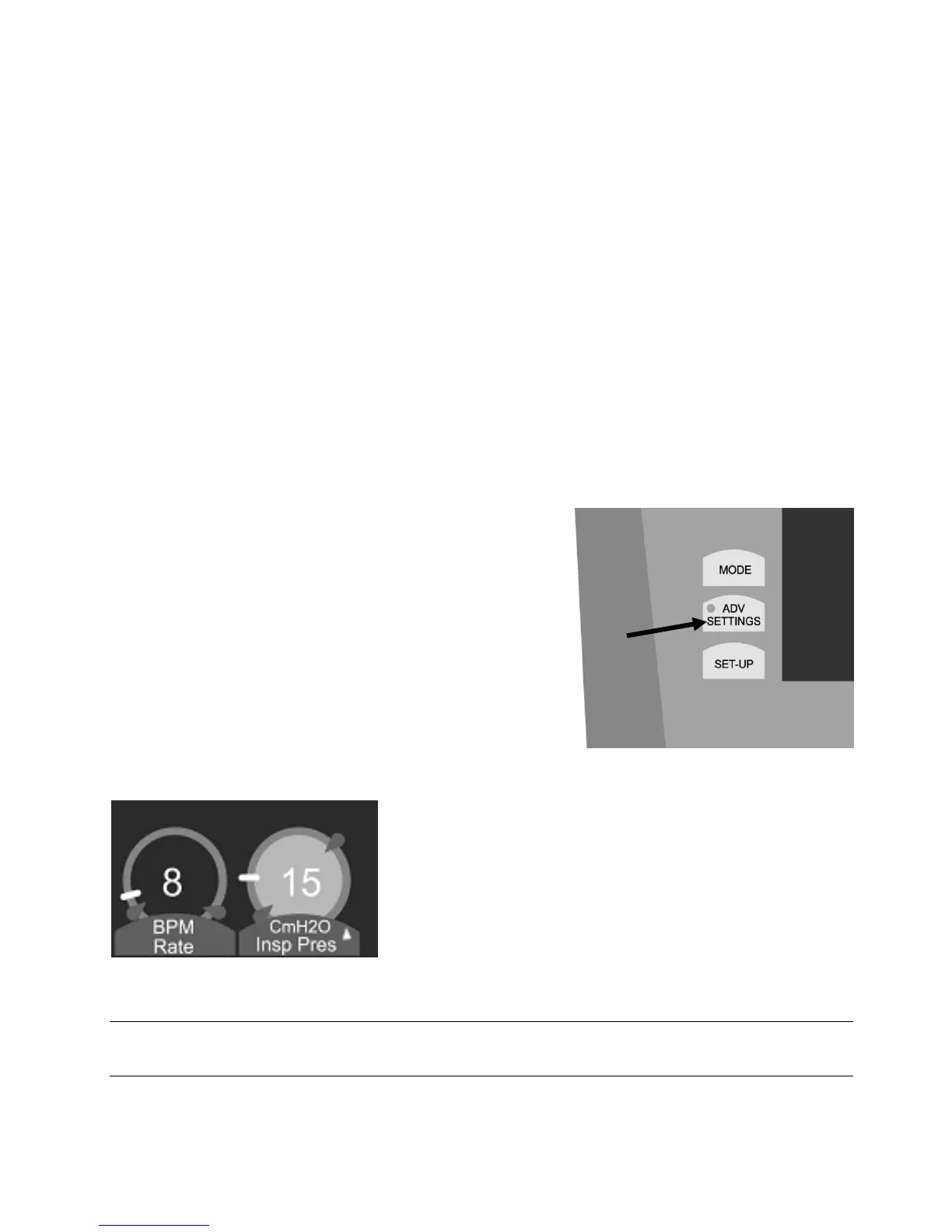
To access the advanced settings group, press the ADV
SETTINGS membrane button located to the left of the touch
screen between the Mode and the Set-up buttons. The LED
indicator on the button illuminates and the Advanced Settings
screen appears. When you select a primary control by pressing
and highlighting the control at the bottom of the touch screen,
the available advanced settings for that selected control appear
in the advanced settings screen.
Figure 3–28: Advanced Settings
membrane button
Primary Controls, which feature an advanced setting, will display a
yellow triangle to the right of the control name.
Figure 3–29: Advanced Settings indicator
Note:
Not every primary control will have an associated advanced setting.



 To Next Page