AVEA ventilator systems Chapter 3: Ventilator Operation 57
L2786 Rev. M
T. Freeze
The FREEZE key freezes the current screen and suspends real-time update of screen data until pressed again. While
the screen is frozen, a scrollable cursor appears. The Data Dial can be used to scroll the cursor through data points on
waveform, loop or trend screens. To restore the screen to active press the Freeze button a second time.
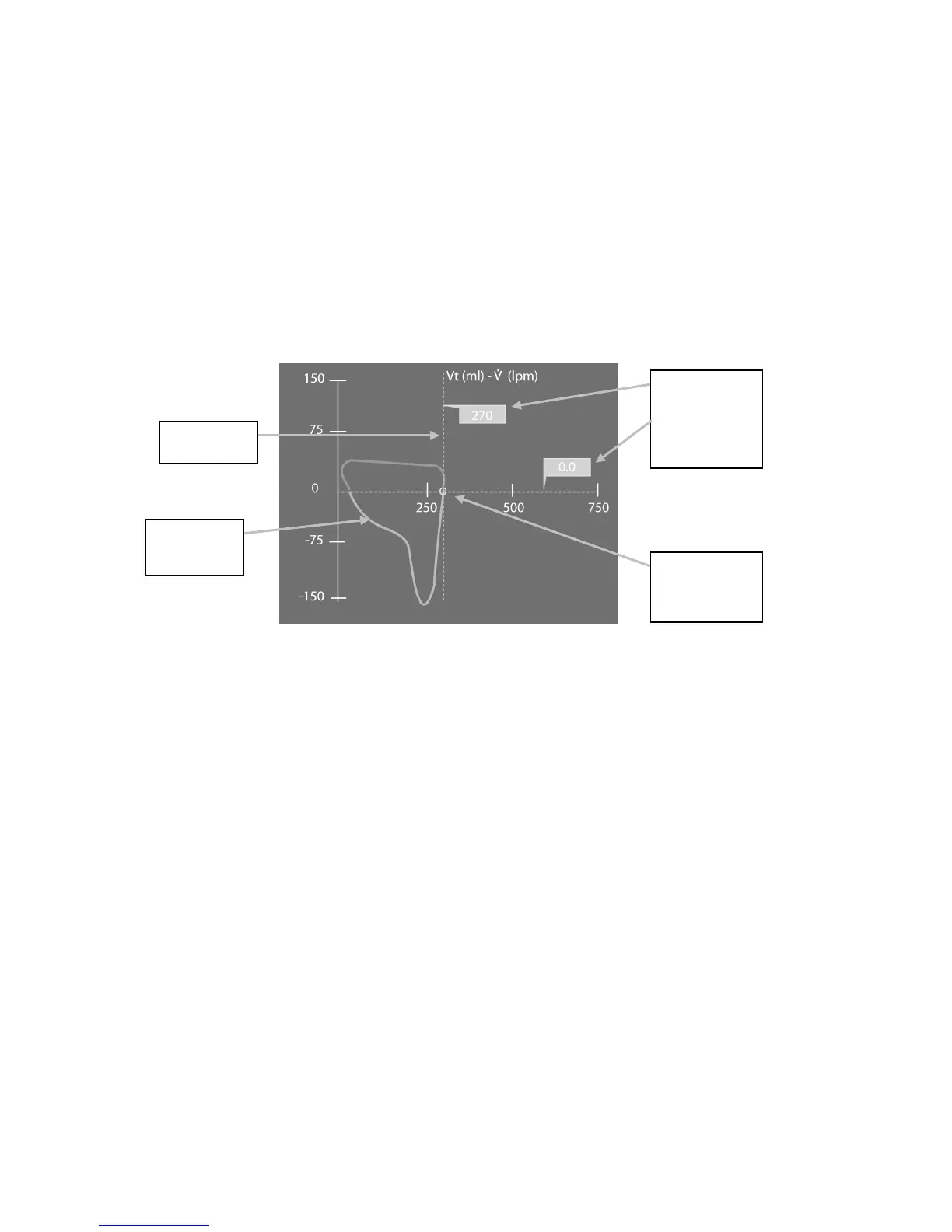
Figure 3–2 shows a flow/volume loop in “freeze” mode. The cursors trace the “frozen” loop curve along an X-Y plot line.
The values along the curve of the loop are displayed as shown below.
Figure 3–2: Flow/Volume Loop in Freeze Mode
and Y values at
various points
along the loop
tracing
Loop Tracing
overlays the “X”
axis at Zero



 To Next Page