64 Chapter 3: Ventilator Operation Operator's manual
L2786 Rev. M
Note:
The setup button is disabled during the Pflex, MIP/P100 and AutoPEEP maneuvers. It is active during an Esophageal
maneuver.
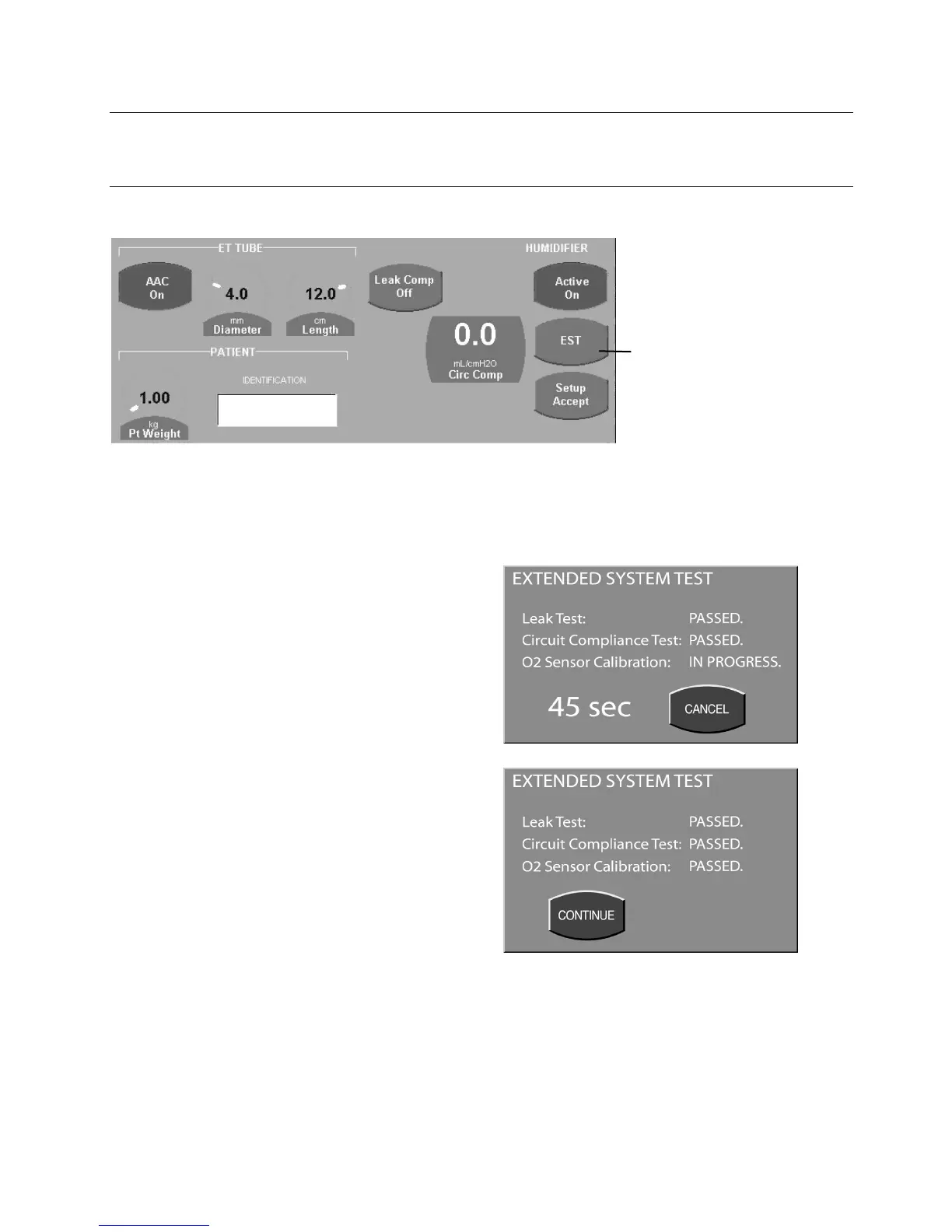
EST (Extended Systems Test)
Figure 3–8: Setup Screen, EST Button
A message will appear instructing you to remove the patient and block the patient wye. After confirming that the patient
is disconnected and the circuit wye blocked, press Continue (Cont).
The ventilator begins the EST and displays a countdown clock. During the EST the ventilator will perform:
• A Patient circuit leak test.
• A Patient circuit compliance measurement.
• A two point calibration of the oxygen sensor
The patient circuit compliance measurement and leak
test are performed simultaneously with the oxygen
sensor calibration. The maximum time for the EST is 90
seconds. To restart the EST at any time, press Cancel to
return to the set up screen.
After each test is complete the ventilator will display a
“Passed” or “Failed” message next to the corresponding
test.
The “SET UP ACCEPT” key must be pressed in order for
the AVEA to retain the circuit compliance measurement.
At this point, even after power cycling off, if “SAME PT” is
selected, the circuit compliance measurement will
continue to be retained. If “NEW PT” is selected, the
EST will be required to use this feature.
Figure 3–9: Extended Systems Test Screens
Once the test is complete, press Continue to return to the set up screen.
From the Setup screen, press
the EST button.



 To Next Page