168 Chapter 7: Alarms and Indicators Operator's manual
L2786 Rev. M
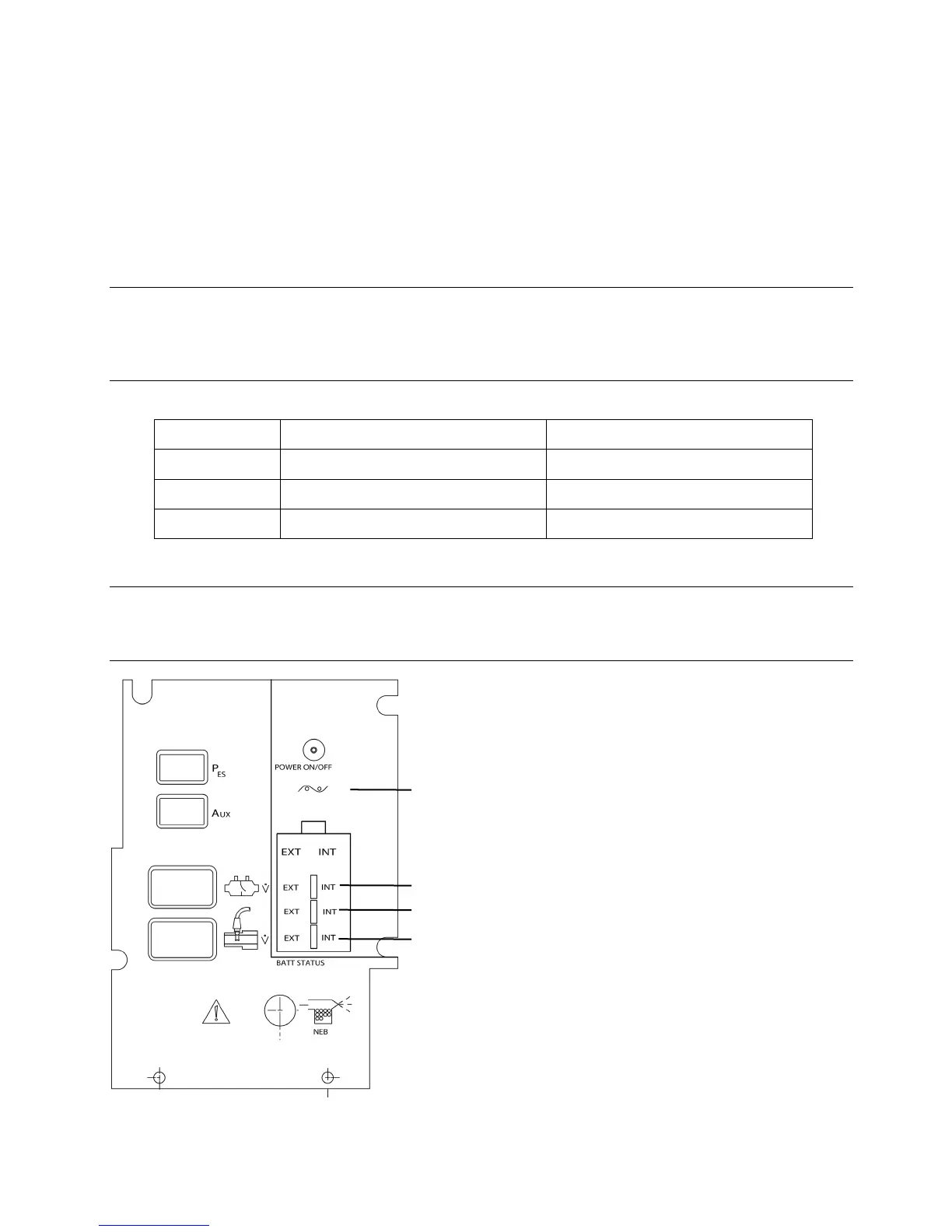
Internal Battery Power Indicator
The INT indicator above the battery status indicators is lit whenever the internal battery is providing the primary source of
power for the ventilator.
Battery Status Indicators
The battery status indicator shown in Figure 7–1 for the INTernal or optional EXTernal battery will illuminate
incrementally depending on the available charge remaining in the battery.
Note:
If the ventilator is plugged into the mains power supply and no battery status light is illuminated for the internal battery
or optional external battery (if equipped), the battery should be checked and/or replaced. Replacement of the Internal
battery must be done by a CareFusion trained technician.
At least 90% charge remaining
At least 80% charge remaining
Between 30% and 90% remaining
Between 20% and 80% remaining
Less than 30% charge remaining
Less than 20% charge remaining
Note:
When approximately 2 minutes of battery charge remain the ventilator will initiate a non-cancelable alarm. The
ventilator should be immediately connected to an appropriate AC power source.
Figure 7–1: Front Panel Display Area. Comprehensive model shown.



 To Next Page