144 Chapter 5: Volumetric Capnography Operator's manual
L2786 Rev. M
Zeroing the CAPNOSTAT 5
The CAPNOSTAT 5 must be zeroed when it is connected to the AVEA and monitoring is started. It must also be zeroed
to adjust the sensor to the optical characteristics when you change airway adapter types (single patient use or reusable).
WARNING!
Failure to correctly zero the CAPNOSTAT 5 may result in incorrect data being displayed. The airway adapter
and CO
2
sensor must not be attached to the patient circuit during the zero procedure.
WARNING!
The airway adapter and CO
2
sensor must not be attached to the patient circuit during the zero procedure.
Note:
The Capnostat must be at operating temperature to be zeroed. If required, the AVEA will wait up to 120 seconds for
the sensor to warm up. While the zero procedure is in process, all CO
2
alarms are turned off. The alarms resume when
the procedure is complete.
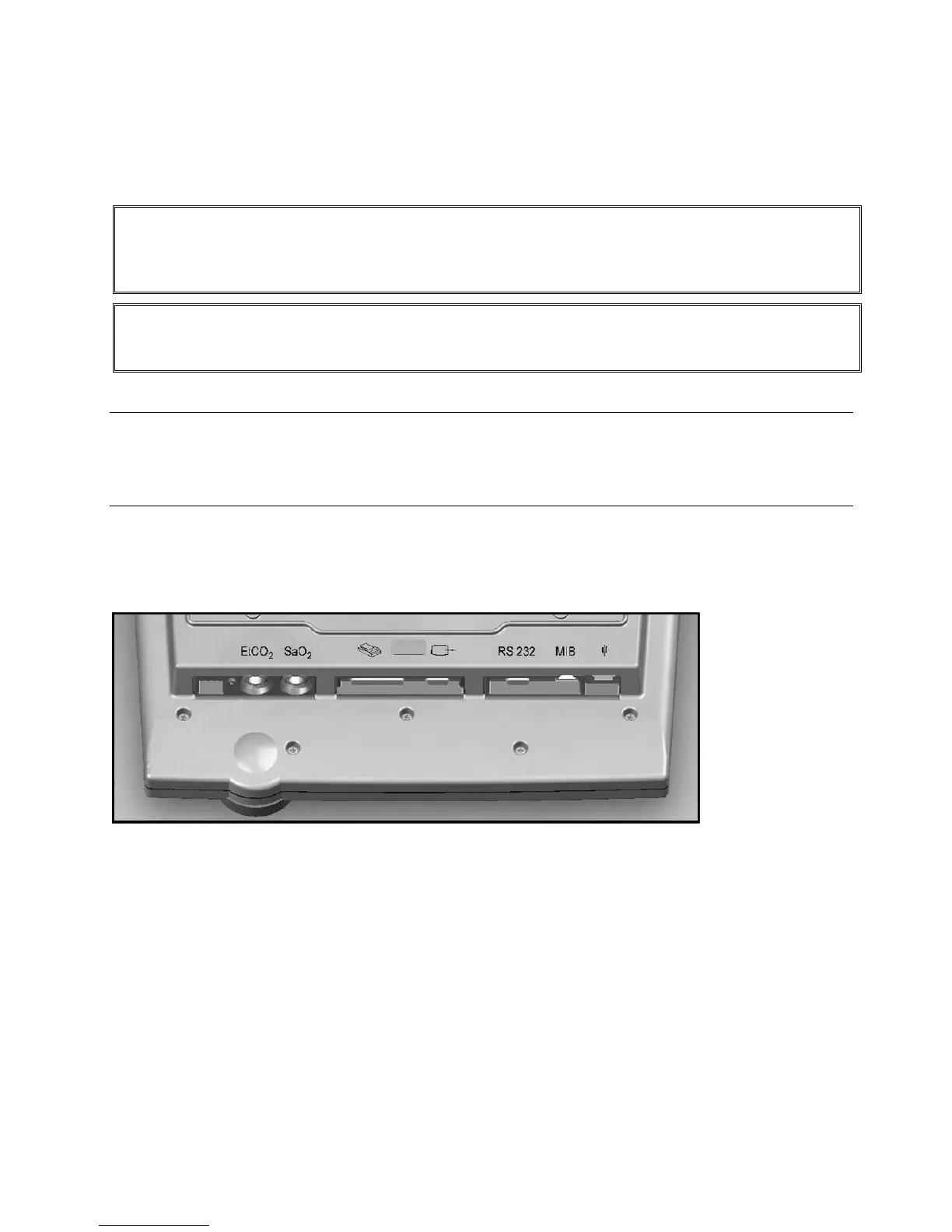
1. Attach the end of the CO
2
sensor cable to the connection on the bottom of the AVEA UIM.
Figure 5–10: Bottom of AVEA UIM
2. Attach the CO
2
sensor to the airway adapter.
3. Access the Capnography Utilities by depressing the Screens soft button, selecting Utility and selecting the Monitoring
tab.



 To Next Page