AVEA ventilator systems Chapter 3: Ventilator Operation 71
L2786 Rev. M
Initiating Volume Guarantee
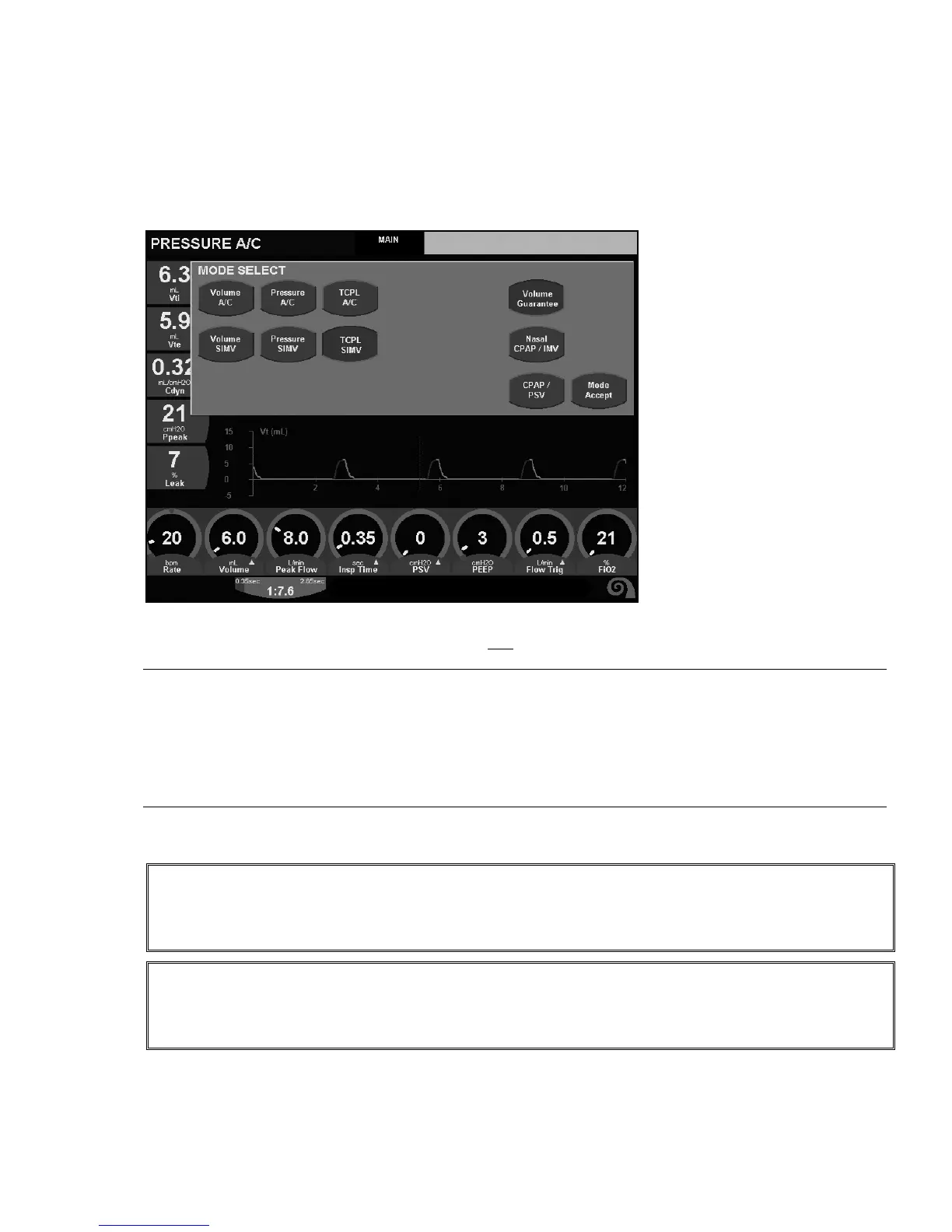
1. To initiate Volume Guarantee select the Modes membrane button on the UIM or touch the screen area for the
Current Mode Display. The Mode Select box appears
2. Select the desired mode (TCPL or Pressure) and also
select Volume Guarantee.
Note:
Once Volume Guarantee is selected the Inspiratory Pressure primary control will automatically move to the Advanced
Settings window and the Volume primary control will appear in its place.
The current Monitored Expired Tidal Volume will be the default setting for Volume, if adding Volume Guarantee to
existing ventilation mode, and a breath at current set pressure has been delivered. In the absence of a previous breath
at the current inspiratory pressure setting, the default Volume will be 2mL.
3. Set the available controls to the prescribed settings and select Mode Accept
WARNING!
The Inspiratory Pressure setting in the Advanced Controls window should be set at an appropriate level for
the patient to avoid under or over delivery of tidal volume during test breaths or flow sensor disconnect.
WARNING!
Disconnecting the proximal flow sensor or removing it from the circuit while Volume Guarantee is active will
cause the ventilator to deliver pressure ventilation at the set Inspiratory Pressure.



 To Next Page