AVEA ventilator systems Chapter 5: Volumetric Capnography 137
L2786 Rev. M
Settings and Monitored Values
Settings
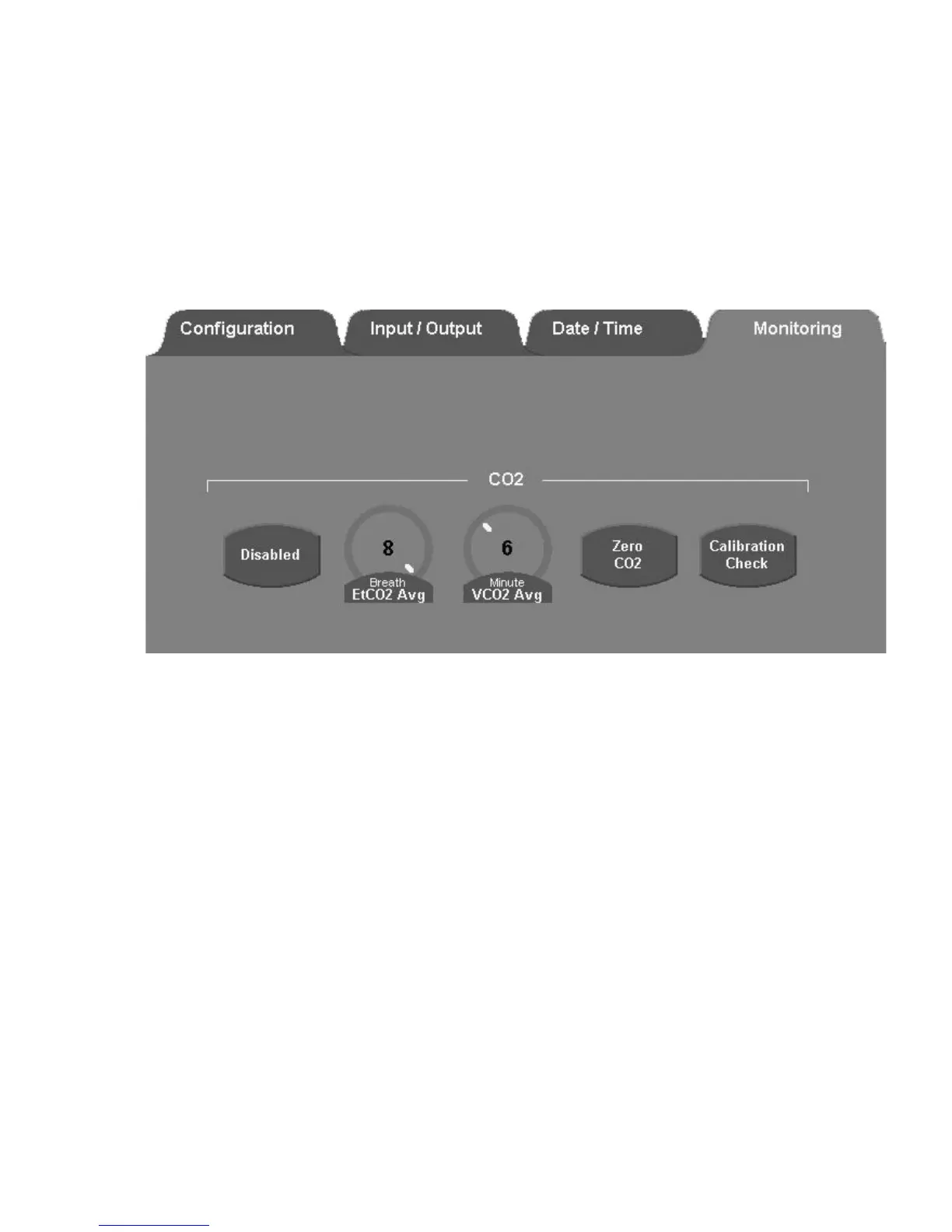
The setup and utilities controls are accessed by pressing the Screens button, selecting Utility, and selecting the
Monitoring tab.
Figure 5–6: Monitoring Tab in Utility Screen
Capnography – Enable / Disable
When CO
2
monitoring is enabled, all CO
2
monitoring and alarm functions are also enabled. When CO
2
Monitoring is
disabled all CO
2
monitoring and alarm functions are disabled.
Range: Enable or Disable
Default: Disable
EtCO
2
Averaging
EtCO
2
is measured for each breath. You can select the number of breaths over which the displayed EtCO
2
is averaged.
Range: 1 or 8 breath(s)
Default: 8 breaths
VCO
2
Averaging
VCO
2
is updated at one minute intervals. You select the time over which the displayed VCO
2
is averaged. Also averaged
over this time period are Vd, Vd/Vt, VtCO
2
and VA.
Range: 3, 6, 9 or 12 minutes
Default: 6 minutes



 To Next Page