52 Chapter 3: Ventilator Operation Operator's manual
L2786 Rev. M
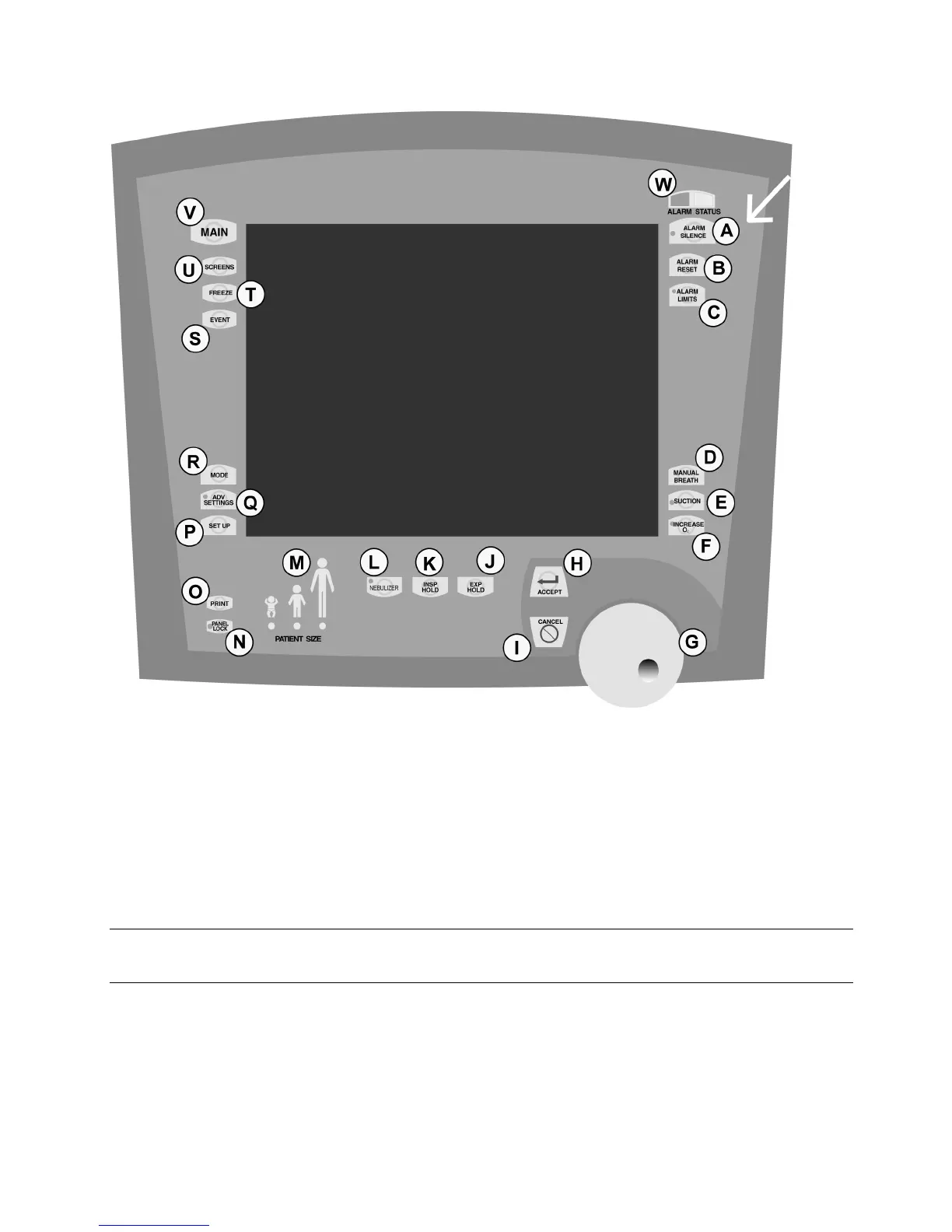
Figure 3.1b User Interface Module (English) Showing Button Labels
Figure 3–1: User Interface Module
The Membrane buttons are the UIM controls, which surround the Touch Screen. Moving clockwise around the UIM from
the top right (see arrow), they are:
A. Alarm Silence (LED)
Pressing this button will disable the audible portion of an alarm for 2 minutes (± 1 second) or until the Alarm Silence
button is pressed again. This button is not functional for a VENT INOP alarm.
Note:
Pressing the alarm silence button will not prevent the audible alarms sounding again later for certain alarm conditions.
B. Alarm Reset
Cancels the visual indicator for alarms that are no longer active.



 To Next Page