20 Chapter 2: Unpacking and Setup Operator's manual
L2786 Rev. M
Variable Orifice Flow Sensor
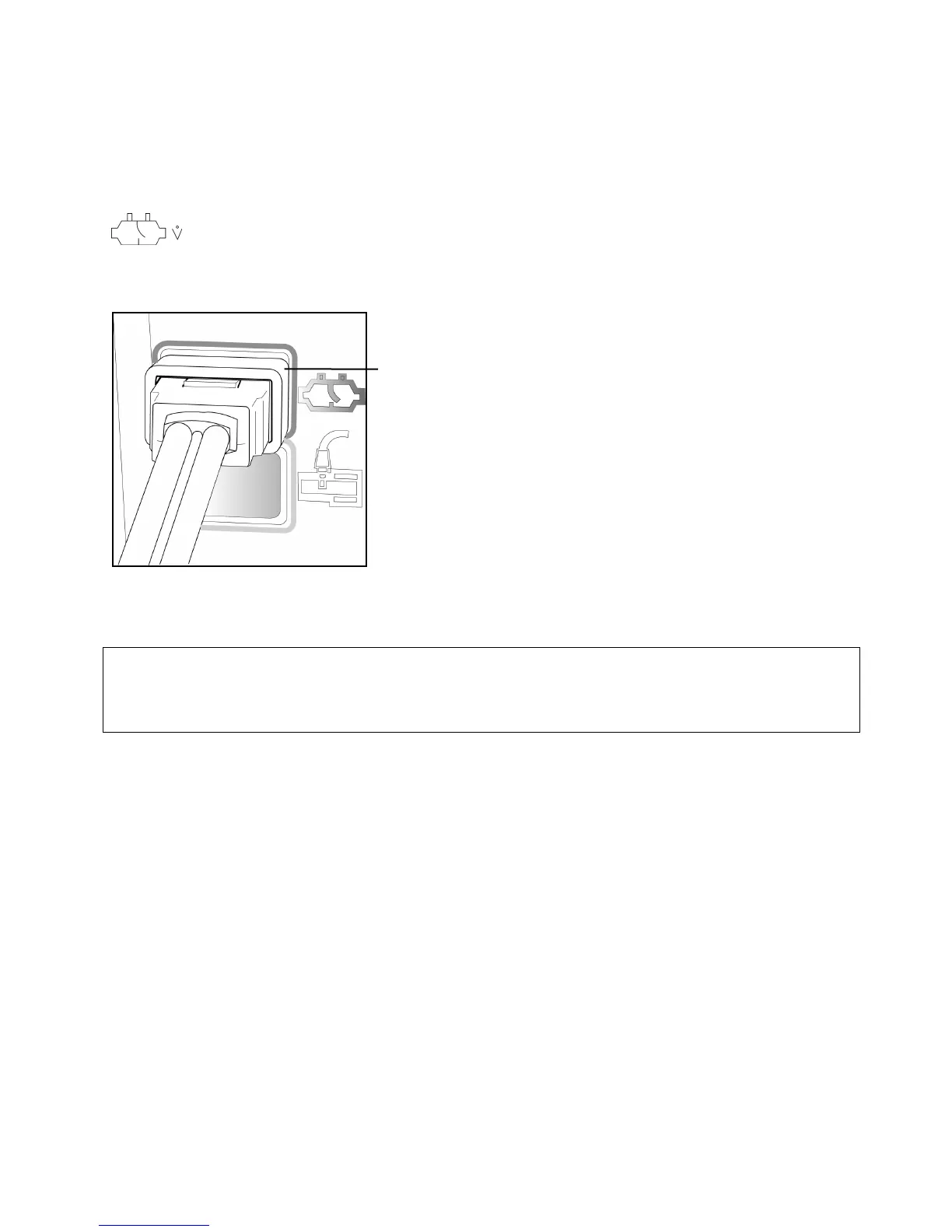
Variable Orifice sensors attach to the receptacle on the front panel of the ventilator circled in dark blue and marked with
the icon shown here.
This is a locking connector. To attach, first pull back the plastic locking collar, then push firmly onto the ventilator
receptacle. Then push the locking collar forward to lock the flow sensor in place.
Figure 2–21: Variable Orifice Flow Sensor Attachment
To disconnect, first retract the plastic collar then firmly pull the connector away from the ventilator. Do not pull up or
down as this can damage the connector.
CAUTION
Fully retract the plastic locking collar before attaching these connectors. Failure to do this can cause damage to the
connector.
Retractable plastic collar



 To Next Page