AVEA ventilator systems Appendix A: Contact and Ordering Information 193
L2786 Rev. M
Battery Status
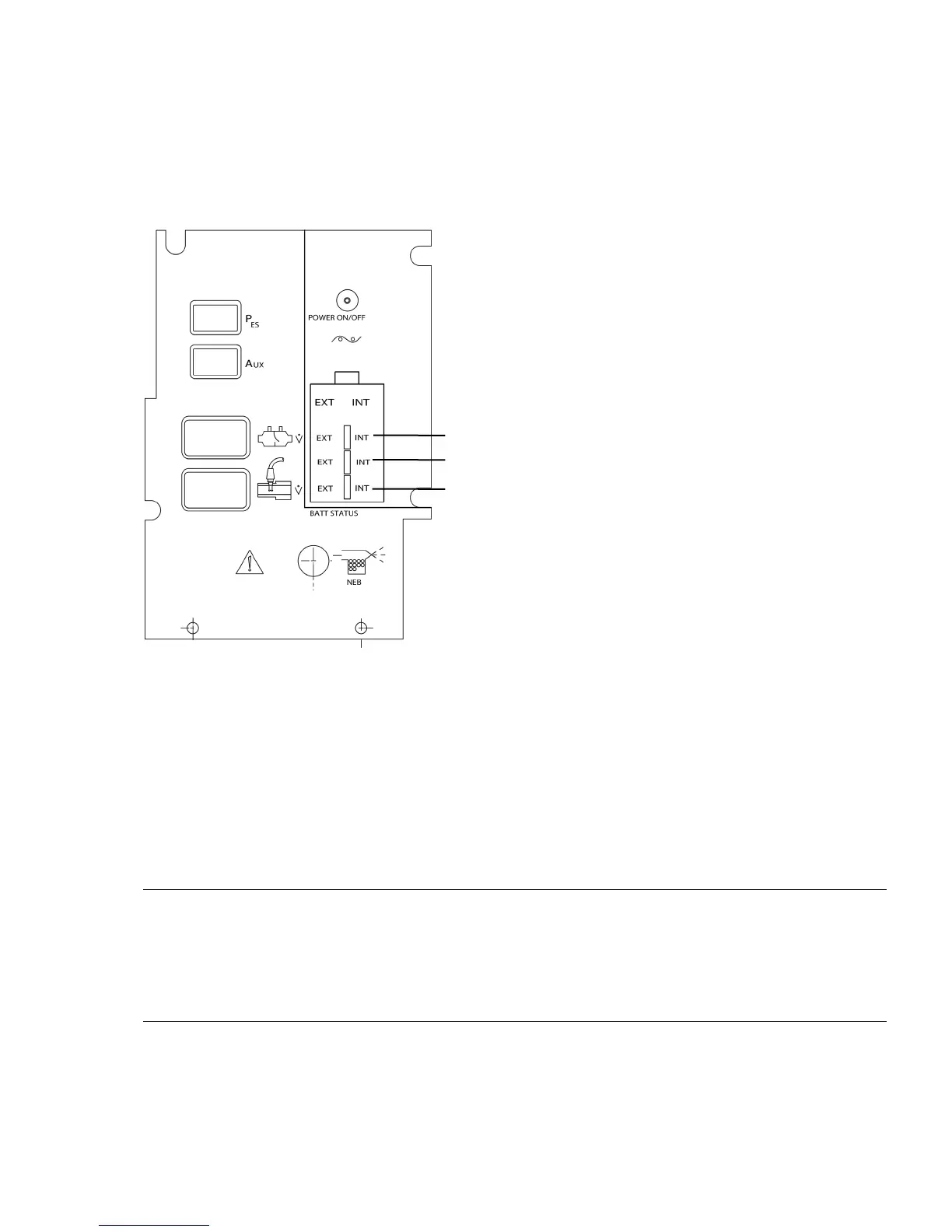
Battery status indicators showing the state of charge of the internal and external batteries appear on the front panel of
the ventilator (Figure 8–2).
Figure 8–2: Front Panel Display Area. Comprehensive model shown.
If the battery charge is allowed to drop below the low range of the battery monitor, a battery status indicator LED may no
longer be displayed. The unit should be plugged into the AC power supply to allow the batteries to re-charge. When the
battery voltage becomes large enough to power the battery monitor, the battery status indicators will display.
Failure to charge
If the internal batteries do not show significant recharge after being reconnected to an AC power source for four hours
contact your technical support representative as shown in Appendix A to arrange for replacement. Total time to recharge
depends on the extent of battery depletion and ventilator usage while charging is taking place.
Note:
The batteries in a ventilator that is not in use and not connected to AC, will continue to slowly discharge. A fully
charged battery may reach a deep discharge state due to self-discharge. However, even with a fully charged battery, if
the ventilator is unplugged from AC for more than 4 hours, the internal battery status indicator will display red indicating
a low battery condition. In this condition the ventilator should be plugged into an AC outlet for 10-12 minutes to restore
the battery to the correct charge state.



 To Next Page