EasyManua.ls Logo

CENNTRO LOGISTAR 100 - Page 189

Default Icon
468 pages
Print Icon
To Next Page IconTo Next Page
To Previous Page IconTo Previous Page
Loading...
Braking system
175
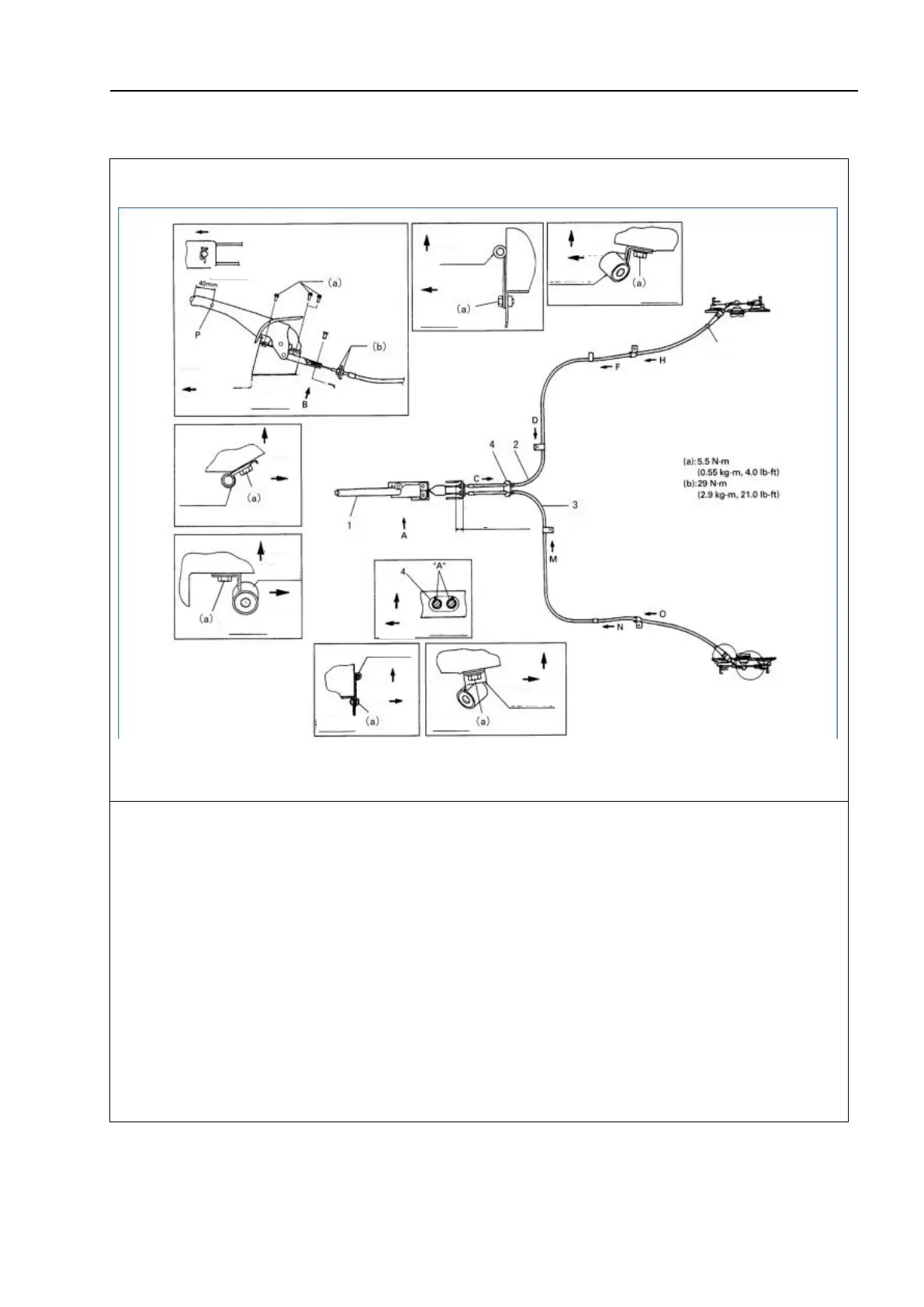
Removal and installation of the parking brake cable
Schematic diagram:
"A": Apply sealant; 1-Parking brake control handle; 2-Parking brake cable (right); 3 - Parking brake
cable (left); 4-Ring carrier
Disassembly steps:
1. Remove the brake drum.
2. Disconnect the parking brake cable from the brake shoe bracket.
3. Remove the brake cable from the brake backing plate.
△
! Caution
When it is necessary to remove the left and right parking cables, repeat steps 1 to 3
above on the left and right wheels.
4. Remove the cable from the parking brake control handle.
5. Remove the cable from the vehicle body.
Front
View: B
View: A
Front
Upside
Clamp: D
Inside
View: F
Rear side
Upside
Clamp: A
Clamp: E
Clamp: D
View: N
View: D
In the same position
on the right and left
View: O
Rear side
Upside
View: M
Right side
Inside
Top side
Top
side
Clamp: C
Inside
Front
Upside
Clamp: C
Inside
View: H
Grey ring

Table of Contents

Related product manuals