DMD1050TS Satellite Modem Board
Revision 1
TRANSEC Module HTTPS Interface 8–17 MN-DMD1050TS
Send a “ping” command to the TRANSEC Module to verify the connection and communication.
First, determine the IP address of the TRANSEC Module from the front panel:
SELECT: Configure
Transec
Module IP Address menus.
Then, using Command-line to “ping” the modem – at the prompt, type “ping xxx.xxx.xxx.xxx” (where
‘xxx.xxx.xxx.xxx’ is the TRANSEC Module’s IP address). The results should confirm whether or not the
module is connected and communicating.
Initiate a secure Web session with the DMD1050TS TRANSEC Module via its HTTPS Interface. The
example uses Internet Explorer Version 7.0.
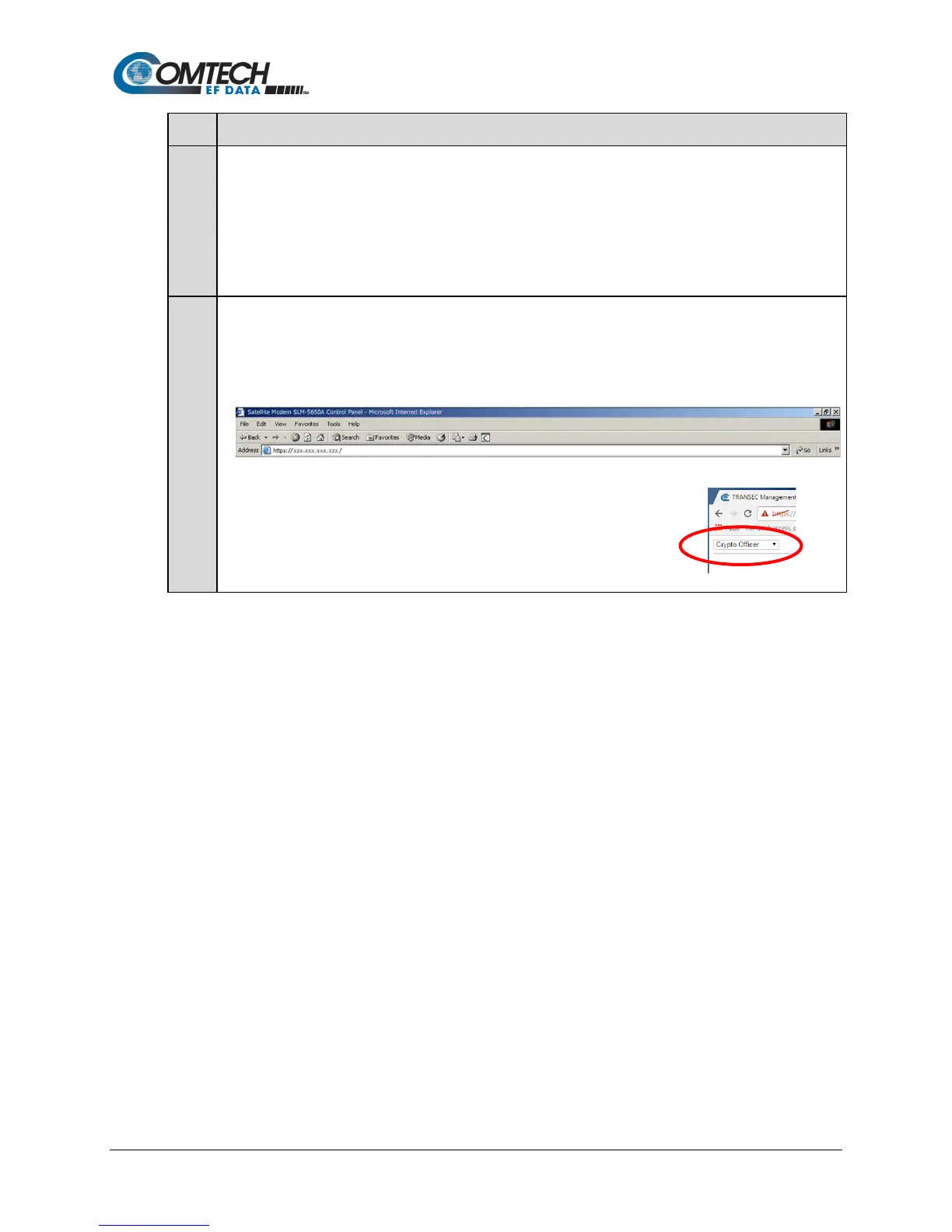
From the PC, type https://xxx.xxx.xxx.xxx (where “xxx.xxx.xxx.xxx” represents the IP address of the
TRANSEC Module) into the Address area of the Web browser:
To log in to the secure interface, select Crypto Officer from the navigation list that is
provided in the upper left-hand corner of each page, then click [Go!]. When
prompted, enter the User Name and Password at the Login page:
• Factory Default User Name is comtech
• Factory Default Password is comtech



 To Next Page