DMD1050TS Satellite Modem Board
Revision 1
TRANSEC Module HTTPS Interface 8–18 MN-DMD1050TS
Update the TRANSEC Module bulk firmware:
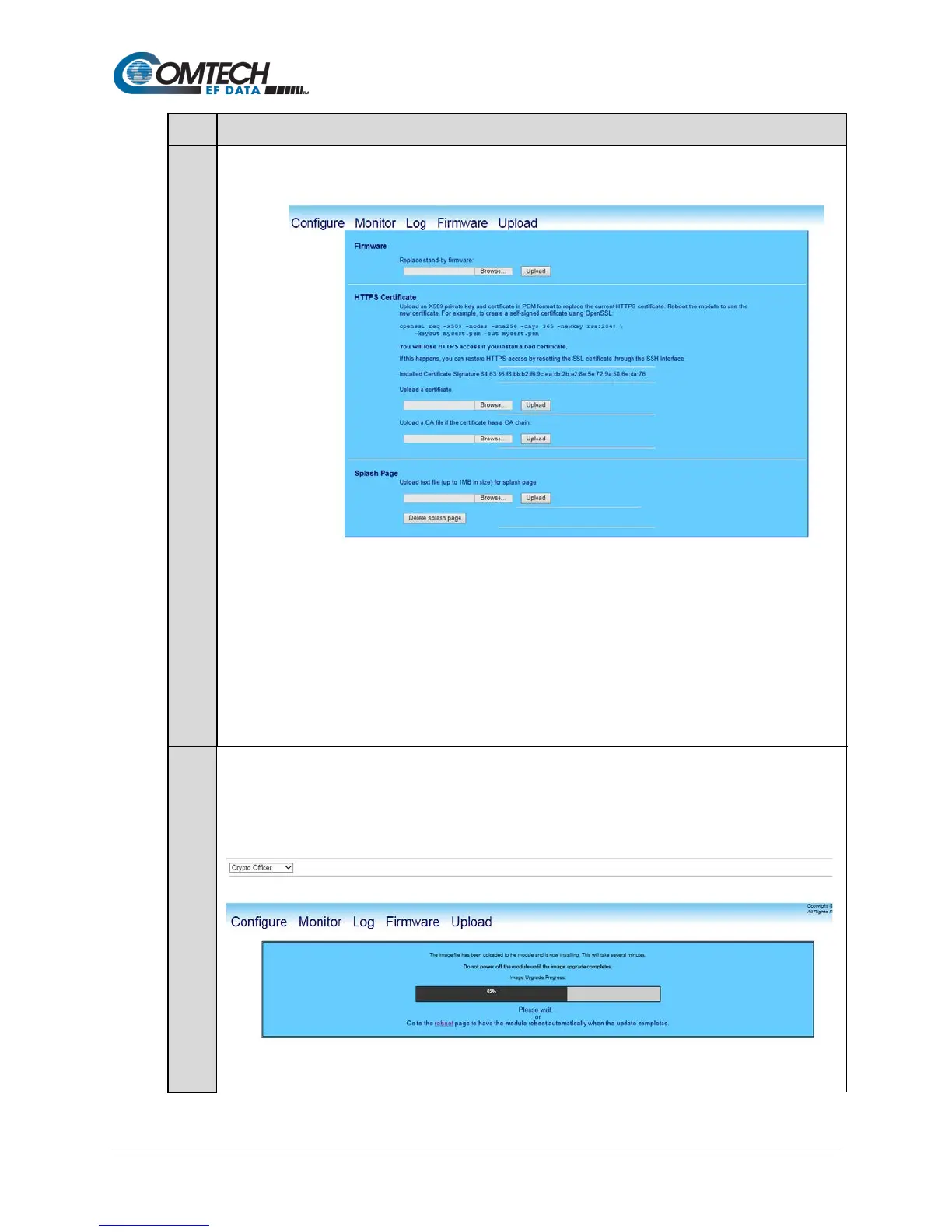
a) Open the Upload page:
b) In the Firmware section of the page, locate the update file downloaded to the PC during Steps 2
through 4 :
• Click Browse. The Choose File dialog box will open.
• Locate the folder created for the file download; double-click on the folder name to open the
folder.
c) Select the update file, and then click Open. The filename should appear in the Replace stand-by
firmware text box.
d) Click Upload to begin the Firmware Application Process.
Wait while the file transfers. After Upload is clicked, the Image Upgrade Process page appears while
the TRANSEC Module transfers, and then uploads the update file from the PC.
Allow sufficient time for the file to be uploaded – approximately five minutes is required for the process to
be completed. During the upload process, the page displays a transfer progress bar that provides the
scrolling percentage of completion. During transfer, the message Please Wait will display.



 To Next Page