170 Configuring System Information
–
Not Connected —
There is not currently a connection between the device and the TACACS+
server.
The fields in the Default Parameters section of the page contain values that are automatically applied to
new TACACS+ servers.
•
Key String (0
–
128 Characters) —
Enter the default authentication and encryption key for TACACS+
communication between the device and the TACACS+ server.
•
Timeout for Reply (1
–
30) —
Enter the global user configuration time that passes before the
connection between the device and the TACACS+ times out.
Defining TACACS+ Parameters
1.
Open the
TACACS+ Settings
page.
2.
Define the fields as needed.
3.
Click
Apply Changes
.
The TACACS+ settings are updated to the device.
Adding a TACACS+ Server
1.
Open the
TACACS+ Settings
page.
2.
Click
Add
.
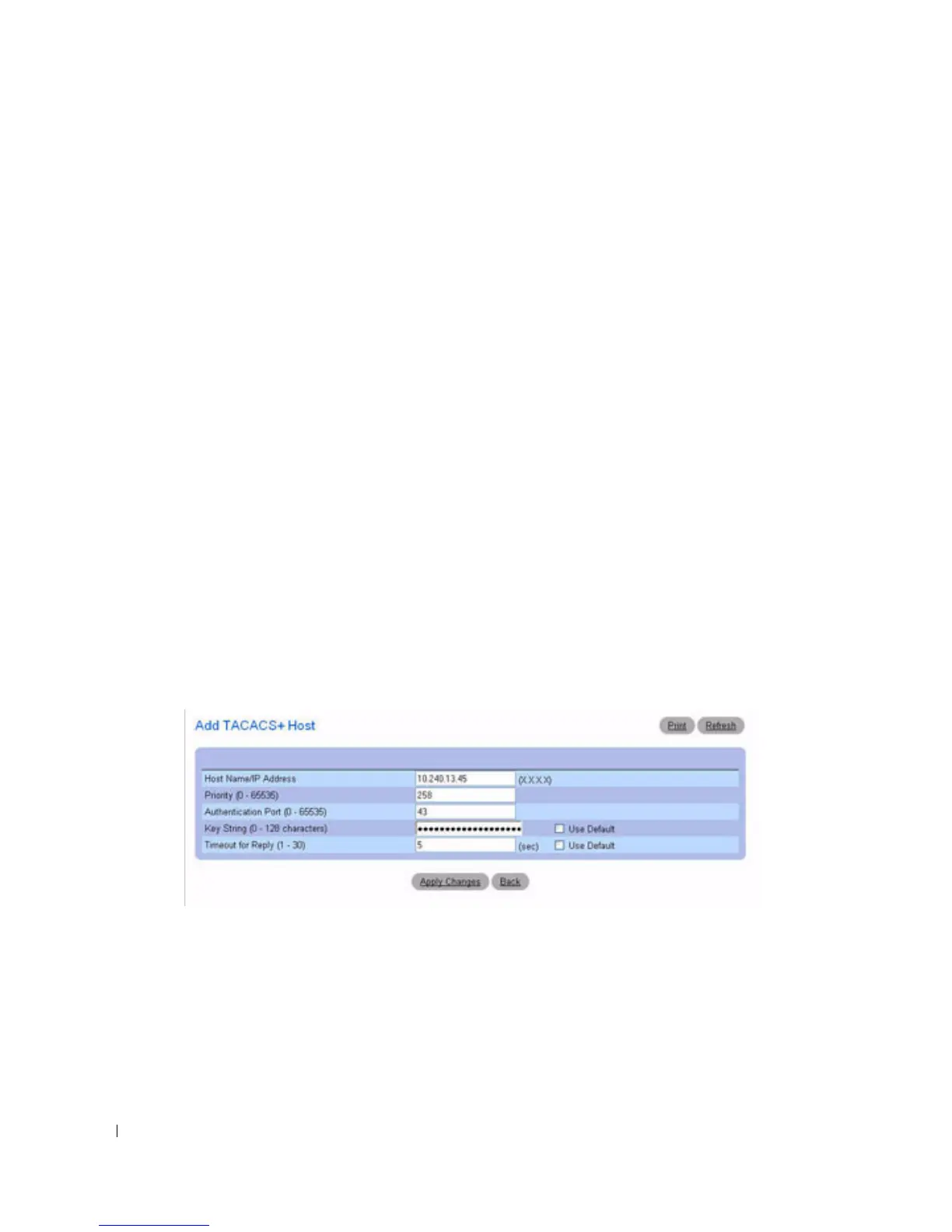
The
Add TACACS+ Host
page displays.
Figure 6-54. Add TACACS+ Host
3.
Define the fields as needed.
4.
Click
Apply Changes
.
The TACACS+ server is added, and the device is updated.
Displaying a TACACS+ Servers List
1.
Open the
TACACS+ Settings
page.
2.
Click
Show All
.



 To Next Page