Configuring System Information 227
–
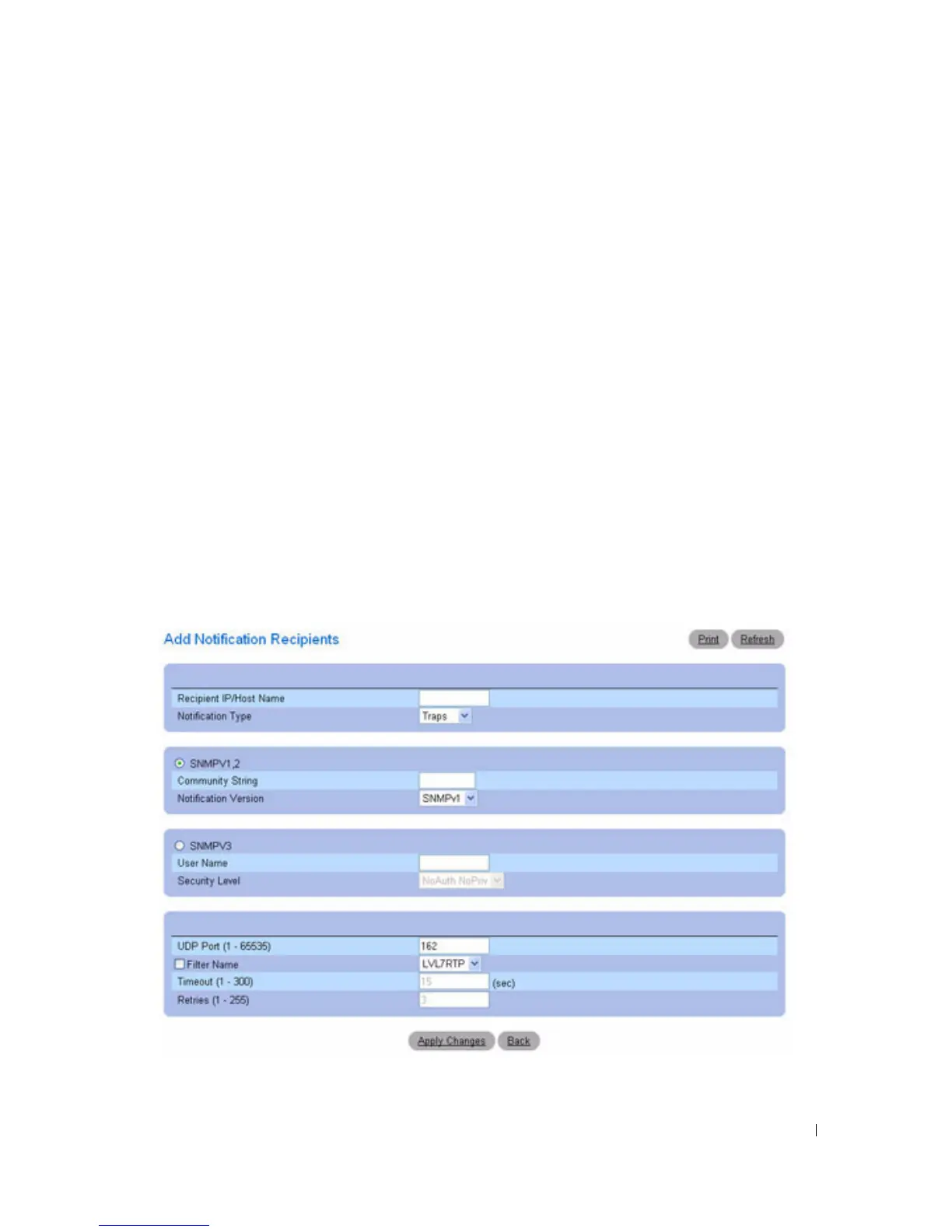
Security Level —
The security level attached to notifications. The possible field values are:
•
NoAu NoPriv —
The packet is neither authenticated nor encrypted.
•
Auth NoPriv —
The packet is authenticated.
•
Auth Priv —
The packet is both authenticated and encrypted.
•
UDP Port (1
–
65535) —
UDP port used to send notifications. The default is 162.
•
Filter Name —
Check this check box to apply a user-defined SNMP filter (selected from the drop-
down menu) to notifications.
•
Timeout (1
–
300) —
Amount of time (seconds) the device waits before resending informs. The default
is 15 seconds.
•
Retries (1
–
255) —
Maximum number of times the device resends an inform request. The default is 3.
Adding a New Notification Recipient
1.
Open the
Notification Recipients
page.
2.
Click
Add.
The
Notification Recipients
page displays
:
Figure 6-107. Add Notification Recipient
3.
Define the relevant
fields.



 To Next Page