Configuring Switching Information 329
The Double VLAN Interface Configuration page contains the following fields:
•
Interface
— Select the port or LAG for which you want to display or configure data.
•
Interface Mode
— Enables or disables double VLAN tagging on the selected interface. The default
value is
Disable
.
Assigning Double VLAN Tags
1.
Open the
Double VLAN Global Configuration
page.
2.
Select the
Ethertype
from the drop-down menu.
3.
Click
Apply Changes
.
4.
Open the
Double VLAN Interface Configuration
page.
5.
Select the port to which you want to assign settings from the
Interface
drop-down menu.
6.
Select the
Interface Mode
from the drop-down menu.
7.
Click
Apply Changes
.
The Double VLAN settings are defined, and the device is updated.
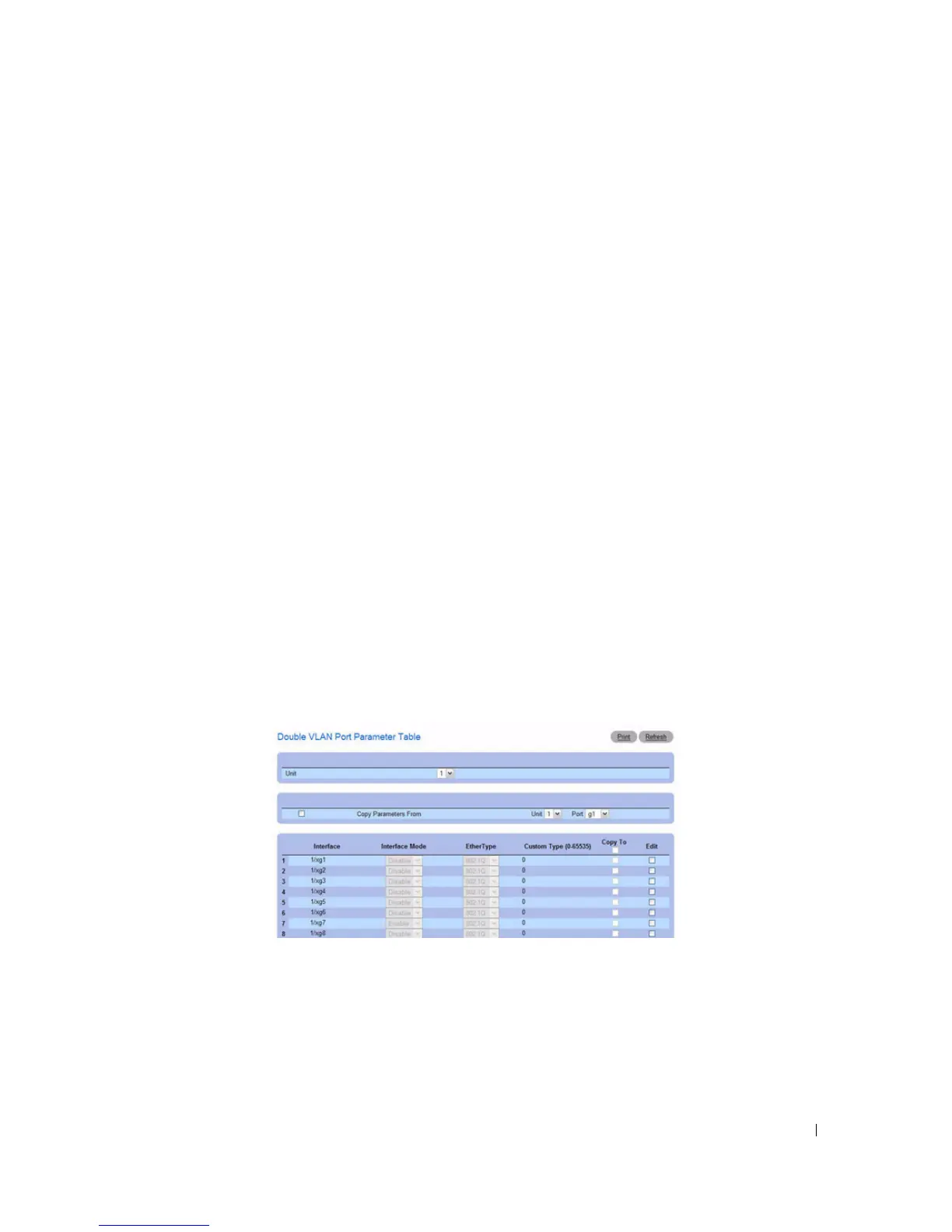
Displaying the Double VLAN Port Parameters Table
1.
Open the
Double VLAN Interface Configuration
page.
2.
Click
Show All
.
The
Double VLAN Port Parameters Table
displays.
Figure 7-53. Double VLAN Port Parameters Table



 To Next Page