540 Configuring Routing
VRRP Virtual Router Status
Use the Virtual Router Status
page to display virtual router status.
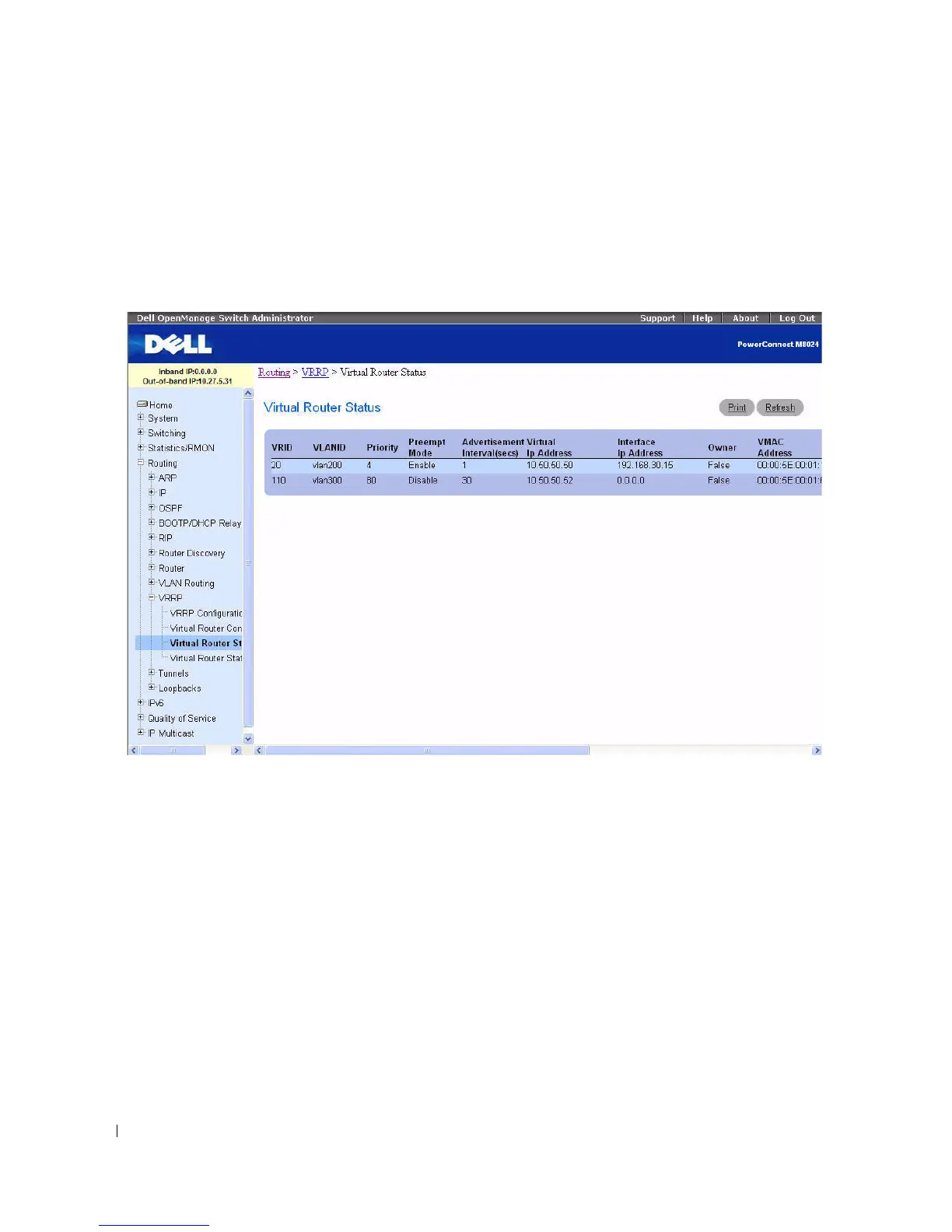
To display the page, click Routing > VRRP > Virtual Router Status in the tree view.
Figure 9-51. Virtual Router Status
The Virtual Router Status page displays the following fields:
•
VRID
— Virtual Router Identifier.
•
VLANID
- Indicates the interface associate with the VRID.
•
Priority
— The priority value used by the VRRP router in the election for the master virtual router.
•
Pre-empt Mode
–
Enable
— If the Virtual Router is a backup router it preempts the master router if it has a priority
greater than the master virtual router's priority provided the master is not the owner of the virtual
router IP address.
–
Disable
— If the Virtual Router is a backup router it does not preempt the master router even if its
priority is greater.
•
Advertisement Interval (secs)
— The time, in seconds, between the transmission of advertisement
packets by this virtual router.
•
Virtual IP Address
— The IP Address associated with the Virtual Router.



 To Next Page