704 Configuring IP Multicast
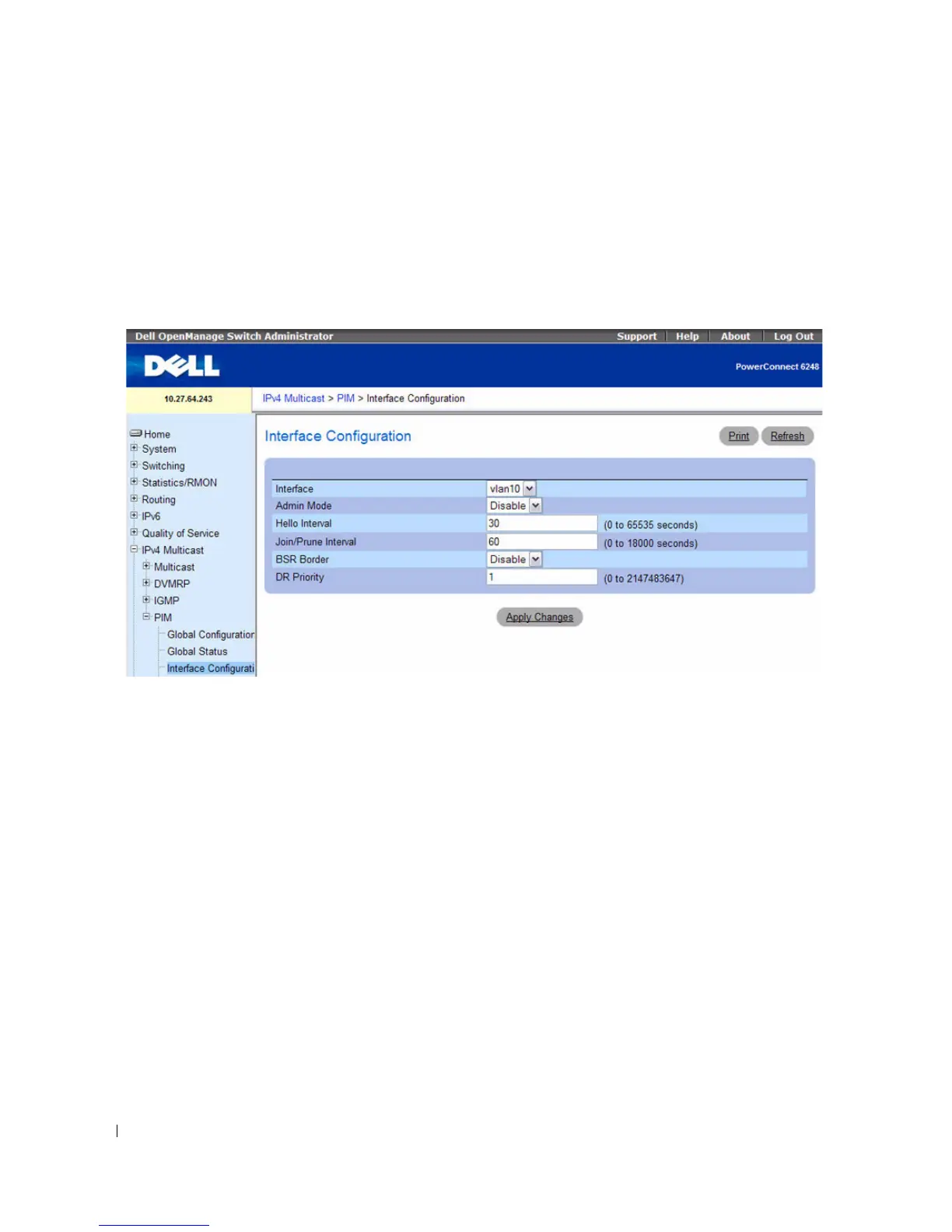
PIM-DM Interface Configuration
Use the PIM-DM Interface Configuration
page to configure specific interfaces with PIM.
To display the page, click IPv4 Multicast > PIM > Interface Configuration or IPv6 Multicast > PIM
> Interface Configuration in the tree view.
Figure 12-36. PIM Interface Configuration
The PIM Interface Configuration page contains the following fields:
•
Interface
— Select the interface for which data is to be displayed or configured. You must have
configured at least one router interface before configuring or displaying data for a PIM interface,
otherwise an error message is displayed.
•
Admin Mode
— Select Enable or Disable from the drop-down menu to set the administrative status
of PIM for the selected interface. The default is Disable.
•
Hello Interval
— Enter the number of seconds between PIM hello messages transmitted from the
selected interface. The default value is 30. Valid values are 0 to 65535 seconds.
•
Join Prune Interval
— Enter the frequency at which PIM Join/Prune messages are transmitted on this
PIM interface. The valid values are from (0 to 65535). The default value is 60.
•
BSR Border —
Indicates whether this interface is enabled or disables to act as a border for all PIM
bootstrap messages. Bootstrap messages do not cross the BSR border.
•
DR Priority —
The Designated Router priority value. The router with the highest priority value is
elected as the Designated Router. A shared-media such as Ethernet may have multiple PIM-SM
routers connected to it. A single one of these routers, the DR, acts on behalf of directly connected
hosts with respect to the PIM protocol. This field is applicable for PIM-SM only. The valid values are 0
to 2147483647.



 To Next Page