Chapter 4 Connect the Front End
112 Storage Center SC8000 Controller Deployment Guide
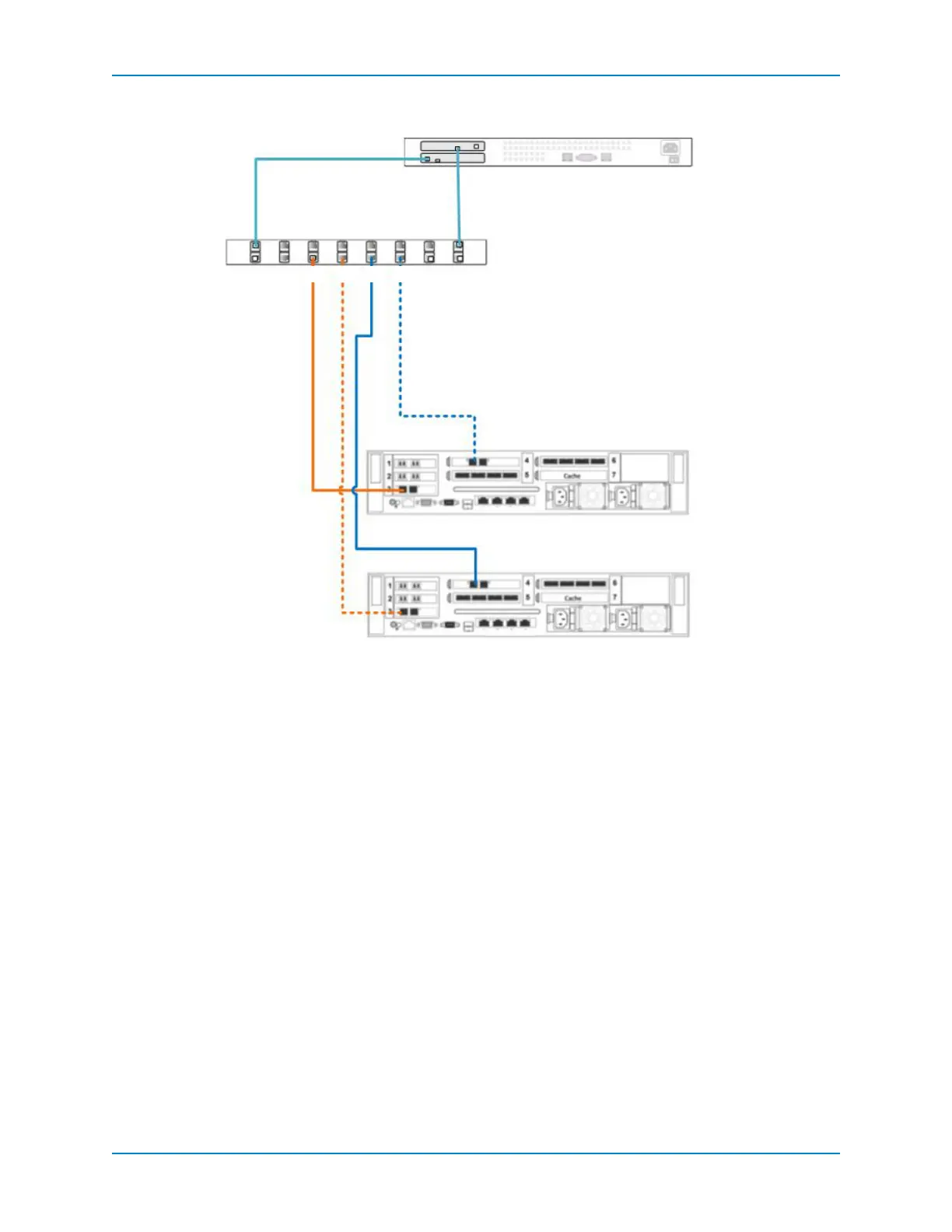
Figure 96. Dual-controller with Single-Network iSCSI in Legacy Mode
Legacy Mode with Dual-Network iSCSI
Usetwonetworkswithlegacymodetopreventaswitchfailureorcontrollerfailurefrom
causinganoutage.
Inthisconfiguration,fourfaultdomainsarespreadacrossbothcontrollers.Eachfault
domaincontainssetsofprimaryandreservepaths(P1‐R1,P2‐R2,P3‐R3,andP4‐R4).To
provideredundancy,
theprimaryportandthecorrespondingreserveportinafault
domainmustconnecttothesamenetwork.WhenMPIOisconfiguredontheiSCSIservers,
theprimarypathsprovideredundancyforasingleportorcablefailure.Thereservedpaths
provideredundancyforsinglecontrollerfailure.
Prerequisites
EachcontrollermusthavetwoavailableiSCSIfront‐endportsforeachEthernetswitch.
Steps
1 ConnecteachiSCSIservertobothEthernetswitches.
2 Connectfaultdomain1(showninorange)toswitch1.
PrimaryportP1:ControllerA,slot3,port1→Switch1
ReservedportR1:ControllerB,slot3,port1→Switch1
Ethernet Switch 1
iSCSI Network 1
Server
Controller B
Controller A
P1 P2R1 R2
4 3 21
4 3 21
12
12
21
21



 To Next Page