Chapter 2 Install the Hardware
38 Storage Center SC8000 Controller Deployment Guide
*TheseIOcardscannotbeorderedforSC8000controllers.AnSC8000controllercancontaintheseIOcardsonlyiftheywere
transferredtotheSC8000controllerduringanupgradefromaCT‐SC030orCT‐SC040controller.
See Also
SC8000Back‐PanelFeaturesandIndicatorsonpage 10
Install Low-Profile IO Cards in Slots 1–3
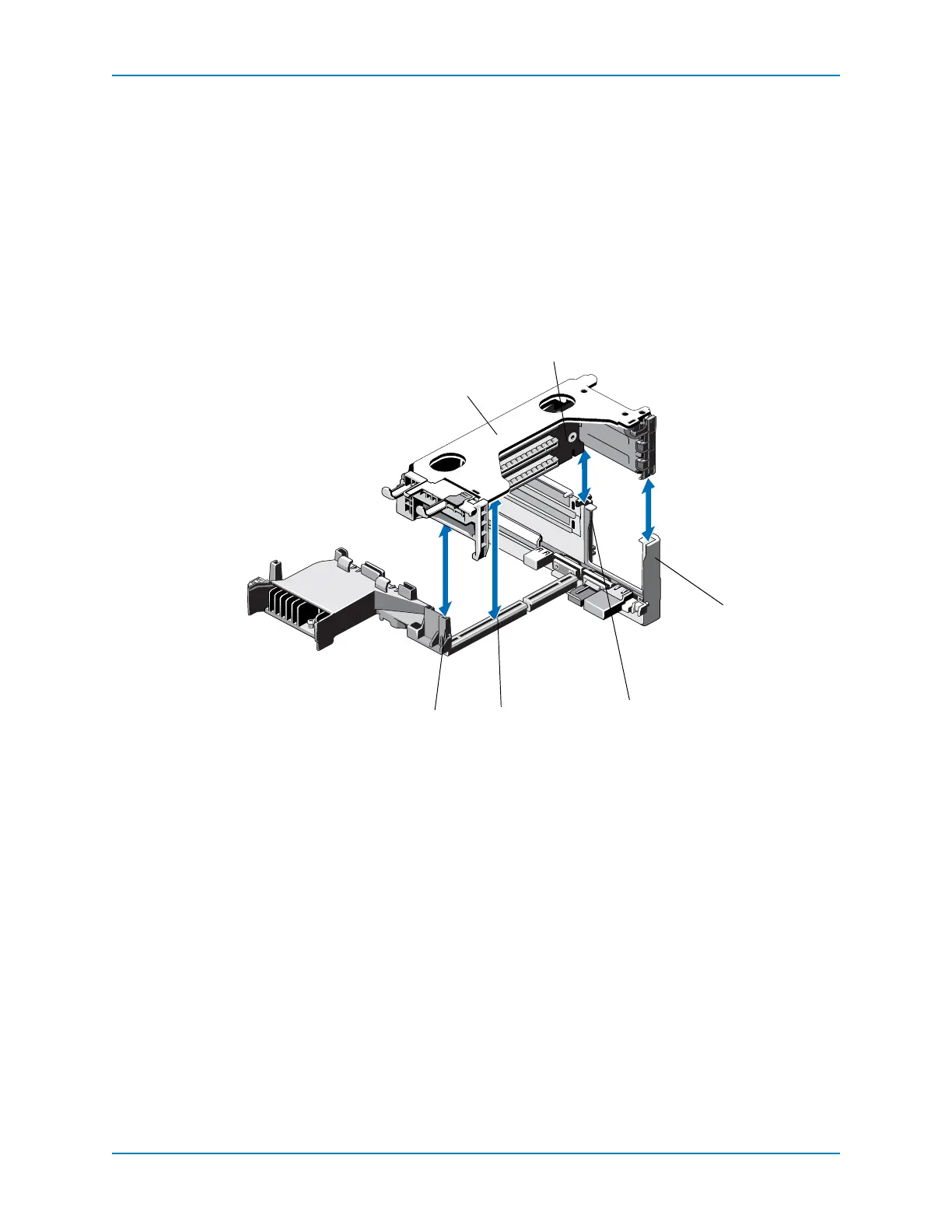
Toinstalllow‐profileIOcards,firstremoveriser1.
1 Removeriser1.
a Holdontothetouchpointsoftheriser.
b Lifttheriserfromtheriserconnectoronthesystemboard.
Table 1. Removing Riser 1
1 Riser 1 cage 4 Riser guide, back (left)
2 Riser 1 5 Riser 1 connector
3 Riser guide, back (right) 6 Riser guide, front



 To Next Page