(3) After belt is installed, inspect belt length indi-
cator marks (Fig. 4). The indicator mark should be
within the minimum belt length and maximum belt
length marks. On a new belt, the indicator mark
should align approximately with the nominal belt
length mark.
GENERATOR BELT
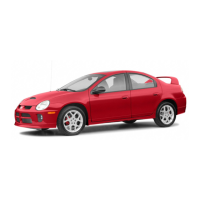
(1) Install belt and/or adjust belt tension by tight-
ening adjusting bolt. Adjust belt to specification
shown in DRIVE BELT TENSION CHART .
(2) Check belt tension using Special Tool 8371 –
Belt Tension Gauge Adapter, and the DRBIIIt using
the following procedures:
WARNING: DO NOT CHECK BELT TENSION WITH
ENGINE RUNNING.
(a) Connect 8371 to the DRBIIIt following the
instructions provided with tool.
(b) Place end of microphone probe approximately
2.54 cm (1 in.) from belt at one of the belt center
span locations shown in (Fig. 5).
(c) Pluck the belt a minimum of 3 times. (Use
your finger or other suitable tool)
(d) The frequency of the belt in hertz (Hz) will
display on DRBIIIt screen.
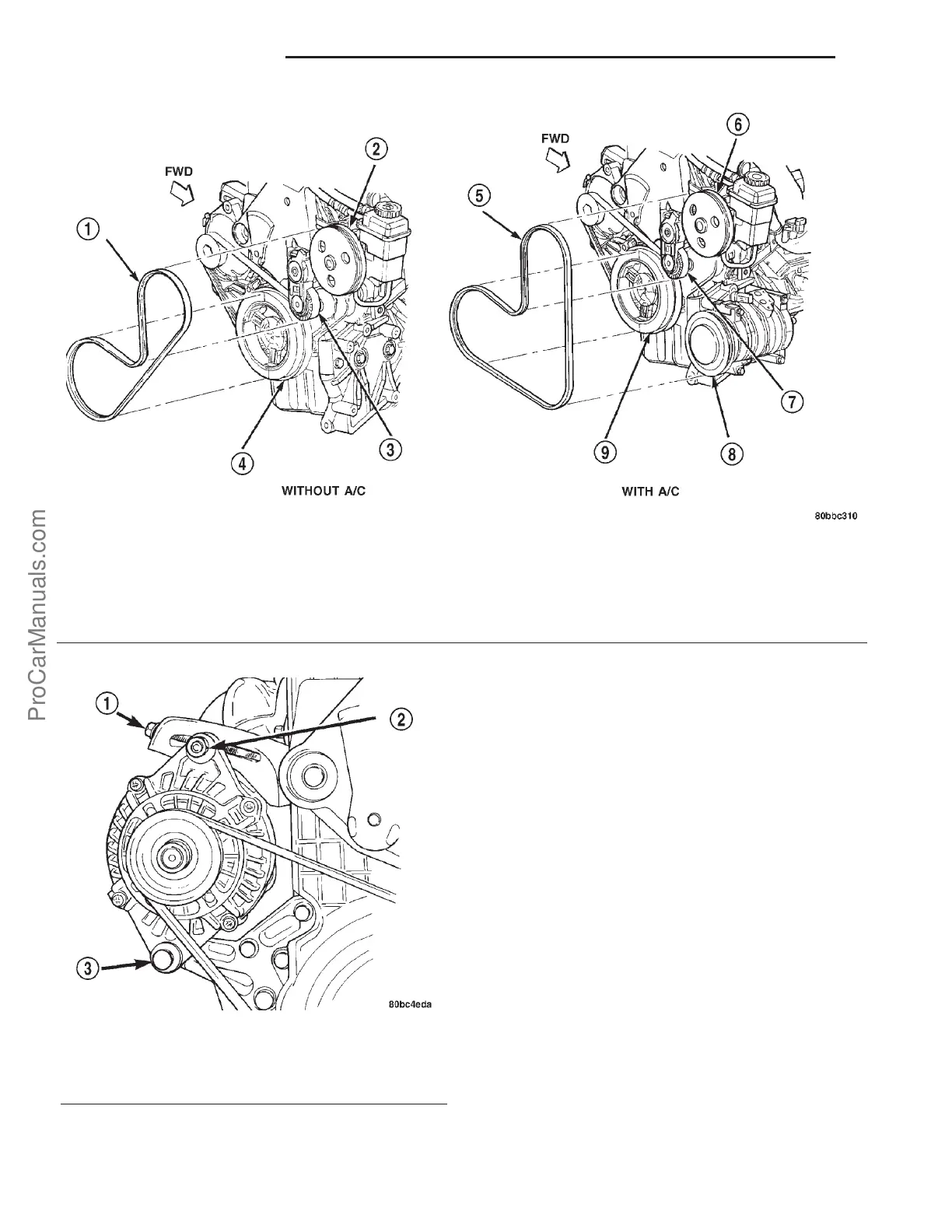
Fig. 2 Power Steering / A/C Belt
1 - BELT 6 - P/S PULLEY
2 - P/S PULLEY 7 - TENSIONER PULLEY
3 - TENSIONER PULLEY 8 - A/C PULLEY
4 - CRANKSHAFT PULLEY 9 - CRANKSHAFT PULLEY
5 - BELT
Fig. 3 Generator Belt Adjustment
1 - ADJUSTING BOLT
2 - LOCKING NUT
3 - PIVOT BOLT
7s - 4 ACCESSORY DRIVE PL
DRIVE BELTS (Continued)
ProCarManuals.com













 To Next Page