ECI Multi Functional Weighing Controller Operating Manual
Page 128
Digital Output
The section of the DAC module which contains the settings related to the Digital Output.
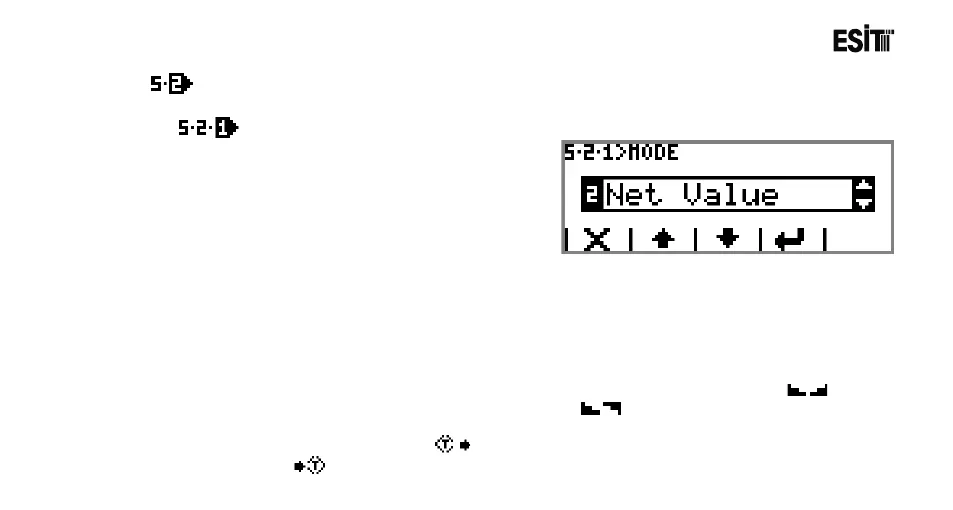
Mode
It is the output operation mode selection. The
options are;
1) Inactive: The relay is not active.
2) Net Value: Output is given between the
minimum and maximum values of the net value,
otherwise no output is given.
3) Gross Value: Output is given between the
minimum and maximum values of the gross value, otherwise no output is given.
4) Ready Signal: Output is given as long as the device is in operation.
5) Error Signal: Output is given when any of the error situations stated below emerges, otherwise no
output is given. Error situations:
6) Stagnancy If the change in the measurement result is less than a scale interval (if symbol
is displayed on the screen), output is given, otherwise (if symbol is displayed on the screen) no
output is given.
7) Tare Signal: While taring (when symbol is on the scree) output is given. When tare is
removed (when symbol is on the scree) no output is given.
LoadCellError LoadCellModule reading error!
Maximum Load! LoadCell Module Hardware error!



 To Next Page