ECI Multi Functional Weighing Controller Operating Manual
Page 40
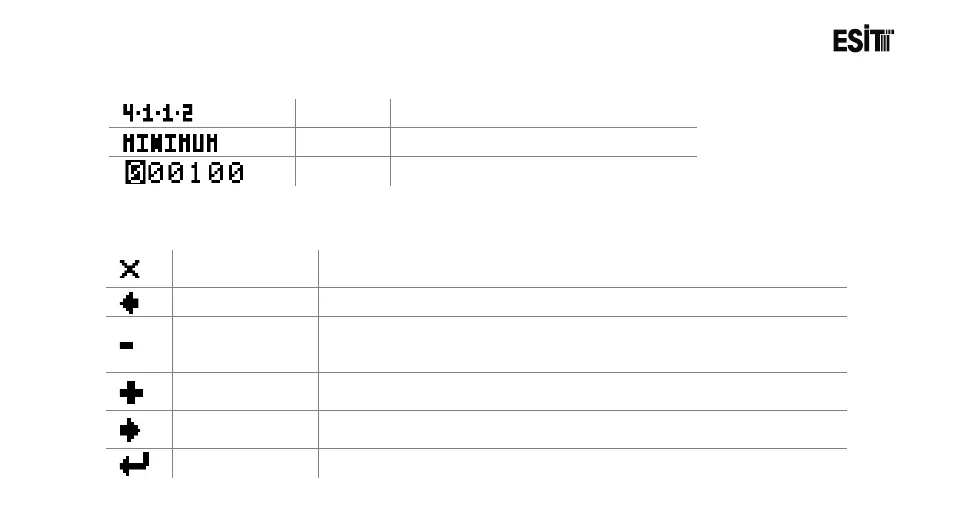
6.3.2 Symbols
Menu No
Respective menu number.
Title
Name of the current menu
Option
Value to be adjusted
6.3.3 Keys
Exit Key.
Used for returning to the menu screen from the parameter settings
screen
Left Arrow Key
Used for shifting the cursor to the left.
Minus Key
Used for decreasing the digit on which the cursor is located in the
areas where numerical value is entered in the parameter setting
Plus Key
Used for increasing the digit on which the cursor is located in the areas
where numerical value is entered in the parameter setting screen.
Used for shifting the cursor to the right.
Confirm Key
Used for confirming the selected screen.



 To Next Page