ECI Multi Functional Weighing Controller Operating Manual
Page 87
Settings
This menu is an ordered type menu where the weighing parameters are set forth. The sub-menus are
"Unit", "Capacity", "Resolution" and "Measuring Type".
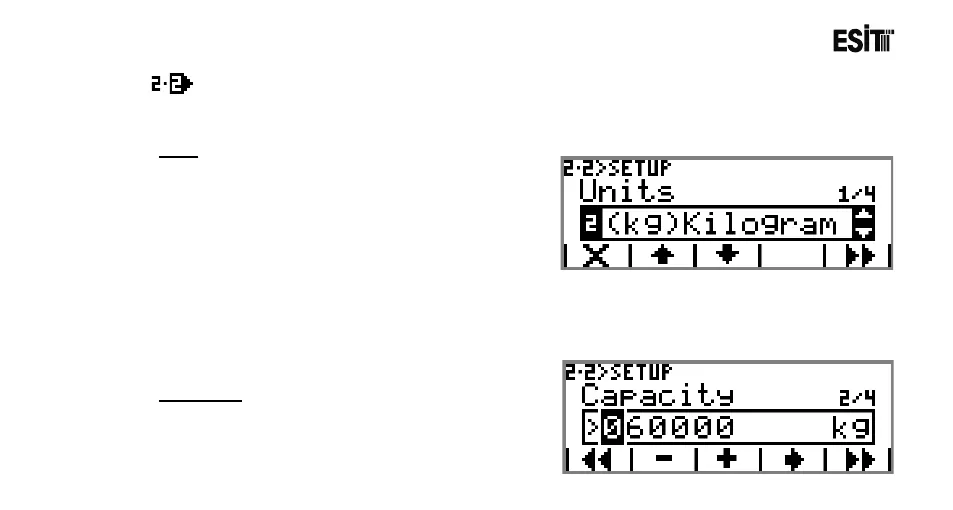
Unit
Determines the unit of the weighing device . The
options are;
1) (g)Gram
2) (kg)Kilogram
3) (t)Ton
4) (N)Newton
5) (lb)Libre
6) (lt)Litre
7) (mV/V) Input
8) (m3)Cubic meter
9) None
Capacity
It is the capacity value of the device. The capacity of
the load cell must not be exceeded.



 To Next Page