ECI Multi Functional Weighing Controller Operating Manual
Page 142
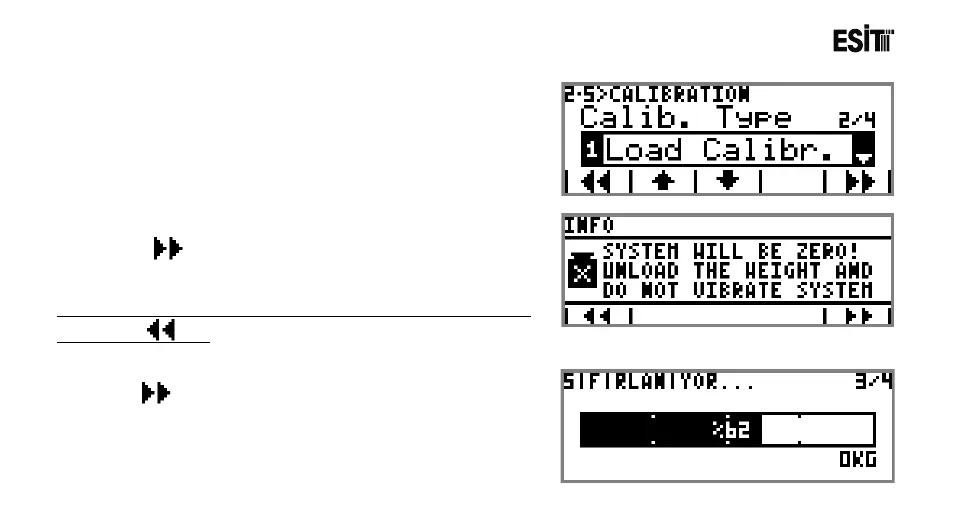
4) Calibration Type is selected. The options are;
1) Load Calibration
2) mV/V Calibration
3) Coefficient Calibration
4) Zero Calibration
5) After selecting the Calibration Type as the "Load
Calibration, proceeded to the next screen by pressing first,
then key. The information screen shown at side is
displayed.
If you select the cell type wrong you can return the previous screen
by pressing key.
6) key is pressed for starting the zeroing operation.



 To Next Page