ECI Multi Functional Weighing Controller Operating Manual
Page 214
11.6.4.1 Operation
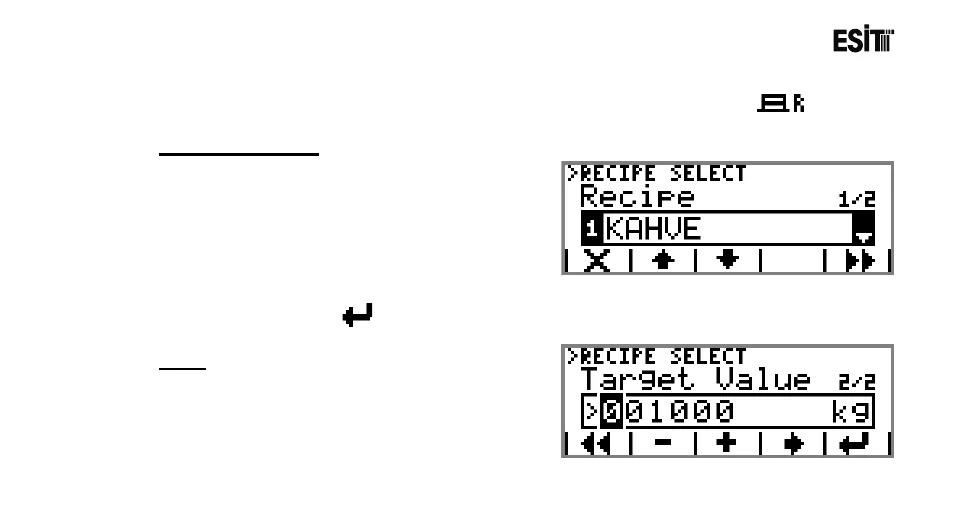
After making the settings and system identification, the recipe is selected by pressing key at
batching main screen and the total batching value is entered.
Recipe Selection
It is used for selecting recipe. The options are;
1) RECIPE01
2) RECIPE02
3) .
4) .
5) .
6) RECIPE15
7) RECIPE16
After selecting the recipe key is pressed and Total selection menu is displayed.
Total
It is used for setting the total batching quantity.



 To Next Page