ECI Multi Functional Weighing Controller Operating Manual
Page 264
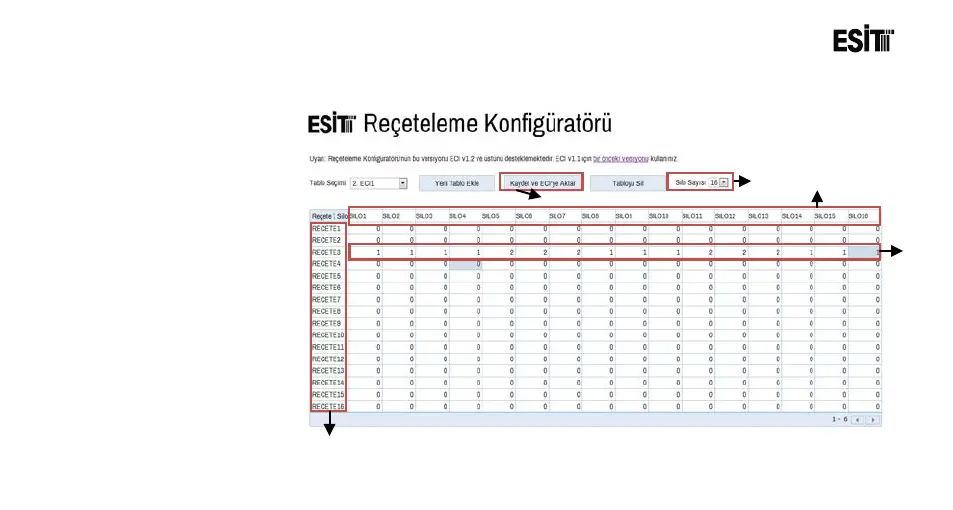
At the table screen, recipe
information can be created by
following the steps below and
transferred to ECI;
1. Number of silo is selected.
2. Silo names are entered.
3. Recipe names are entered.
4. Recipe formulations are
created.
5. The recipes created are
transferred to the USB disk
by pressing the Save and
Transfer to ECI keys.
6. USB Disk is inserted to the
ECI.
7. B. The recipes which are
created by using the Recipe



 To Next Page