Service Manual_AVA1_ENG-20220922_I 257
Check card types:
From LCD menu you can select card type settings.
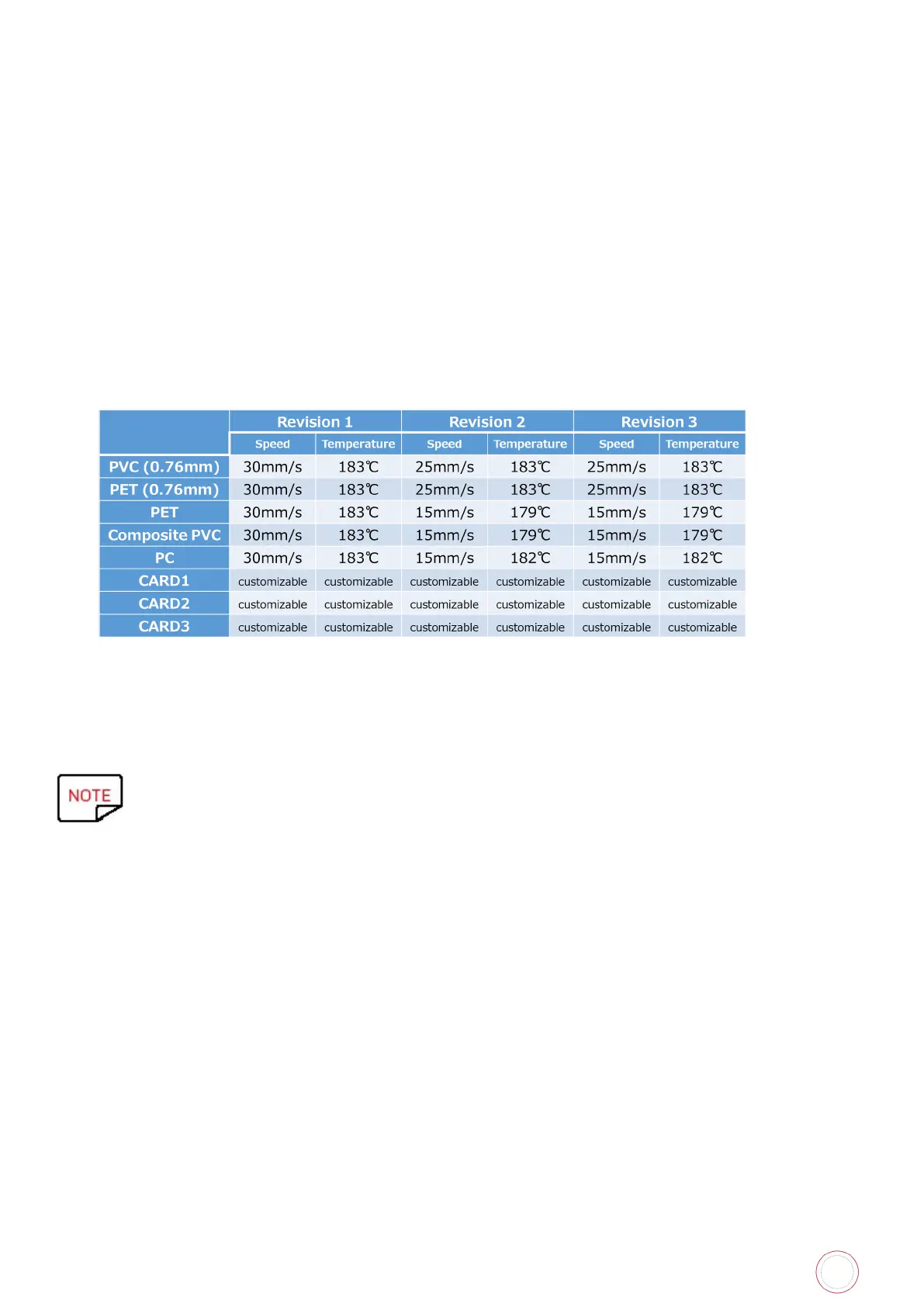
Card types offered by Avansia are presets:
• PVC 30mil/0.76
• PET-G 30mil
• PET 30mil/0.76
• PC 30mil/0.76
• Composite PVC
In case none of cars type presets apply to customer card type, exists other card types which are
customizable (speed and heat).
Speed can be set from 15mm/s to 50mm/s.
Heat temperature can be set from -15 to 11.
When selecting card type CARD1 / CARD2 / CARD3 from LCD menu, each time you can set
speed and/or heat if needed.


 To Next Page
 Loading...












