Running H/F 1
Power Blazer 113
Running H/F 2
Transport Test Applications
To select, configure, and start a Transport test:
1. From the test menu, tap Setup.
2. From the Test Applications tab, under Transport, tap a test icon.
3. From the Test Configurator tab configure the signal structure and its
parameters.
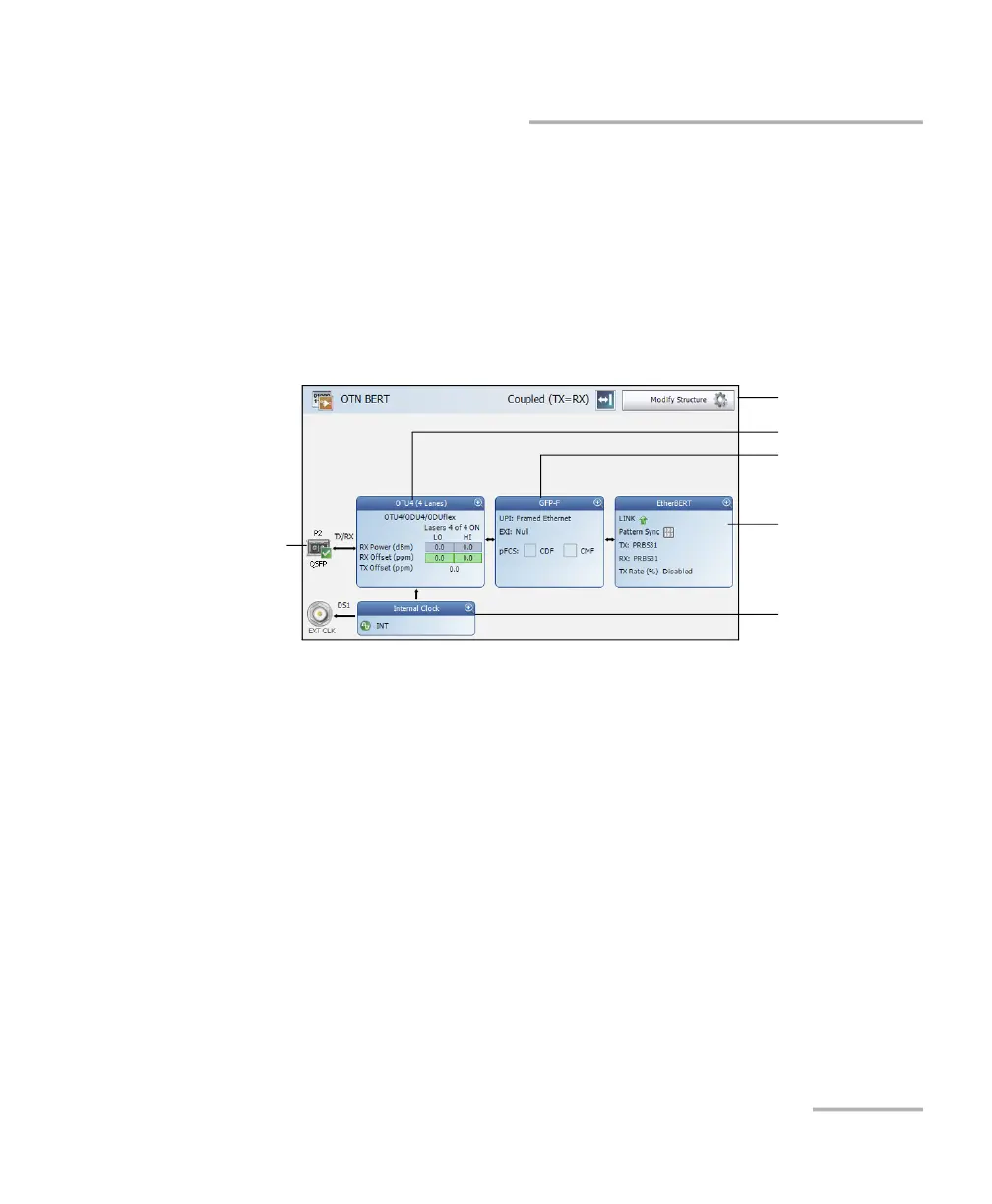
3a. Tap the Modify Structure button to set the basic structure of the
test such as the interface/rate, connector, etc. Refer
respectively to:
Modify Structure - DCO BERT on page 148
Modify Structure - DSn/PDH BERT on page 150
Modify Structure - FlexO BERT on page 170
Modify Structure - Multi-Channel OTN on page 171
Modify Structure - NI/CSU Emulation on page 172
Modify Structure - OTN BERT on page 173
Modify Structure - OTN-SONET/SDH BERT on page 180
Modify Structure - SONET/SDH BERT on page 193
Modify Structure - SONET/SDH - DSn/PDH BERT on page 196
Modify Structure
Protocol Block
Test Block
Clock Block
Interface Block
Physical
Interface Port












 To Next Page