CHAPTER 73
PAGE 13
MAINTENANCE MANUAL EXTRA 300LT
PAGE DATE: 12. June 2015
Installation
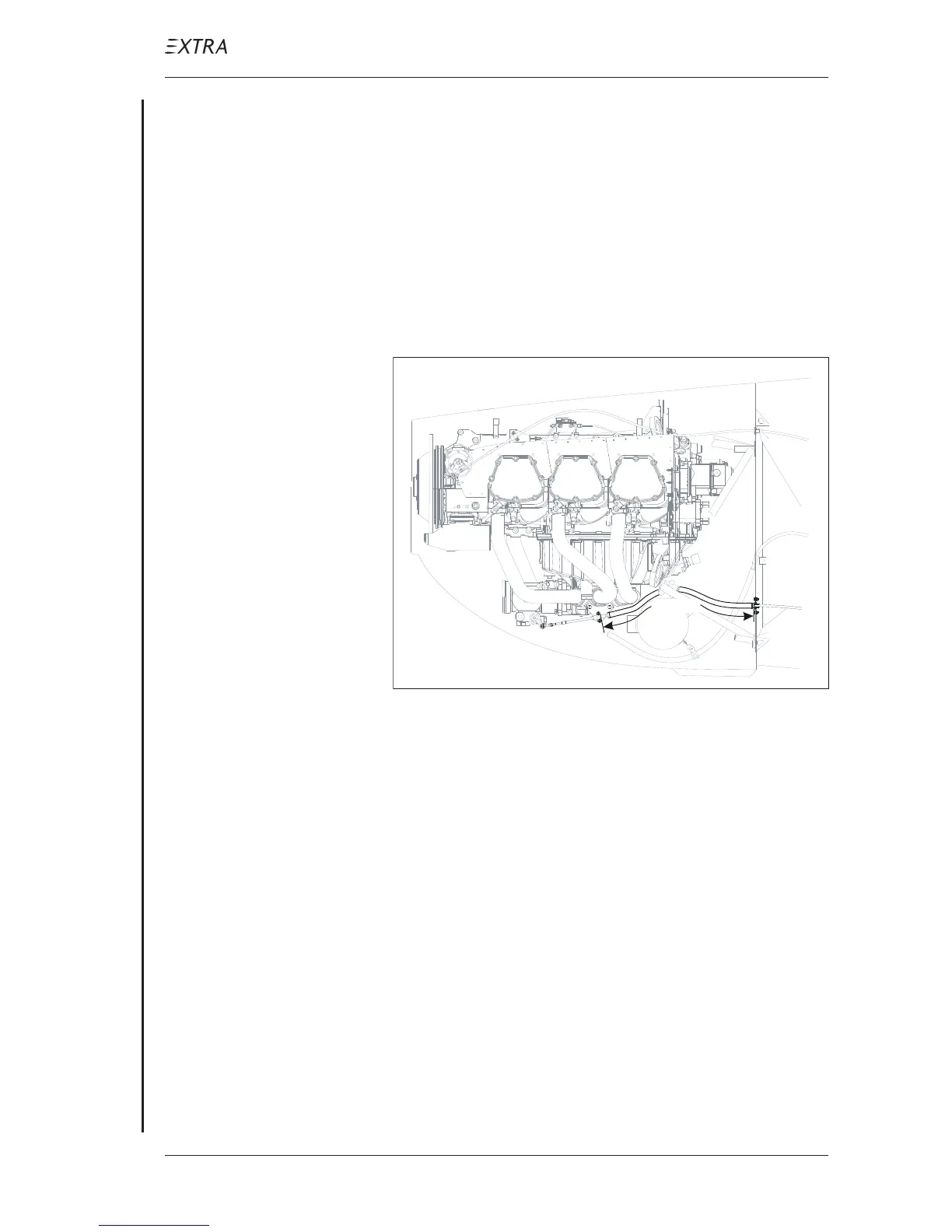
Refer to Figure 3 and Figure 4.
1 Install the mixture control unit.
2 Move mixture control knob to the foremost position.
3 Thread the rear clamp sheet and plastic guidance for the
firewall break through on the mixture control cable.
4 Install the mixture vernier control cable according to the
previously marked routing. Ensure distance between firewall
and clamp block is 555 mm (refer to Figure 6).
Side View
555 mm
Figure 6 Clamp Sheet to Clamp Block Distance
5 Renew the sealing of the firewall breakthrough at the engine
side of the firewall. Use PR-812 (Products Research &
Chemical Corp., USA) firewall sealant as outlined in Chapter
20-10-10.
6 Let the sealant slightly cure before thightening the clamp
sheet attachment bolts. This will strengthen the clamping.
7 Install the clamp sheet.
8 Install the cable ties in the cockpit area on positions as
marked before.
9 Install the 540 mm firesleeve to the mixture vernier control
cable and secure with safety wire at both ends.
10 Install the mixture vernier control cable to the respective
bracket by installing the clamp block (1, Figure 8) to the
conduit fitting of the control cable.



 To Next Page