Chapter 11 System Management
11.2 Functions in the Action Area for System
ETERNUS Web GUI User’s Guide
471
Copyright 2011 FUJITSU LIMITED P2X0-1090-02ENZ0
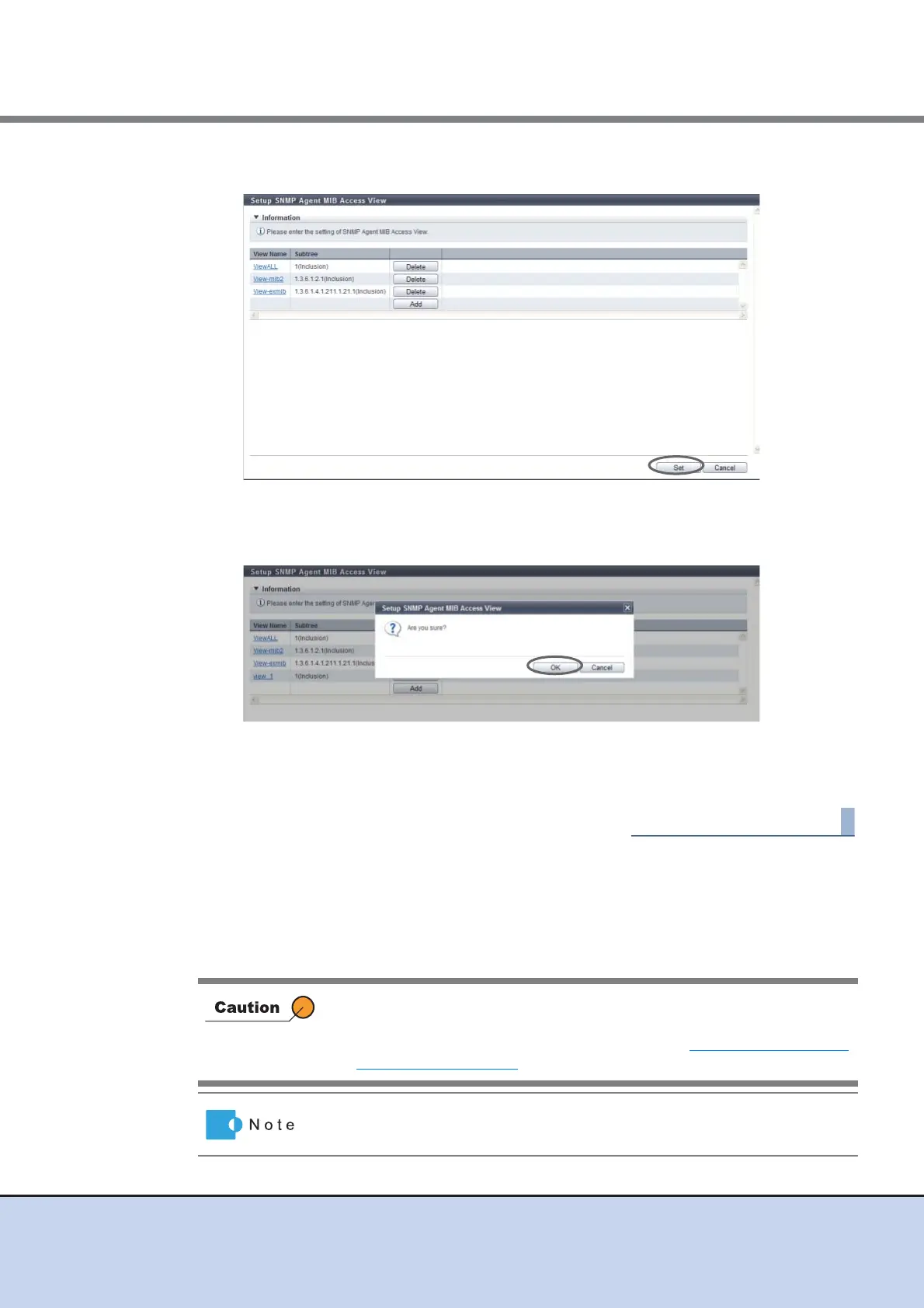
5 After adding or editing the MIB View, click the [Set] button.
→ A confirmation screen appears.
6 Click the [OK] button.
→ Setting of the SNMP Agent MIB View starts.
7 Click the [Done] button to return to the [Network] screen.
11.2.3.6 Setup SNMP Agent User
This function sets up the user which accesses the SNMP Agent.
The security level and the MIB access range are configured for each user.
Up to ten users can be specified for each ETERNUS DX Disk storage system.
• If the "SNMP Function" is disabled, the [Setup SNMP Agent Manager]
function cannot be used.
• The user name that is used in the settings in "11.2.3.8 Setup SNMP
Agent Trap" (page 477) cannot be changed or deleted.
The authentication and encryption can be enabled/disabled, and also the
MIB access range can be specified, for each user.



 To Next Page