Chapter 11 System Management
11.2 Functions in the Action Area for System
ETERNUS Web GUI User’s Guide
472
Copyright 2011 FUJITSU LIMITED P2X0-1090-02ENZ0
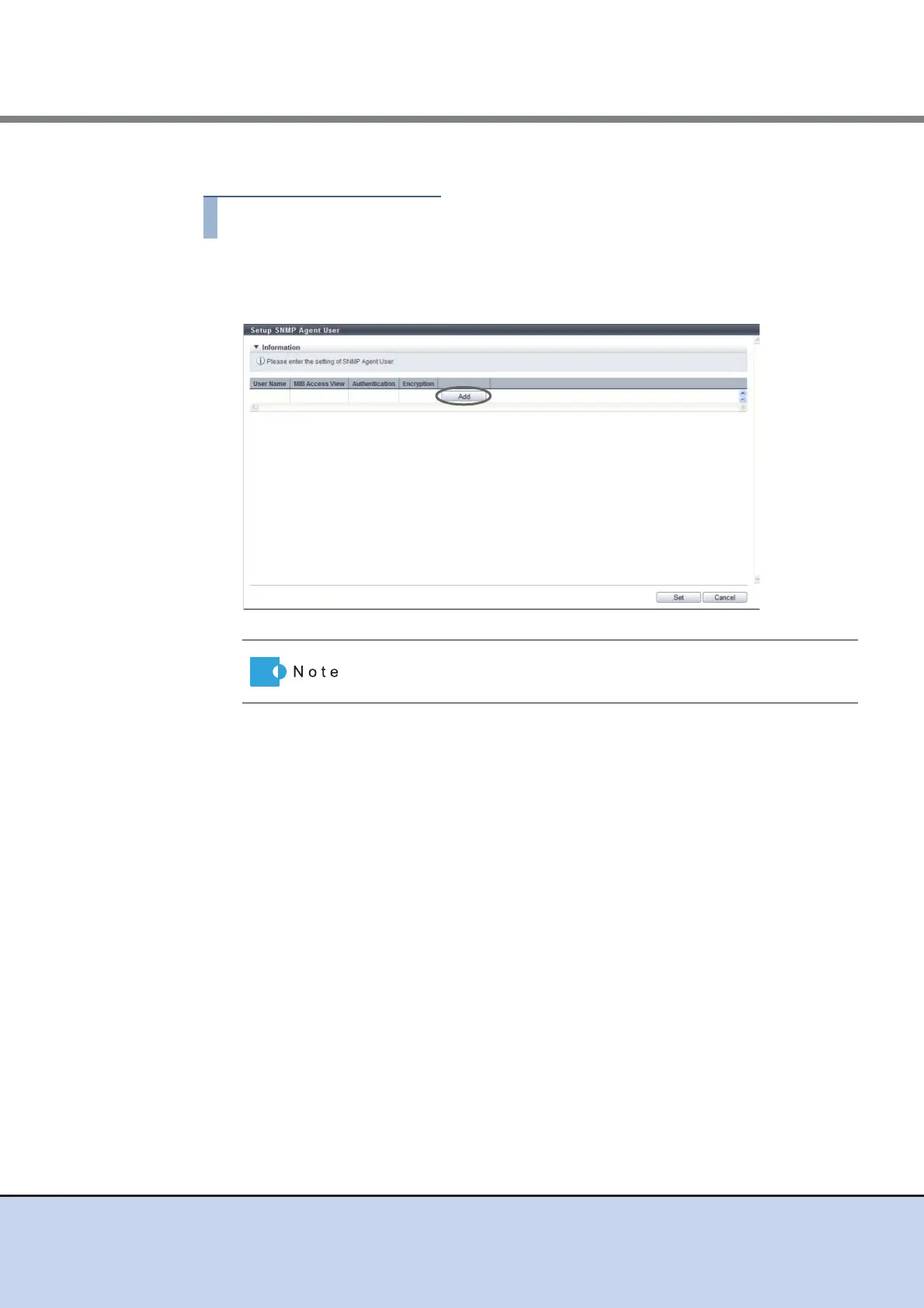
The procedure to set the user to access the SNMP Agent is as follows:
1 Click [Setup SNMP User] in [Action].
2 Click the [Add] button.
3 Enter or edit the user information, and click the [OK] button.
• User Name
Enter the user name which accesses the SNMP Agent.
The user name which has already been used cannot be entered.
The following input conditions apply:
- 8 - 32 alphanumeric characters and symbols
- "! (exclamation mark)", "# (hash mark)", "& (ampersand)", "_ (underscore)", "+
(plus)", "- (hyphen)", "* (asterisk)" and "/ (slash)" can be used
- Spaces
• MIB View Setting
Select the view name to specify the MIB access range for the user.
A "blank" means accessing the MIB is not allowed.
• Authentication
Select whether to enable or disable the authentication.
• Authentication Method
When enabling authentication, select the authentication method from "MD5" (Message
Digest 5) or "SHA" (Secure Hash Algorithm).
Click the [User Name] link to edit the existing user.



 To Next Page