Chapter 11 System Management
11.2 Functions in the Action Area for System
ETERNUS Web GUI User’s Guide
560
Copyright 2011 FUJITSU LIMITED P2X0-1090-02ENZ0
■ Display event logs
The procedure to display event logs is as follows:
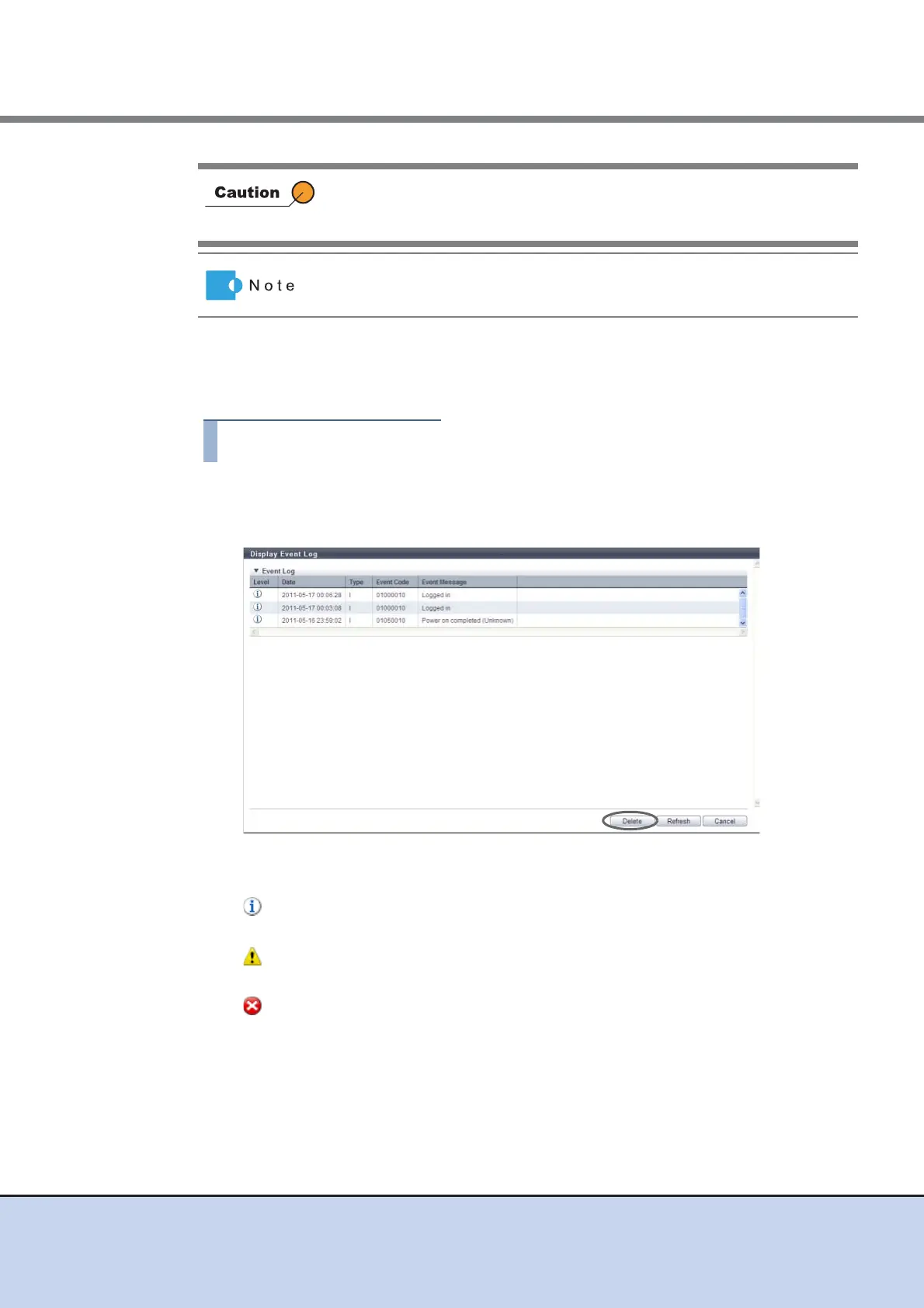
1 Click [Display/Delete Event Log] in [Action].
2 Check the displayed event logs.
• Level
The event level is displayed with an icon.
- (Information)
This icon indicates that the level of importance of the log is "Information".
- (Warning)
This icon indicates that the level of importance of the log is "Warning".
- (Error)
This icon indicates that the level of importance of the log is "Error".
• Date
The date and time when the event occurs are displayed.
- YYYY-MM-DD hh:mm:ss (YYYY: Year (AD), MM: Month (01 - 12), DD: Day (01 - 31), hh:
Hour (00 - 23), mm: Minute (00 - 59), ss: Second (00 - 59))
Even after deleting the event log using the [Delete Event Log] function, the
maintenance information log remains stored in the ETERNUS DX Disk
storage system.
All event logs are deleted in a single operation.



 To Next Page