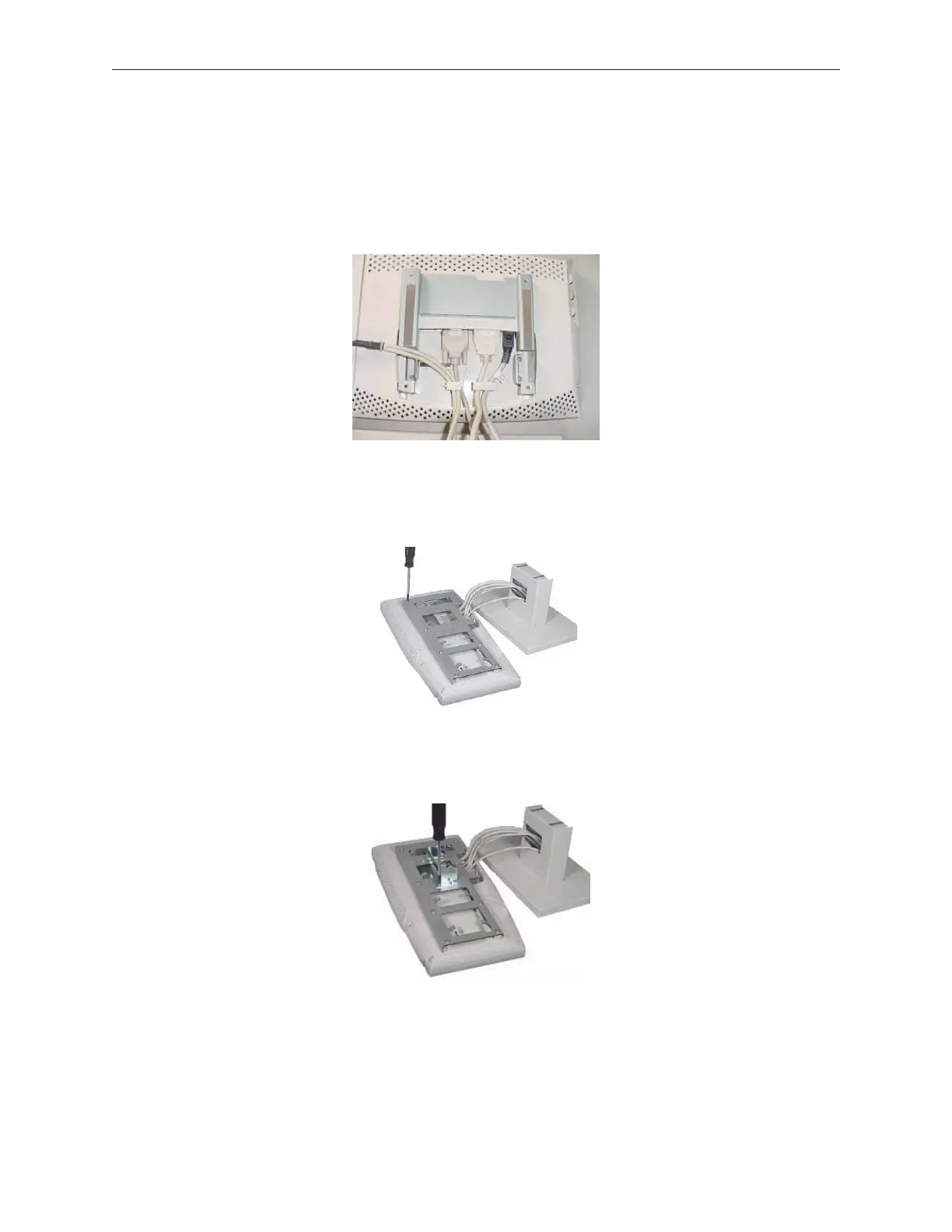
3. Install mounting bracket to back of LCD using the 4 screws provided. Two of the
screws are longer than the other two. These are to be used on the thicker side (where
the metal plate folds back on itself). In the picture below this is the right side.
4. Put LCD and Keypad/MSR unit together.
5. Attach back metal bracket to LCD and keypad/MSR and secure with 8 screws.
6. Attach rotation mechanism to back metal bracket using 4 screws (remove the rotatoin
mechanism from stand, if it was previously installed).
90000291 Rev 3.0 5-67
TeamPoS 2000 MAINTENANCE MANUAL



 To Next Page